

Translation is one of the odd feature in Google Chrome among other browsers. This means that when you browse any website in language other than English, Chrome will automatically ask you to translate the web page into English.
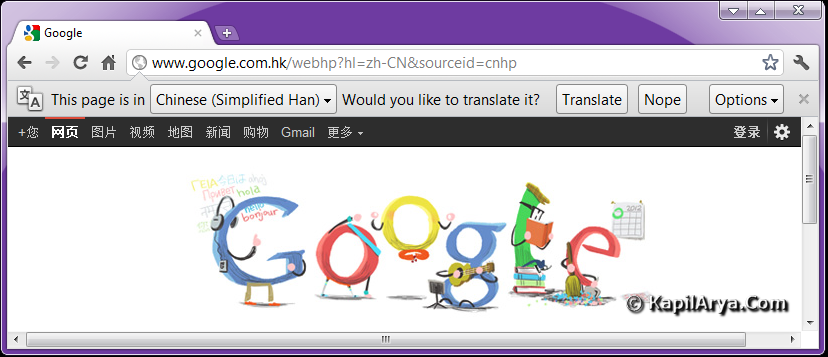
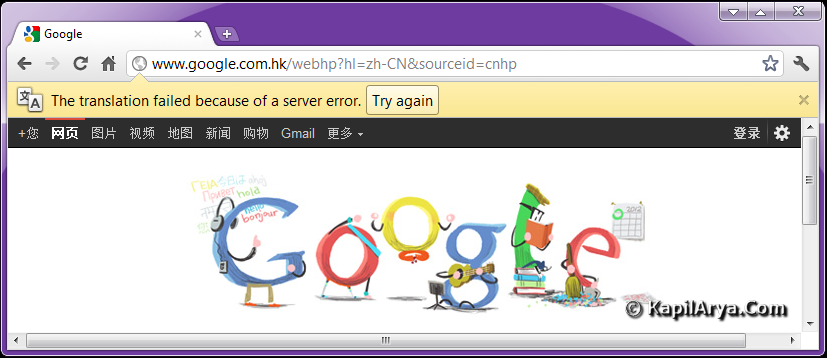
But by inspection I found that the translator doesn’t seems working actually. When I click Translate, it returned back with error The translation failed because of a server error. Also the Try Again button appeared seems meaningless.
In this article we’ll tell you the workaround for this situation:
FIX : Google Chrome Unable To Translate Web Pages
1. Open Google Chrome and navigate to Wrench Menu -> Bookmarks -> Show bookmarks bar (if bookmark bar is already showing on Chrome, then you can skip this step).
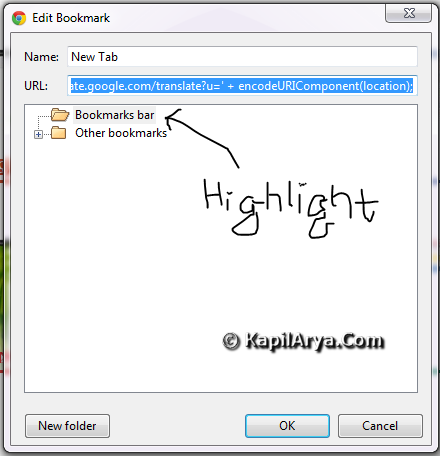
2. Right click on the bookmark bar, select Add page. In the URL option put the following string followed by highlighting Bookmarks bar in the lower box:
javascript:location=’http://translate.google.com/translate?sl=auto&tl=en&u=’%20+%20encodeURIComponent(location);
In the Name field, put whatever you like (recommended : Translate Page).
3. Under Wrench Menu, go to Options -> Under the hood. Remove check mark form Offer to translate pages that aren’t in a language I read.
4. Now go to the page you want to translate and click on the Translate Page button in the bookmarks bar. And see… the page is being translated to English automatically.
That’s it!





good to know :)
you can skip 3rd step also??
X-lent POST HERE!
plz. provide any other method dude, i dont like the bookmark bar in top i want to remove it…its annoying
I’m using GC12 there is no such prob. May b it is a bug in latest build ,
f9 tip for future reference
yet another good one*****
good article……………..
@ farhan, try using Firefox :)
very thanks for taking time on this issue. i have the same problem which is now solved.. thanks alot
Have the latest Chrome still translation problems
Google translate will translate Jp to Eng pages once then not again. Have uninstalled, uninstalled Google folder updated Java, reinstalled.
It used to translate pages and then the pages that were linked to pages, not now.
“the translation failed because of a server error”
^^ Have you tried the above method?
Yes, I have.
Yes, I cut and pasted this exactly, without the qoutes.
“javascript:location=’http://translate.google.com/translate?sl=auto&tl=en&u=’%20+%20encodeURIComponent(location);”
^^ Then it should work, because we’re using the online Google Translation (translate.google.com), not the translate feature inside Google Chrome.
The translation feature inside Chrome allowed me to shop online in Japanese as it would translate all secure pages. Now, not even the top page. Google Translation (translate.google.com) translates the top page only.
I am sorry. My original post led you to believe I had a Google translate problem. Google translate never translated secure pages.
I have a Google Chrome translation problem, it used to translate secure pages, no matter how deep. Now it sometimes translates non-secure pages and doesn’t translate secure pages at all.
Thanks works well
^^ Glad we could help 😊