

Many of you guys are using Windows 8, for some it may come built-in for your device and for rest, you guys yourself have installed it. One of my friend reported a strange error occurring while he shuts his computer running this beta OS. Actually when he try to shut down the Windows 8 via Alt + F4 or Charms bar, he got following error:
Error “Winlogon.exe – No Disk” For Windows 8
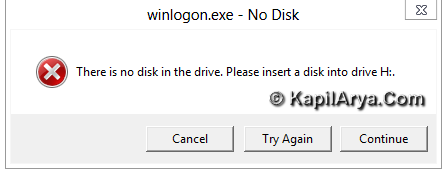
I think this is the case of device interruption. Obviously you’ll need to hit up the power button of your laptop to close the system in such cases. These may result in unexpected violations in the operating system. So to help you guys on this issues, I have following methods to share you. If you are the victim of such a case, you can follow below procedures and get fixed:
FIX 1 – Via Device Manager
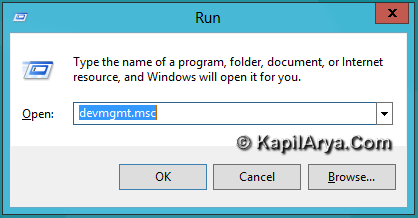
1. Press  +R , type devmgmt.msc in the Run dialog box.
2. It will bring up the Device Manager. Under Disk drives tree, right click on USB mass storage devices and select Disable.
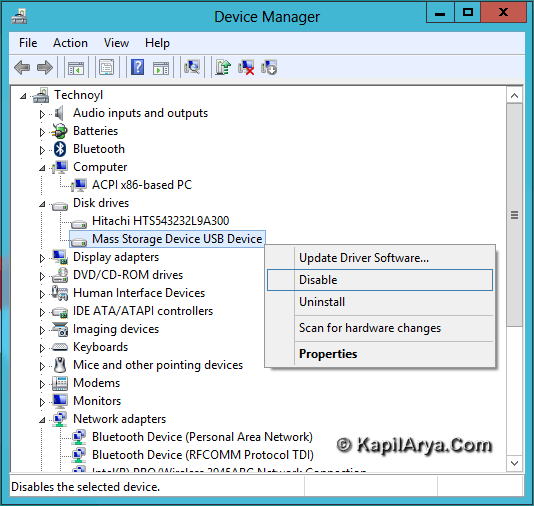
3. Exit Device Manager. Again try to shut down, it should work now.
FIX 2 – Add Shut down tile in Metro Interface
1. Type following location in Run dialog box after pressing + R:
C:\Users\[USERID]\AppData\Roaming\Microsoft\Windows\Start Menu\Programs
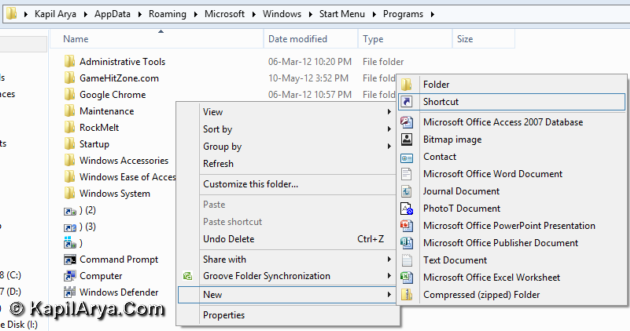
2. Create a shortcut with following location:
C:WindowsSystem32shutdown.exe /s /t 0
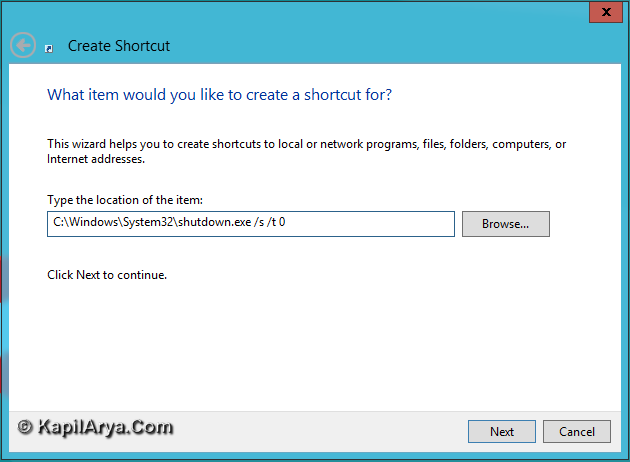
Name it with whatever you like and click Finish.
3. Access this shutdown tile in Metro Start Screen, right click on it, pick open file location.
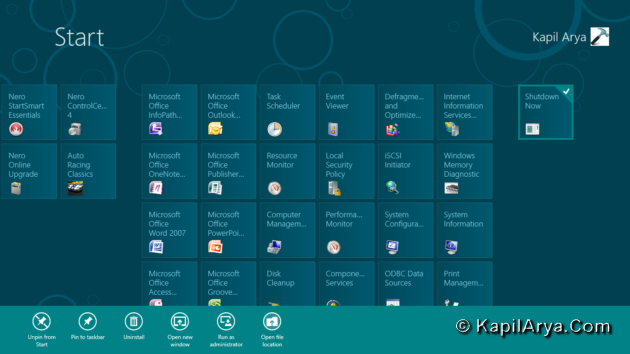
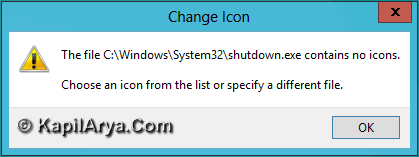
4. Change the icon of file by right click -> Properties -> Change Icon. You may get following error, but skip it with OK.
Pick the icon:
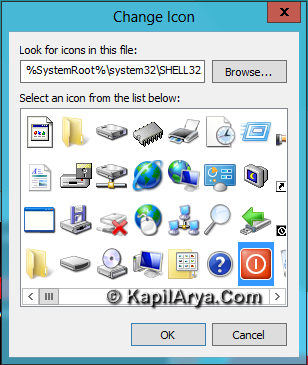
That’s it, now try to shut down the laptop using this tile, it should work on.
FIX 3 – Disable Hybrid boot
This issue can also be fixed by disabling hybrid boot aka Fast startup in Windows. Most of guys got this problem solved with this method. We’ve already shared how to enable or disable the Fast startup in the following article:
Follow the method for disable and got fixed.
Thus I hope you got fixed for the issue using above three methods so far. We hope Microsoft will soon release a hotfix or fixit so that we can fix it automatically, till then rely on above stated procedures.
Hope this helps!


I have same problem – Dell Inspiron 1564
Was OK in Consumer Preview.. now its fixed thanksss
The other option to disable Fast Startup makes startup as slow as Windows 7 :(
Hybrid boot not wrking pls help
Solved thanks for this article