

There are many reasons for this that you are receiving System Error 5 : Access is denied. One of the strong reason behind it is that the User Account Control (UAC) does not grant permission to local users. This part of your system controls all the user account information for your system, making it vital that you’re able to get it working to prevent any potential errors on your system.

Some other reasons for getting this error:
- Missing permission to access the remote computer
- Active directory replication may occur
- Time synchronization problem
- Firewall or third party product may eliminate connection to the remote computer.
Here is the simple solution to fix this issue:
FIX : “Error 5 : Access Is Denied” In Windows Vista
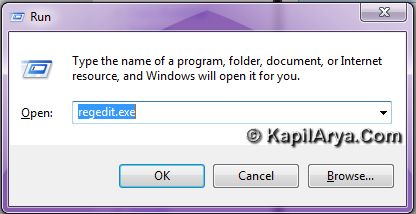
1. Press  + R and put regedit.exe in Run dialog box to open Registry Editor (if you’re not familiar with Registry Editor, then click here). Click OK.
2. Navigate here:
HKEY_LOCAL_MACHINE\SOFTWARE\Microsoft\Windows\CurrentVersion\Policies\System
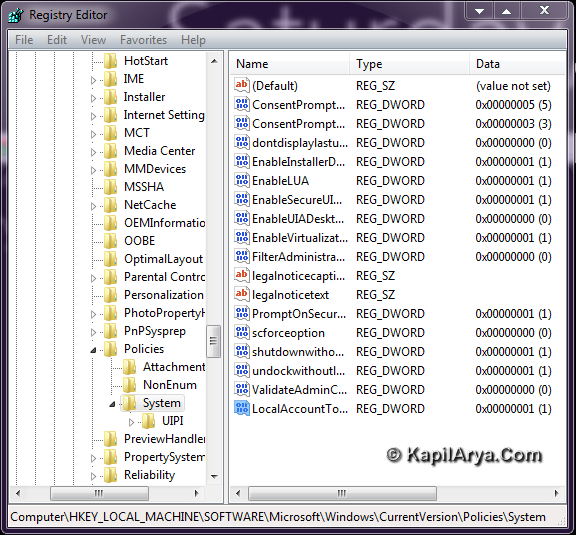
3. Now in right pane, look for LocalAccountTokenFilterPolicy registry DWORD. If you don’t found it, just create it by doing a right click in right pane, select New -> DWORD Value (Select 64-bit DWORD if your system is 64-bit supported). Rename to LocalAccountTokenFilterPolicy in place of New Value #1.
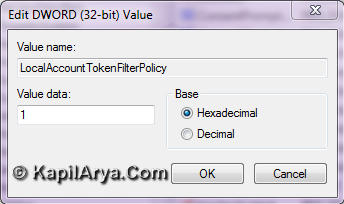
4. Now again right click on that key created above and select Modify and enter Value data 1. Click OK, close the Registry Editor, reboot to get fixed.
That’s it!






(Win32) Error 5 just means “access denied”.
It sounds like you’ve lost all the administrative account credentials? In other words, you don’t know how to log on as an admin? you have written what was actually needed. Keep it up
why don’t you just use elevated command prompt???
@ mathew , hmmm… elevated command prompt means cmd.exe ..am i right?
ECP may be the option but I think registry overrides over it.
dude u rocks..
Not working for me ;/
^^ Have you followed the method exactly?
I have a problem in OriginPro 7.0. If I open that, it shows that access is denied and load library fail.