

If you’re unable to install Microsoft Office 2016 on your Windows 10/8/7, this article is for you. Actually, recently while installing Office 2016 on one of our Windows 10 Pro running device, we got following error message:
Page Contents
Microsoft Office Professional Plus 2016 encountered an error during setup.
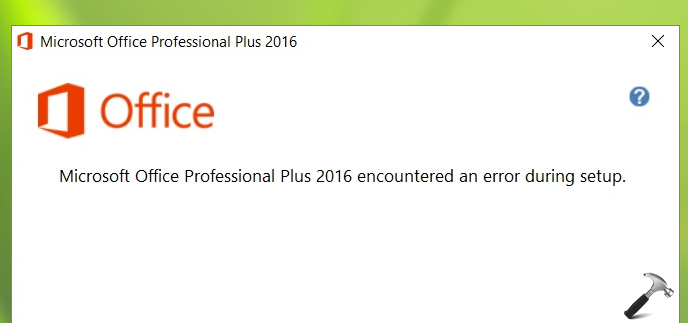
After a research on this issue, we found that this error occurs because Office setup is unable to register a scheduled task. This hiccup occurs at OfficeTelemetryAgentLogOn folder inside Office folder in Task Scheduler. Thus fixing this Task Scheduler glitch should help you to rid of this issue.
Here are the two different solutions you can deploy to fix this.
FIX: Microsoft Office Professional Plus 2016 Encountered An Error During Setup
FIX 1 – Using Uninstall Microsoft Office Tool + Task Scheduler
1. First of all, follow this guide and use the Uninstall Microsoft Office Tool to remove existing traces of Office installation. The tool is supposed to remove the Office installation traces completely, irrespective of the edition installed.
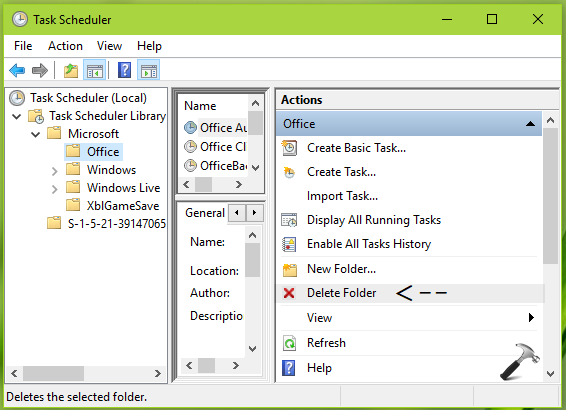
2. Then open Task Scheduler snap-in and navigate to Task Scheduler Library > Microsoft > Office. Keeping the Office folder selected carefully, in the right most pane, click Delete folder option.
3. Reboot the machine. Retry to install the Office package now and this time it should work fine.
If above mentioned steps didn’t worked for you, try FIX 2.
FIX 2 – Using Registry
Registry Disclaimer: The further steps will involve registry manipulation. Making mistakes while manipulating registry could affect your system adversely. So be careful while editing registry entries and create a System Restore point first.
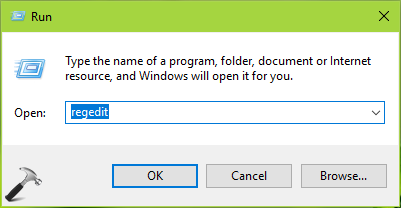
1. Press  + R and put regedit in Run dialog box to open Registry Editor (if you’re not familiar with Registry Editor, then click here). Click OK.
2. In left pane of Registry Editor window, navigate to following registry key:
HKEY_LOCAL_MACHINE\SOFTWARE\Microsoft\Windows NT\CurrentVersion\Schedule\TaskCache\Tree\Microsoft\Office
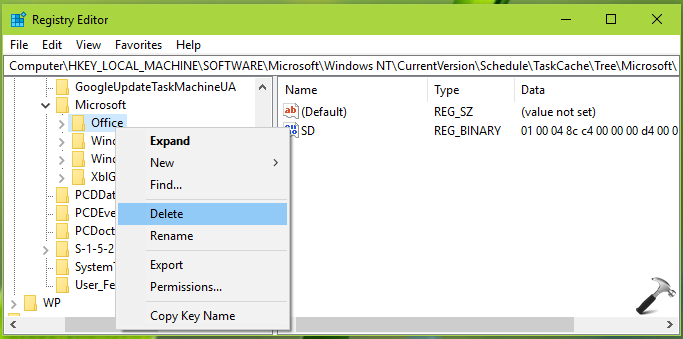
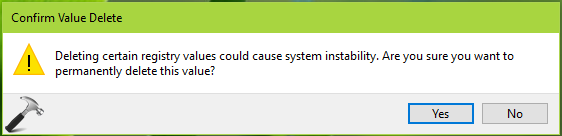
3. In the right pane of above mentioned registry location, right click the Office registry key and select Delete. Select Yes in the confirmation prompt so appear.
4. Reboot the machine and opt to install Office package now, the error should no longer persist.
Hope this helps!





Dude you are a legend! Been struggling with this for days. Finally sorted after following your solution. Many thanks kind sir!
^^ Glad to help 😎
dear sir, not resolve after all step done
dear sir, im done for all step even ill remove antivirus but still not install get same error how can i fix it, please guide suggest any other step