

If you’re using Office 2013, you might have noticed some of the new features are introduced in its components. One of those new features is getting list of most recent documents when you open the program under this productivity suite. In Word, this list is shown under blue background and you can use it to skip to recent worked out documents associated with the program.
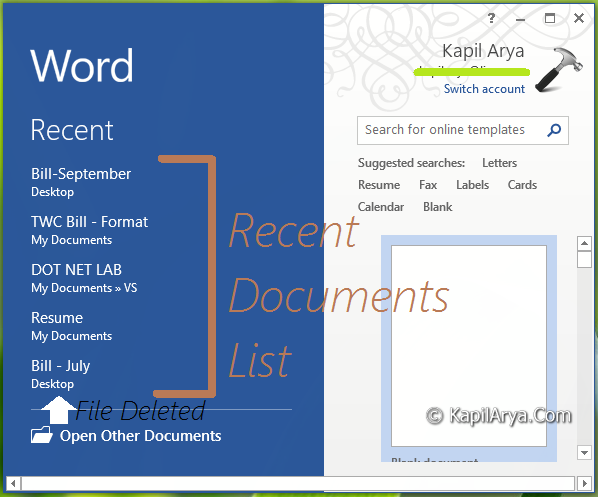
But, I realized that this list was not showing correct order of documents. It enlisted the files that got deleted from the system which I think it shouldn’t show there. Also the order of list not followed the rule of recent document first. In fact, it must show all the files that exists on the system with an order of most recently opened file at the hierarchy.
So, how to fix out this problem, re-installation of Office may be the way, but if time matters for you, then do this:
FIX : Word 2013 Doesn’t Show Recent Documents List Correctly
Registry Disclaimer: The further steps will involve registry manipulation. Making mistakes while manipulating registry could affect your system adversely. So be careful while editing registry entries and create a System Restore point first.
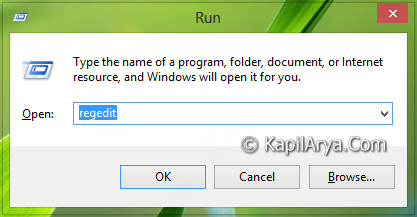
1. Press  + R and put regedit in Run dialog box to open Registry Editor (if you’re not familiar with Registry Editor, then click here). Click OK.
2. Navigate here:
HKEY_CURRENT_USER\Software\Microsoft\Office\15.0\Word
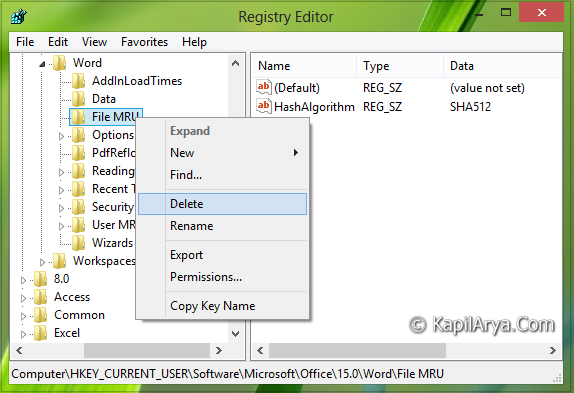
3. In the right pane of this location, you will see the File MRU sub-key (HKEY_CURRENT_USER\Software\Microsoft\Office\15.0\Word\File MRU) under the key Word. Right click on this sub-key and pick Delete.
Now do close the Registry Editor and reboot to verify the results. You’ll observe that Word now starts showing recent documents list correctly as it should.
Hope you find the fix useful!





This issue was happening for me in Excel, so I followed the same steps (for Excel, rather than Word, obviously) and it worked!
Thank you for this.
^^ Cool :)
Doesn’t work in WIN 10.