

Windows operating systems uses different protocols for sharing data among various applications running on them. Dynamic Data Exchange (DDE) is one of those protocols which is often used by Microsoft created programs. With the help of this, applications creates a link mechanism which is used to transfer data and commands in between. Also, there is no need of user approval for these communications, once the link is established.
When the DDE protocol fails to establish links for sharing data, you may came around this error message:
Page Contents
There was a problem sending the command to the program.
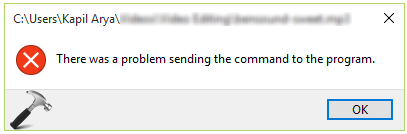
In the above error message, if you click OK, the program will re-try to establish link and if it gets succeeded, you’ll no longer get error. But in case if program again fails to create link, the error message will keep appearing until you fix it permanently. We got this error message with Microsoft Excel, but as I said earlier this can be appear with any program you use which in turn uses DDE protocol.
So how to fix it? Well here are few suggestions you can try to fix it for Microsoft Excel:
FIX : There Was A Problem Sending The Command To The Program In Windows 10
FIX 1 – Disable Usage Of DDE Protocol
When you prohibit applications to use DDE protocol, they will look for alternative mechanism to share data with other programs. Also, this will help us to bypass this error message. If you’re getting this error message with Office programs, you can use these simple steps to disable DDE protocol and hence fix the issue:
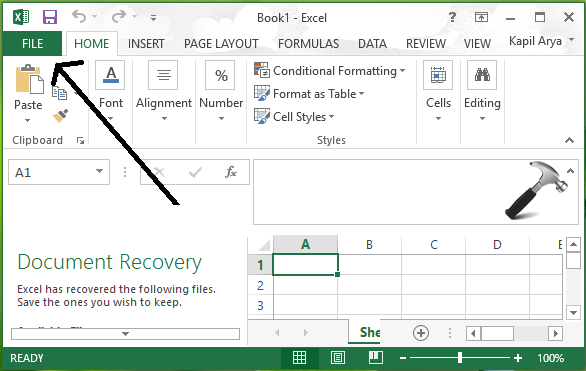
1. Open any workbook or new document in any Office application, for an instance, say Excel. Click FILE.
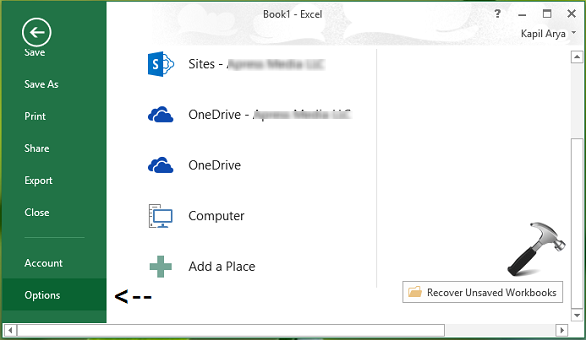
2. Then click Options in left pane of following screen:
3. In the Options window, select Advanced in the left pane and scroll down in the corresponding right pane until you reach General section. In this section, you’ve to uncheck Ignore other applications that use Dynamic Data Exchange option (DDE) option.
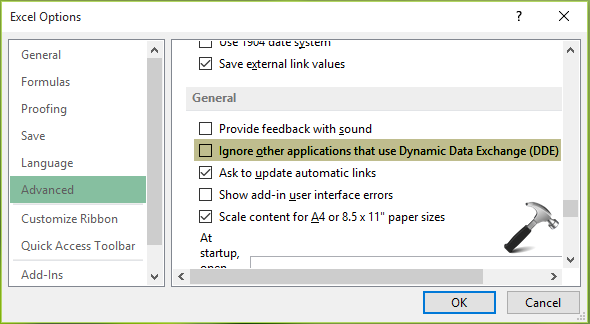
Click OK and restart the application to make changes effective. After restarting the program, problem will no longer appear.
FIX 2 – Using Registry Editor
Registry Disclaimer: The further steps will involve registry manipulation. Making mistakes while manipulating registry could affect your system adversely. So be careful while editing registry entries and create a System Restore point first.
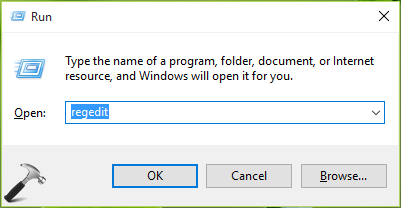
1. Press  + R and put regedit in Run dialog box to open Registry Editor (if you’re not familiar with Registry Editor, then click here). Click OK.
2. In the left pane of Registry Editor, navigate to following registry key:
HKEY_CLASSES_ROOT\Excel.Sheet.12\shell\Open\ddeexec
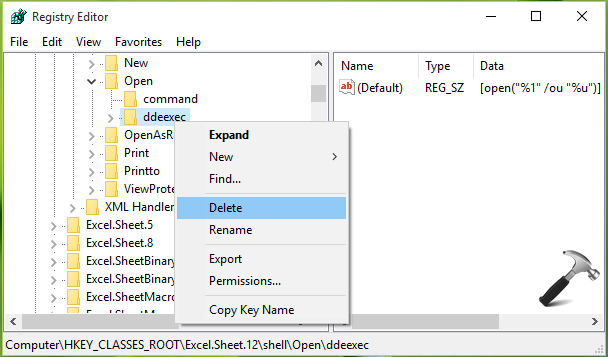
3. At this registry location, right click over ddexec key and select Delete. Close Registry Editor and reboot the machine.
After restarting the machine, the error will no longer exist.
Hope it helps!


Hi, I have tried the above solution and no luck even after applying them – I am wondering if there are any other possible solutions I can try without completely removing and reinstalling the whole MS Office 2016 suite…
Thanks
^^ Can you try repairing Office installation: https://www.kapilarya.com/how-to-repair-office-2013-offline