

We all know that Windows 8 is basically concentrated over Metro Apps. Meanwhile some users are experiencing issues on running of these Metro Apps. If you’re also the one have who have problems with Metro Apps, this article will help you to fix it.
Following is the screenshot of the error received on failure of Metro Apps:
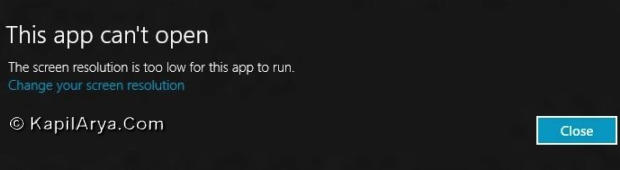
The screen resolution may be the root cause for such issues. In some cases it is possible to fix this error by updating drivers. However even if use of latest drivers didn’t work, follow this:
FIX : Windows 8 Unable To Run Metro Apps At Low Resolution
1. Press  + R and put regedit in Run dialog box to open Registry Editor (if you’re not familiar with Registry Editor, then click here). Click OK.
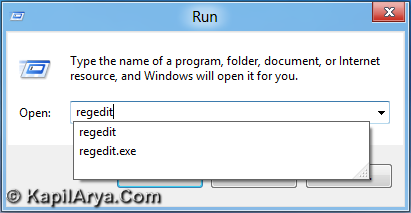
2. Now navigate to following location:
HKEY_LOCAL_MACHINE\SYSTEM\CurrentControlSet\Control\Class\{4d36e968-e325-11ce-bcf1-08002be10318}\000
3. In the right pane, look for DWORD named Display1_DownScalingSupported, it must have default value 0.
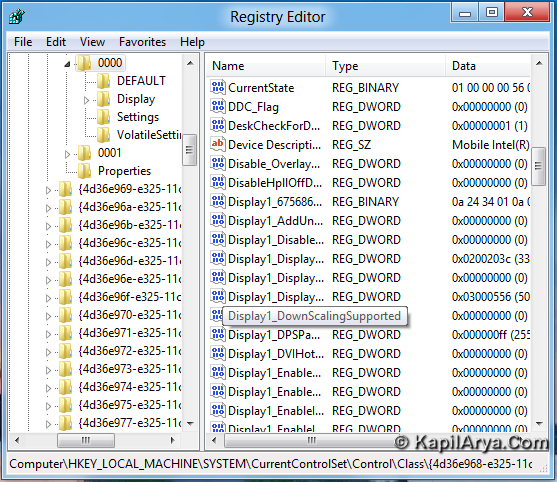
5. Right click on this DWORD, choose Modify, change DWORD data from 0 to 1.
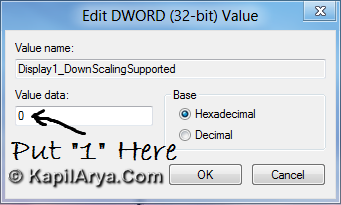
6. Perform step 5 for same DWORD at following locations as well:
HKEY_LOCAL_MACHINE\SYSTEM\CurrentControlSet\Control\Video{522AC271-2EOB-4C9E-9C13-6A2DACE446D4}\000
HKEY_LOCAL_MACHINE\SYSTEM\CurrentControlSet\Control\Video{522AC271-2EOB-4C9E-9C13-6A2DACE446D4}\001
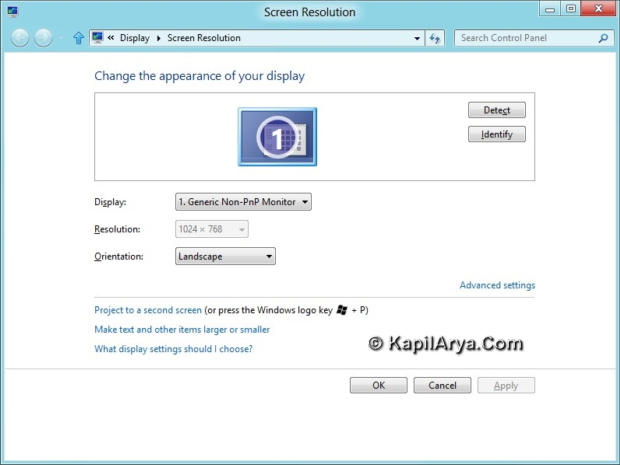
6. Exit Registry Editor and reboot. After reboot, right-click on desktop and select Screen Resolution. Now you can select resolution of 1024 x 768 or higher. Whatever it is but you can run the Metro Apps at low resolution.
That’s it!






cool!
Same exact thing here. I have a XPS also with dual ATI cards. Drivers are all updated and resolution is high. Also tried UAC and creating a new account..no dice. Sure would be nice to get a fix for this. thankssss
someone told me this and it worked for me. create a .reg and run it
Windows Registry Editor Version 5.00
[HKEY_LOCAL_MACHINESOFTWAREMicrosoftOle]
“MachineLaunchRestriction”=hex:01,00,04,80,90,00,00,00,a0,00,00,00,00,00,00,00,
14,00,00,00,02,00,7c,00,05,00,00,00,00,00,18,00,1f,00,00,00,01,02,00,00,00,
00,00,05,20,00,00,00,20,02,00,00,00,00,14,00,0b,00,00,00,01,01,00,00,00,00,
00,01,00,00,00,00,00,00,18,00,1f,00,00,00,01,02,00,00,00,00,00,05,20,00,00,
00,32,02,00,00,00,00,18,00,1f,00,00,00,01,02,00,00,00,00,00,05,20,00,00,00,
2f,02,00,00,00,00,18,00,0b,00,00,00,01,02,00,00,00,00,00,0f,02,00,00,00,01,
00,00,00,01,02,00,00,00,00,00,05,20,00,00,00,20,02,00,00,01,02,00,00,00,00,
00,05,20,00,00,00,20,02,00,00
“MachineAccessRestriction”=hex:01,00,04,80,8c,00,00,00,9c,00,00,00,00,00,00,00,
14,00,00,00,02,00,78,00,05,00,00,00,00,00,14,00,07,00,00,00,01,01,00,00,00,
00,00,01,00,00,00,00,00,00,14,00,03,00,00,00,01,01,00,00,00,00,00,05,07,00,
00,00,00,00,18,00,07,00,00,00,01,02,00,00,00,00,00,05,20,00,00,00,32,02,00,
00,00,00,18,00,07,00,00,00,01,02,00,00,00,00,00,05,20,00,00,00,2f,02,00,00,
00,00,18,00,03,00,00,00,01,02,00,00,00,00,00,0f,02,00,00,00,01,00,00,00,01,
02,00,00,00,00,00,05,20,00,00,00,20,02,00,00,01,02,00,00,00,00,00,05,20,00,
00,00,20,02,00,00
^^ Good to know!
@ mark, you can use this also: Save below as DeleteOLE.REG..
Windows Registry Editor Version 5.00
[-HKEY_LOCAL_MACHINESOFTWAREMicrosoftOle]
thanks kapil, its very helpful ;)
@ Peninsula, same operation, different way!
I couldn’t connect to weather app.. plz hel[p