In our past, we’ve covered various networking issues faced on Windows 10. You can find them all here. Today, in this article, we’re going to discuss on yet another networking issue.
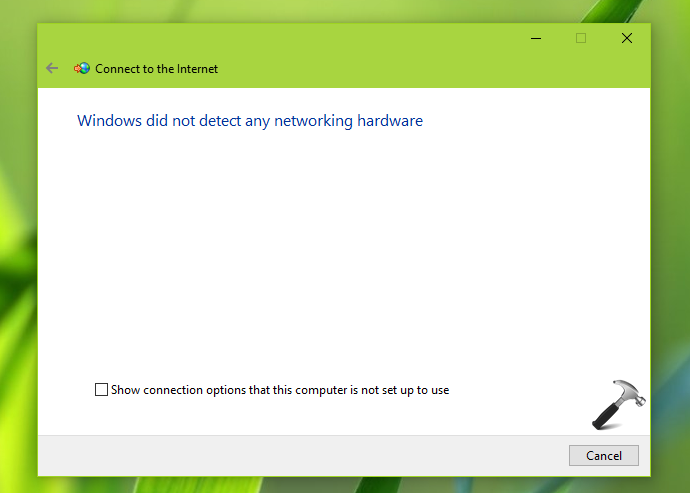
In this case, whenever we try to setup a new network connection from Control Panel > Network and Sharing Center > Setup a new connection or network, we get following message:
Page Contents
Windows did not detect any networking hardware
To fix this issue, we first run Network Adapter troubleshooter, but it didn’t helped. Also rebooting multiple times was of no help in this case.
There exists two possibilities for this case. First, your computer hardware is working correctly but operating system is not detecting it. For this, you can try out suggestions mentioned below. Second possibility, your computer’s physical hardware is damaged which can be only be resolved by computer technician. This may require replacement/repair on faulty hardware components.
FIX: Windows Did Not Detect Any Networking Hardware In Windows 10/8/7
FIX 1 – Using Built-in Troubleshooters
To solve this issue, you can take advantage of built-in troubleshooters available in Windows 10 for checking hardware for network. Hardware and Devices troubleshooters would be the right tool in this case. You can use it by following steps mentioned in this guide:
How to use built-in troubleshooters in Windows 10
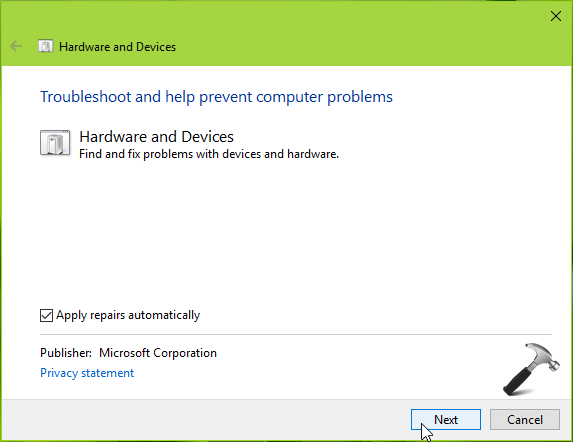
The troubleshooters may automatically detect issues and try to fix them. If troubleshooter found and fixes the issue in your case, you’re good to go. Else try FIX 2.
FIX 2 – Via Driver Roll Back To Previous Version
If network was able to connect previously and you started facing this issue after installing Windows Updates or after some version upgrade, you can try to roll back the network driver to older version and see if it helps you.
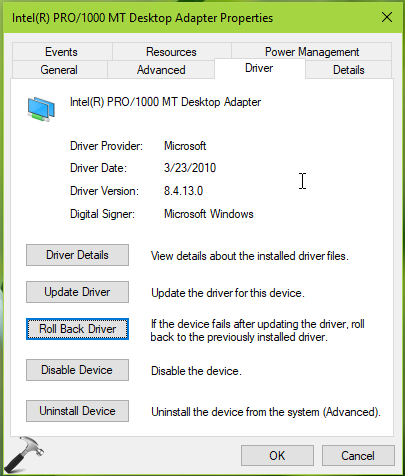
Follow this guide to roll back network driver to previous version:
Steps to roll back driver in Windows 10
If you don’t have roll back option for driver, you can simply do a Network Reset. Perform the repair upgrade, in case if issue still persists.
Hope something helps you!
Related: Windows could not find a driver for your network adapter.