If you’re using latest Windows 10 version, you must be having WDAGUtilityAccount on your system which can be spotted in LUSRMGR snap-in. In this article, we’ll see why this account is present and what purpose it serves?
Page Contents
About WDAGUtilityAccount In Windows 10
So the WDAGUtilityAccount is special account present in system running Windows 10 V1709 or later. This account is associated with Windows Defender Application Guard (WDAG) and is part of Windows Security app. Note that this account is integrated into the operating system. Some users may suspect it as virus or malware but it is actually system managed account, just like DefaultAccount and is completely safe.
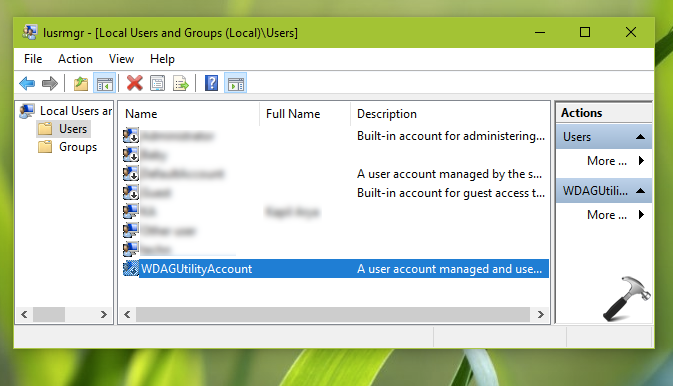
The WDAGUtilityAccount is present on OS by default but is disabled. When you enable WDAG, this accounts is used by Windows then.
Now you must be thinking what is Windows Defender Application Guard? Well, WDAG is specially designed programme by Microsoft, which helps you to block newer and older security threats which may take control or affect your device anyway. With this approach, the company claims to terminate security attacks by making current methods of victimization obsolete. You can read in detail about WDAG in this official documentation.
WDAG or Application Guard is also available in Microsoft Edge browser which comes built-in with Windows 10. According to Microsoft, when WDAG is enabled and user visits untrusted website which is vulnerable to device, the website is opened in virtualization based container. If the vulnerable website makes security attacks on the device, it won’t be successful because it is opened in virtualization based container. Hence, with this approach, the host machine or the original device remains stay secure. When these type of scenarios occurs, WDAGUtilityAccount plays important role. It may act as user account for that so called virtualization based container.
Can I Rename Or Delete WDAGUtilityAccount?
Though you can rename WDAGUtilityAccount, but we don’t recommend you to do this. When you rename WDAGUtilityAccount, the security of your device may gets reduced because WDAG will not be able to work properly.
Since WDAGUtilityAccount is a system managed built-in account, you can’t delete it using your administrator account.
Hope you find the article useful!