Calculator is necessary program available by default in your Windows operating system. The desktop program was available in prior Windows editions. With Windows 8 or later, we’ve the Calculator app. In Windows 10, Microsoft has improved the Calculator UWP app and per demands of the users and trends in technology.
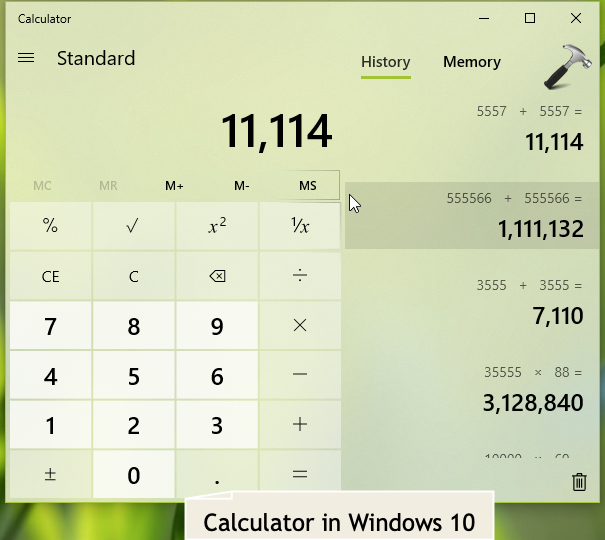
Recently, one of our computer had issues with Calculator app. Actually, some update on this computer broke the Calculator app. Because if it, the app no longer stays opens and quits itself after launch within few moments. Since we installed a number of updates, we couldn’t find out which update broke this app. The system did not have System Restore points, which can restore it back.
If you’re also in same situation, you can try below mentioned fixes and see if they helps you to get rid of this hiccup.
Page Contents
FIX: Windows 10 Calculator Not Working After Update
FIX 1 – Reset Calculator App
Perform these steps to reset Calculator:
1. Right click Start Button or press  + X keys and select Settings.
2. In the Settings app, navigate to Apps > Apps & features > Calculator > Advanced options.
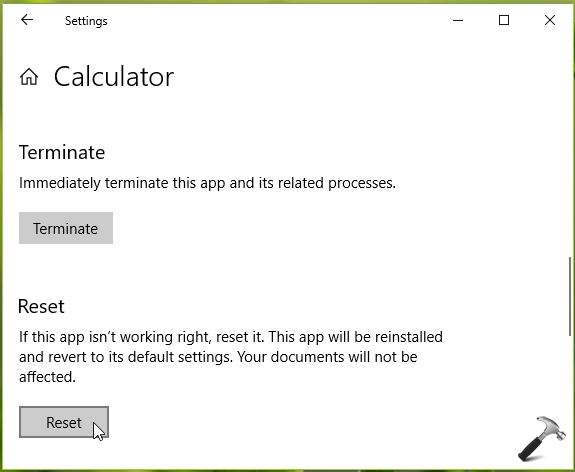
3. Now in Advanced options screen for Calculator, under Reset, click on Reset button. Confirm the Reset in fly-out warning.
Now check if the Calculator is working fine. It should be working as expected, else you can try FIX 2.
FIX 2 – Reinstall Calculator
If FIX 1 doesn’t works for you, try to reinstall or re-register Calculator using below mentioned steps.
1. Search for Windows PowerShell using Cortana or Windows Search.
2. From results, right click on Windows PowerShell and select Run as administrator.
3. Then in administrative Windows PowerShell, type following command and press Enter key:
Get-AppXPackage -AllUsers -Name Microsoft.WindowsCalculator | Foreach {Add-AppxPackage -DisableDevelopmentMode -Register “$($_.InstallLocation)\AppXManifest.xml” -Verbose}
Let the command complete.
4. Close Windows PowerShell and check Calculator, which must be working fine now.
Hope this helps!
Also see: Photos app not working in Windows 10.