

Modern Apps are the charm of Windows 8 or 8.1 and we all love to try new apps of our taste. But this might irritate you that you chosen an app and Windows Store keep pending its download, although you have a strong web connection. Well, this is the situation I was facing in getting some apps which I required urgently but Windows Store disappointed me. I tried to restart the machine as soon as I came around this trouble but it didn’t helped me either.
Read : Windows Store Hangs Or Crashes In Windows 8.1 if Store not working properly.
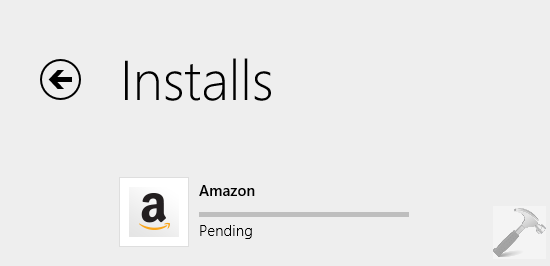
As I have quoted in past, Windows Store is linked with traditional components of Windows like the basic services running Windows Update. So if Windows Update and its rooted dependency services didn’t worked perfect, you would face the trouble in using Windows Store correctly and so is this happening. The pending status here can be suppressed if you fix the issues with Windows Update feature so far. So if you too facing this problem, here is how to get rid of it:
FIX : Windows Store Keep Pending Downloads In Windows 8.1
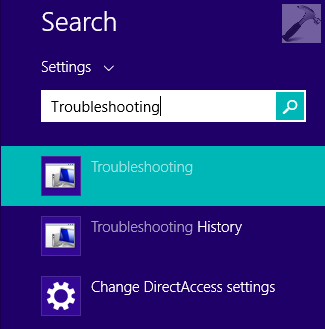
1. Press  + W and type troubleshooting in the search box, pick Troubleshooting from the search results.
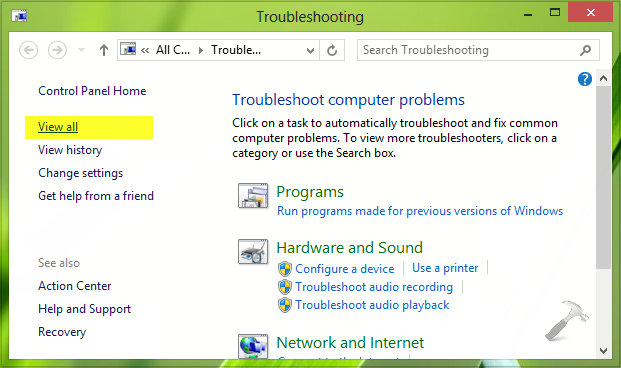
2. In the Troubleshooting window, from the left side listed options, pick View all.
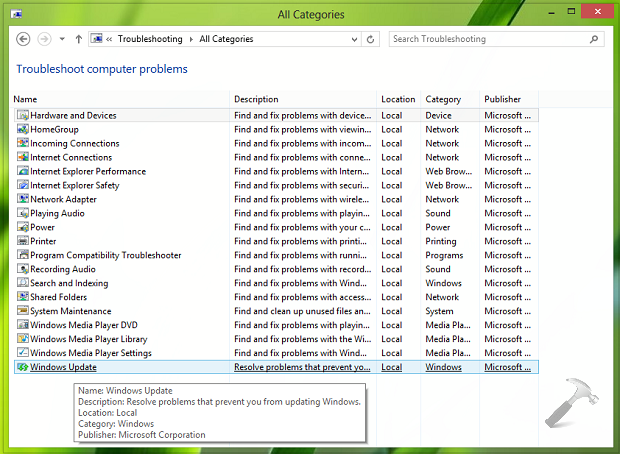
3. Moving on, in the following window click Windows Update in order to launch Windows Update Troubleshooter.
4. Click on Next to start the Windows Update troubleshooting wizard. If it asks you to run as administrator, do the required.
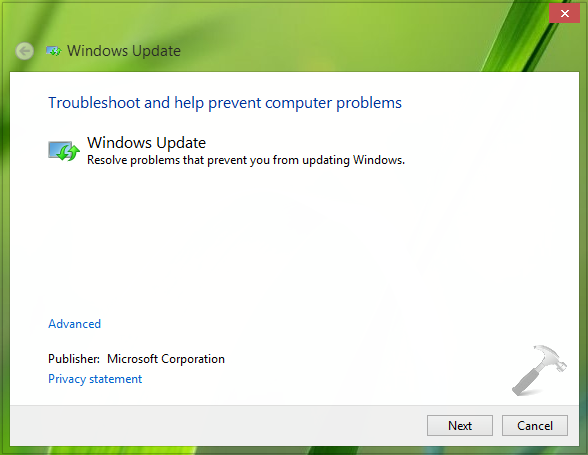
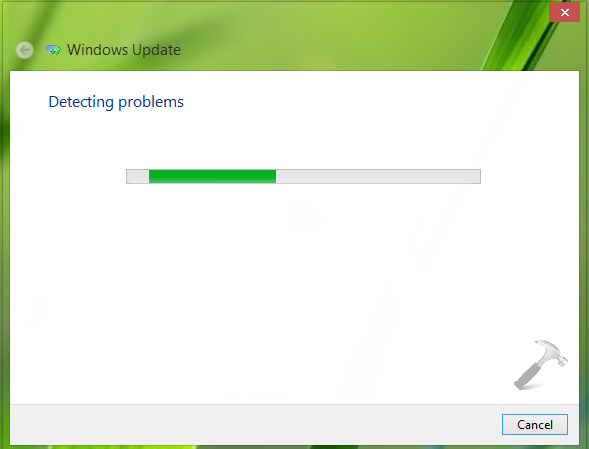
5. The troubleshooter is intended to automatically detect the issues and apply the necessary fix to sort them:
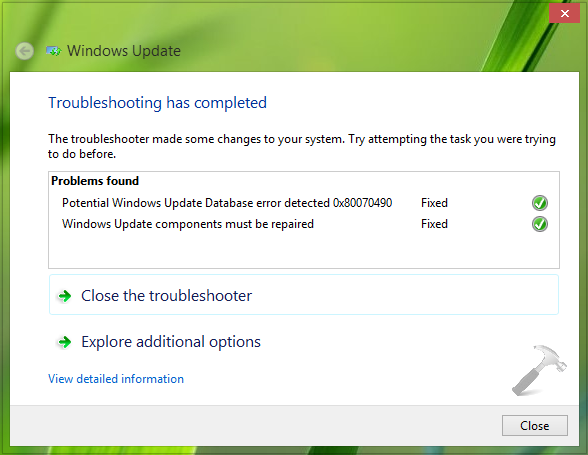
6. Once the troubleshooting has been completed, you can click Close.
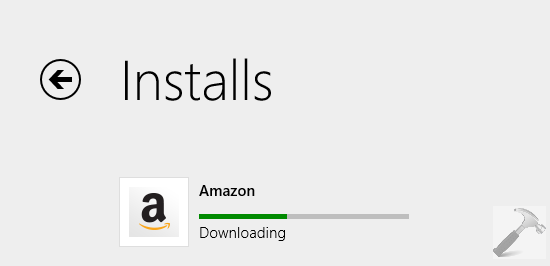
After closing the troubleshooter you can reboot the machine. After restarting your Windows 8.1, you’ll find that apps are no more pending to download:
That’s it!



Thanks Kapil for your valuable suggestion.
I have applied the same steps before I post my query.
Anyway thank you.
Thanks it help me alot .. keep it up
^^ Glad we could help :)
solved! thanks
I ran the troubleshoot for update, but my came up as “Windows Update components must be repaired.” And it wasn’t fixed, what should I do?
^^ Reset Windows Update components manually: https://www.kapilarya.com/windows-updates-troubleshooting
Thanks bro…
thanx brother
Thank so much!!!!
Easy steps to follow and really works!
^^ Thanks for feedback :)
its not working.when its downloading after some time it show pending again
^^ Try creating a new user account and see if the issue persists on it.
100% working on windows 10 tech
hello..
I’ve done troubleshooting but it can’t fix first problem not fixed… help..
^^ Which problem it doesn’t fixed, specific to your system? Do let me know for further assistance.
Worked!!! THANKS!!! Site bookmarked!
This totally worked, thanks from me too!
Thanks Bro. That’s working.
^^ Glad it worked! :)
Thanks brod, works like a charm…
Thank you so much!!!!!!!
only one thing was solved with trouble shooting, just an update. no error.
when I reboot, i continue to get the app pending notification.
please help
^^ You can try resetting Windows Update components manually, refer previous comments here for the hint.
worked. Thanks.
perfect solution :3
Thanks it’s worked :)
Thanks, found this on another site, didn’t tell me to reboot.
on Windows Uptade tab, resolving problems takes long time, longer than 10 mins. Is it normal? or is there an other problem?
^^ It depends upon your system specs. :)
Thanks. Your fix worked when other suggestions didn’t. I saw other claimed fixes but they involved running command lines and changing lines of coding. Your fix is much less invasive and doesn’t need to be reversed.
^^ Glad it helped :D
Worked like a charm…. I’ve been breaking my head for a past couple of days after a clean install of 8.1…. Thanks to Kapil, it worked!!! 👍
^^ Glad to see it worked :D
troubleshooter is not able to find the pending state problem
^^ Did it found any other problem and fix them?
Ur a life saver man thanks !!!!!!!!!!!
^^ Amazing!
in my pc accarding to these step there is problem in last step errors- have not fixed both errors what should i do
^^ Refer previous comments here, for hint :)
AWESOME HELP BRO!!
I wanted to download asphalt 8, but it showed pending. it DID download till 19%, but again became pending
ur help is making it download now!!
THX!!
TIP: for opening troubleshooter, u can also go to Troubleshooting, then down, there will be” fix problems with windows update” its a shotcut
^^ Glad to see it helped :D
It really worked for me peep thank you so much! i spent several days searching for this problem & nothing really worked but your method was just awesome! thank you again!
hello, i’m using windows phone 10. from very first day i’m facing download issue in windows store. whenever i try to download a app it remains pending.. plz tell me how to solve this issue.
^^ Check if any updates are available for your phone. If yes, try installing those updates and see if that helps.
thanksssssssssssssssssssssssssssssss.werymuch…..!
Thankyou Kapil, it works, haha, After 1 hour googling for solution. There is no disappointment when you follow the instruction of a MVP haha. Once again, thankyou.
^^ Awesome 😎
problem solved/////
thankyou somuch friend
^^ Happy to help 😎
Thanks for your help !!!!
^^ Glad to hear it helped ☺️
Heyyyy thanks a lot man! it works, im really thankful for you’re help.
^^ 😊
hey bro… followed the steps complete but still the download is pending… please help…
^^ Please check the suggestions in previous comments as well, see if something helps you.
thanks..
^^ Welcome!
The problem fixed but , I have a problem in xbox games in windows 8. It is not signing in my account and saying error code something. Same problem in windows store.
How do I fix the problem on a windows phone???
^^ Try contacting Microsoft chat support to get this resolved: partner.support.services.microsoft.com/en-us/contact/menu/software/windows/setup.
Really easy, but downloads still pending. Anything else I could do?