We all know that Microsoft has made Windows 8 to almost all countries. However, there are some users in different countries who are facing some issues due to location variant. Whenever they try to access Windows Store or download any app from it, they receive the message that this app is not available for your country.
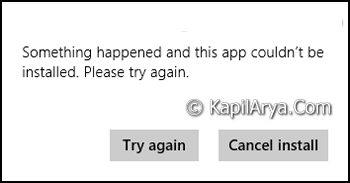
Windows Store follows the scheme of localization, so in case the store is accessed by prohibited or blacklisted region, an error will be encountered. The reason behind this scenario is that some developers like to localize Windows apps for country-specific or language-specific audience, yet others like to globalize, their apps for a global audience.
However, in this article, I’ll show you the way to access and get Windows Store apps that are not listed for your country or invisible to you. There are two ways to deal out such cases:
Page Contents
How To Get Windows 8 Apps That Aren’t Available For Your Region
WAY 1 – Via Windows Store Settings
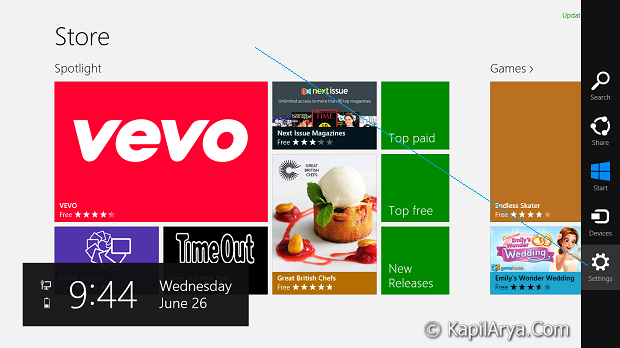
1. Open Windows Store, press  + C keys on keyboard. Pick Settings.
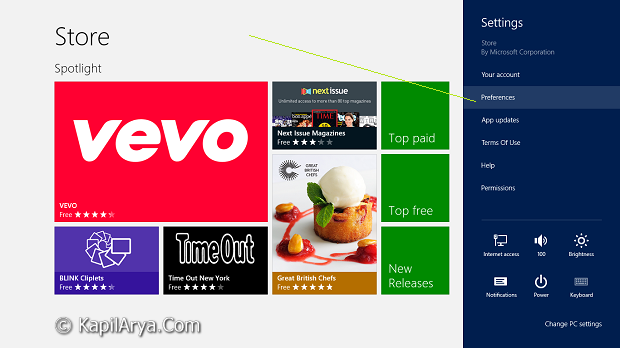
2. In the Settings pane, click on Preferences.
3. On the Preferences screen, move the slider to No for the following two options:
- Make it easier to find apps in my preferred languages
- Make it easier to find apps that include accessibility features
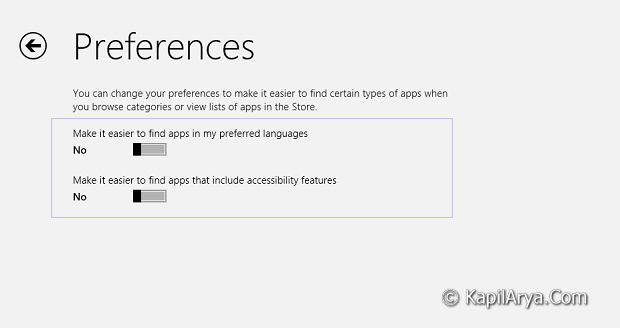
That’s it! Restart the system and your problem should be fixed now.
WAY 2 – Via Control Panel
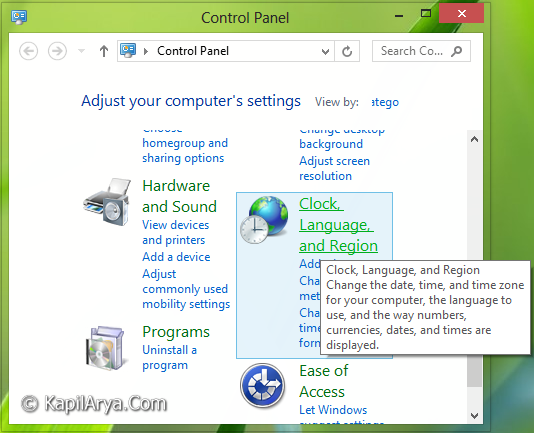
1. Open Control Panel. Click Clock, Language and Region.
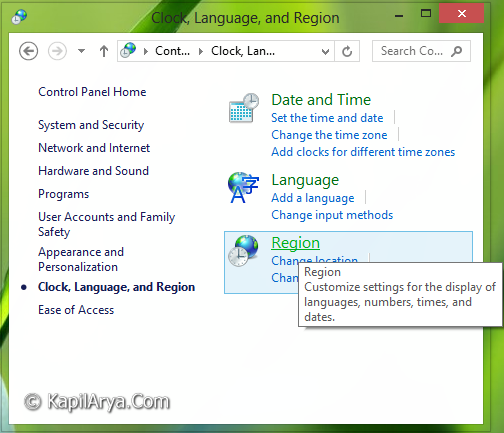
2. In the following window, select Region.
3. Now in the Region window, switch to Location tab. For the Home location, pick a leading country such as United States, India, China etc. for which at most apps are released and available.
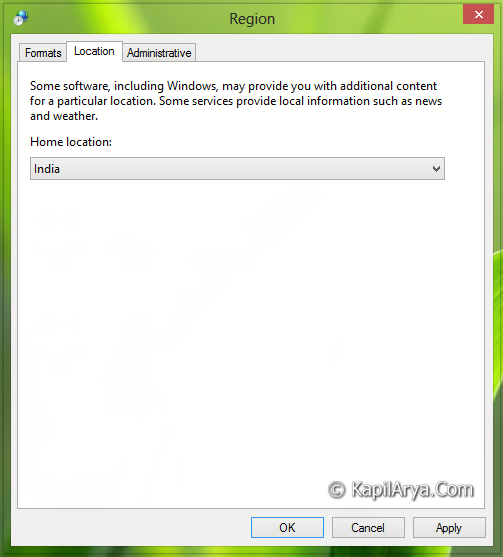
Click Apply followed by OK. Reboot to get fixed.
Hope this helps. If you’ve have an iOS running device, don’t forgot to check download iOS apps that aren’t available for your region!