

Sometimes in Windows Vista, some software stop working automatically. Google Chrome may be this one. In this condition you may be unable to install the software from Control Panel. Here is how you can uninstall Google Chrome manually.
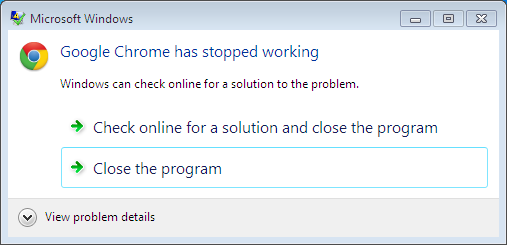
How To : Uninstall Google Chrome In Windows Vista When It Stopped Working
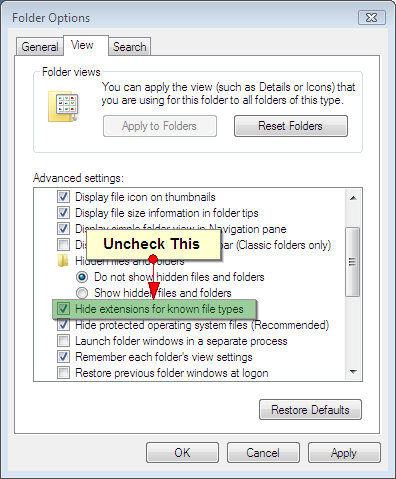
1. Go to the Start menu -> Control Panel. Double-click Folder Options. Click View. Make sure the “Hide extensions for known file types” check-box is deselected.
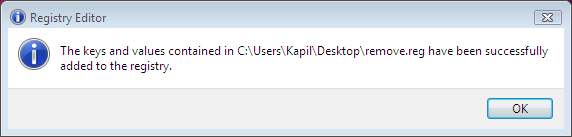
2. Right click this link. Click Save Link as and save the file name as remove.reg (Select “All files” as your file type). Save this remove.reg to desktop. Exit Google Chrome completely. In the confirmation window, click Yes.
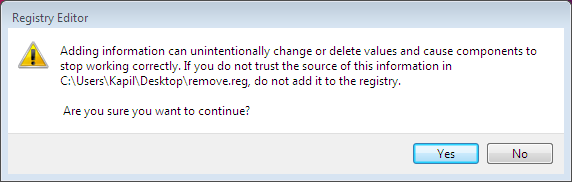
If you select Yes option, you will get the below shown message:
3. Now go to Start menu -> Run. Type in there: %LOCALAPPDATA%Google, hit Enter.
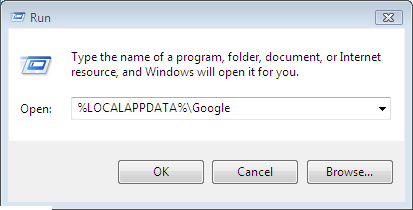
Delete the Chrome folder in the directory that opens. Now click on desktop icon of Google Chrome, it will ask you to delete shortcut. Click Yes. Hence Google Chrome can be uninstalled in this way.
Hope you find the article useful!





This information really helped me, I am sharing with a few friends.
Excellent information!
Really enjoyed reading through. Excellent information!
Great article with very interesting information. You are a very skilled blogger, thats for sure! =)
loved it.