

Recently my friend reported me about an error caused on his Windows Vista right now after Windows detected the updates. The error he was getting is that he was not able to install the updates and error code given was 80072EFE. One similar question taken me that updates can’t be installed due to this error and error code is same. This error can be faced on later Windows editions like Windows 7, 8 as well.
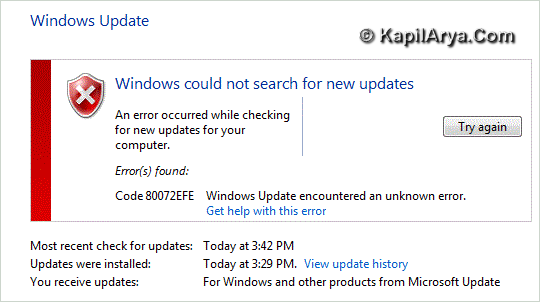
Here is the solution to this problem:
FIX : Windows Update Encountered An Unknown Error
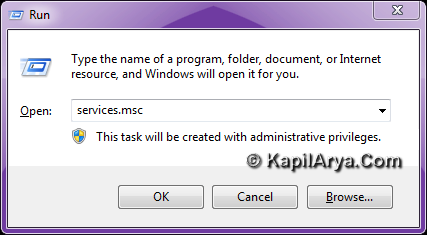
1. Press the  + R combination on keyboard followed by putting services.msc in the Run dialog box and hit Enter.
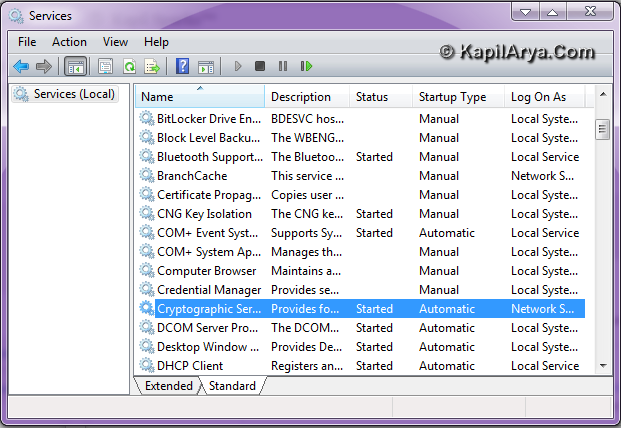
2. In the right pane of Services window so open, look for Cryptographic Services.
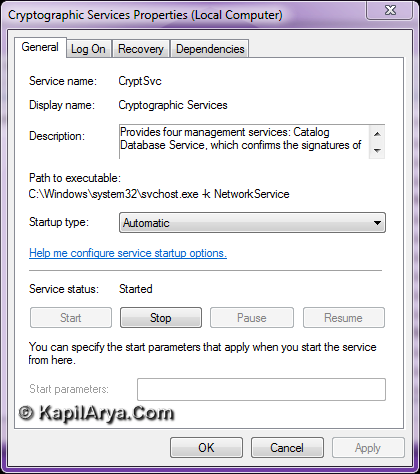
3. Double click on Cryptographic Services and click Stop in following window:
4. This step requires the deletion of a folder located in Windows or File Explorer. Assuming Windows installed on C: drive, navigate here:
C:\Windows\System32
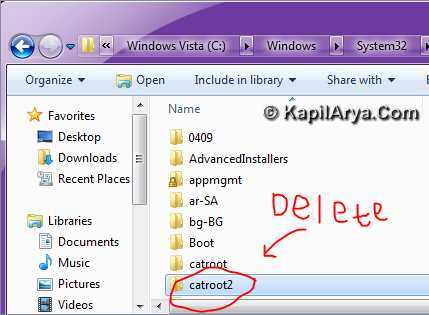
5. Delete here the catroot2 folder as shown in image above. Now Start the Cryptographic Services in the window shown in step 3.
After performing above steps, check for new Windows Updates, you’ll be able to install the new updates without any hitch.
That’s it!






thnx for writn in vista
catroot2 folder req. Permission
n i m unable to del it! Plz help
excellent post here! let me tell will it work on windows 7?????
@ pankaj,
if u have 2 OS on similar PC,retry delete using 2nd OS.
anyway good article kapil