

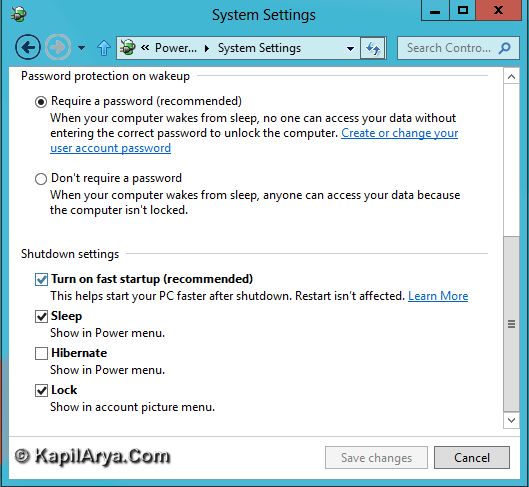
One of the thousand new features of Windows 8 is “fast start up” that is also known as hybrid boot. The work of this feature is to save current kernel session and device drivers in hyberfil.sis whose memory is about 4 GB or more. Using this concept, we’ve about 30% fast start up after shut down, hence comparably Windows 8 wins the race in this segment from other Windows edition.
However there might be the case you don’t like the fast start up after shut down of Windows, so here is the way to enable or disable this feature. Make sure you’re logged in as administrator to follow these steps.
How To Enable/Disable Hybrid Boot In Windows 8.1
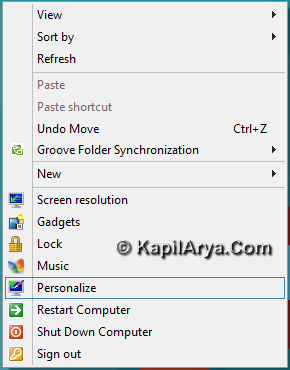
1. Right click on Desktop and select Personalize.
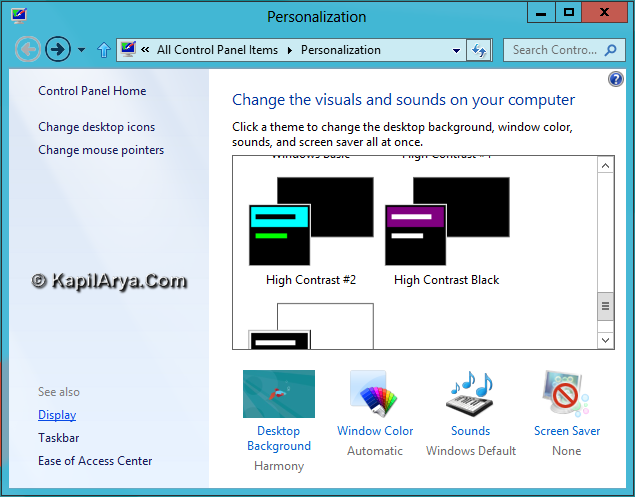
2. Click on Display in the right pane.
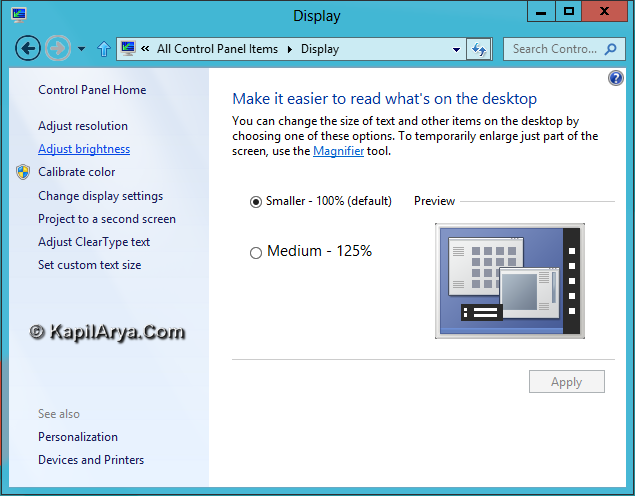
3. Then click on Adjust brightness in Display window.
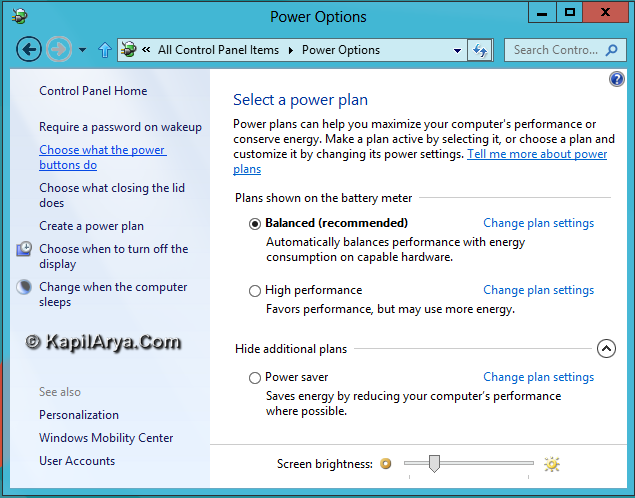
4. Then click on Choose what the power buttons do.
5. Now in the System Settings window, click Change settings that are currently unavailable.
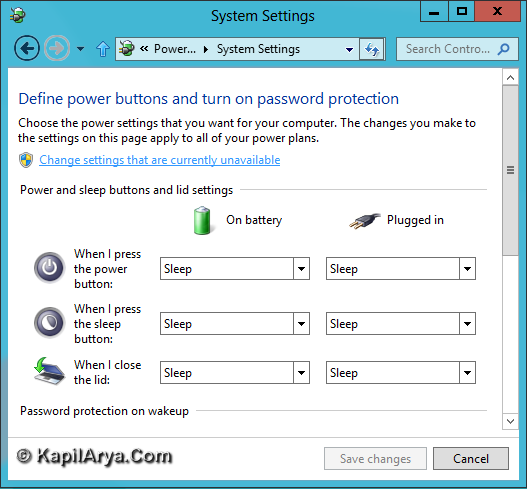
6. Finally look for Turn on fast start up, it should be checked by default. Uncheck if you do not want Windows to have fast start up.
That’s it!






it’s great tip for hibernation…. thnaks
why bother to turn off!!
@ sput, correct!
your a life saver, thank you so much
^^ Glad it helped! :)
@sput – If you are dual-booting with Linux, Linux may not be able to use the Windows filesystem without disabling this.
^^ +1.