

After installing Office package, when you open Outlook for the very first time, it will try to setup your account. Once your account setup is completed, you can use Outlook without any issues. But sometimes Outlook is unable to complete account setup due to anonymous reason and hence you can’t use Outlook application.
Following is the screen you’re likely to receive, when this problem occurs:
Page Contents
Something went wrong and Outlook couldn’t set up your account. Please try again. If the problem continues, contact your email administrator.
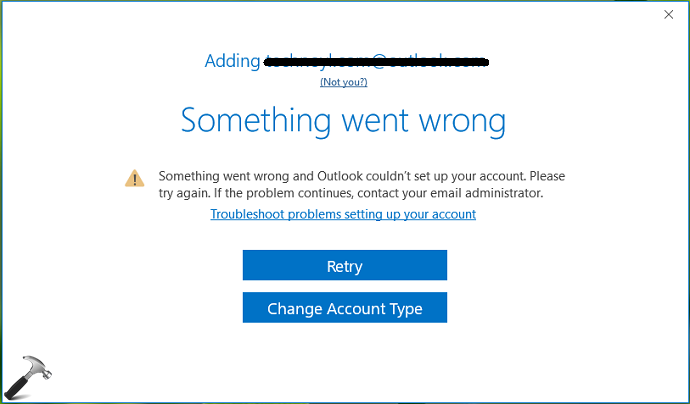
If you click Retry button here, the account setup is re-processed and returns with same error. While changing account type to other email accounts do not help, otherwise. So if you’re also facing this problem, this article is for you. To deal with this issue, you first need to setup your account in Mail settings under Control Panel. Once your account setup in Mail settings confirmed, you’ll be able to initiate Outlook application easily.
Here are the steps involved in fixing this hiccup.
FIX: Something Went Wrong And Outlook Couldn’t Set Up Your Account
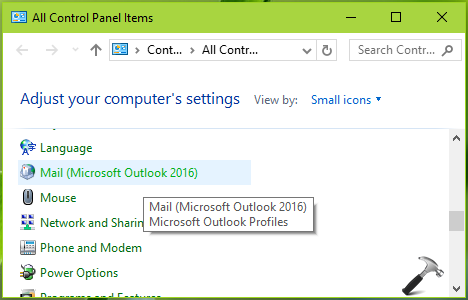
1. Close Outlook completely. Open Control Panel > All Control Panel Items. Select Mail.
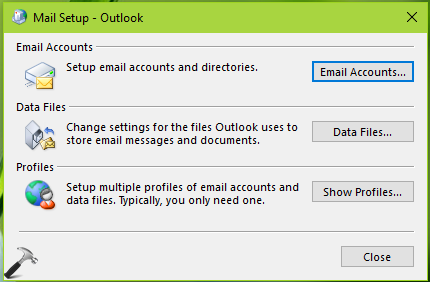
2. Next, in the Mail Setup window, click on Email Accounts button.
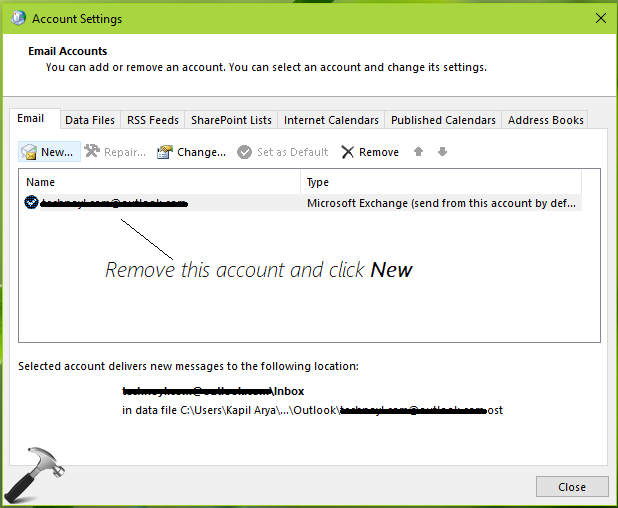
3. In the Account Settings window, select the existing account and click Remove. Then click New.
4. Then in Add Account window, provide your email account details and setup the account this way.

Once you’ve setup your account, exit Control Panel.
Open Outlook and you’ll realize that Outlook will now recognize the account you’ve already setup. Thus the error no longer occurs and you’ve can start using Outlook, without any problems.

In case if issue still persists, you can try the Support and Recovery Assistant tool from Microsoft. This tool is specially designed to take care of Outlook and Office issues, as mentioned here.
Hope this helps!


You say “But sometimes Outlook is unable to complete account setup due to anonymous reason and hence you can’t use Outlook application.”, which means there is no account. Right?
Then later you say ” In the Account Settings window, select the existing account and click Remove. “.
WHAT EXISTING ACCOUNT? THERE IS NO EXISTING ACCOUNT!!
^^ The error occurs while completing setup for your account. So that’s obvious you’ve provided email details and Outlook can’t complete setup with those details. You need to remove those details (labeled as existing account) to enter new details.
There is no existing account in the mail profile. I create a fresh mail profile then try to add my email account and encounter that error message. How can you remove an account that has never been added to the mail profile? This solution does not work in my case.
This is just another attempt by a so-called expert who just causes more grief and anger with the frustrating MS problems. In my experience almost none of these experts advice is worth anything.
thankssssss alotttttttt… i was struggling since many days to connect the account. But whatever i try to connect the email it all went wrong. But when i read this and follow the steps it work for me. Just one problem. i couldn’t see all the emails.
^^ Glad to help! I recommend to recheck all settings, so you can receive all mails.
this might work with an outlook.com-Account – but if you use an alias this only asks for your account information for the alias – so no connection to the outlook.com account.
Been stuck for months, even reset the PC to factory settings. My problem was that I had 2FA setup and was using App Passwords in Office 365. I accidentally tried adding the account using the main password. Once it failed the first time, I would never get another opportunity to enter a password again. The steps you outlined above worked!! I have spent so much time messing with this. Thank you!!!
^^ Glad to help Jason 😎