

We all know that Windows 8 contains sidebar quick access menu which contains handy features. This sidebar includes search panel, control panel, start button, sharing panel etc. and collectively known as “Charms Bar”.
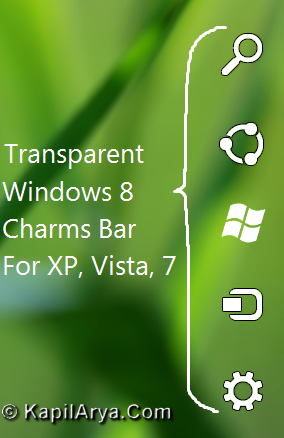
Charms Bar helps the users a lot for their instant access to various places of computer. Now the issue is that what to do to get Charms Bar on previous OS versions? Don’t worry! In this we’ll tell you how to get transparent Charms Bar on Windows XP, Vista and obviously on Windows 7. Follow the simple steps given below:
How To : Get Transparent Charms Bar In Windows XP, Vista, 7
1. Download the RocketDock software using below link. If you don’ t know what is RocketDock, please refer to this page. Install RocketDock and exit for it now. It is obvious that RocketDock is installed in root directory of OS (most probably C:Program FilesRocketDock in 32-bit and C:Program Files (x86)RocketDock in 64-bit systems respectively).
2. Now download the Windows 8 Charms Bar skin for RocketDock using below link (credit of which goes to our friend Peter Rollar @ DA).
When you extract this RAR archive using unzip software, you’ll have three folders named Charmbar transparent, Icons and Rocketdocksettings along with StartMenu.exe.
3. Further copy the extracted Charmbar transparent, Icons, StartMenu.exe to RocketDock folder (i.e. C:Program FilesRocketDock). From the extracted Rocketdocksettings folder, copy Settingstransparent.ini to same place after renaming it as Settings.ini.
4. Now open the RocketDock and hover the cursor in the extreme right of desktop screen. The Charms Bar is now welcoming you.
That’s it!



you’re just fabulous!!!!!!!!!
rocketdock is the dock utility i have ever used its good to use for w8 charms bar
Cheers mate :)
so lovely :D..:D..:D:D
Wht vl happn if I copy settings.ini not Settingstransparent.ini ?
^^ Charms Bar With Black Background.
Voila……………… I got it!!
Very cool article kapil,thnkx for sharing
PLz. tell me how t0 download windows8?
like it ! thankssssssssssssssssssssss :-)
thanks man! lovely article :d