

In Windows operating system, Reliability Monitor tool keeps an eye on various system activities. It displays critical events occurred on system in past and monitor system’s reliability with the help of Stability Index.
The Stability Index will assess your system on 1 to 10 stability scale. Here 1 is for least stable system, while 10 indicated highly stable system. The information displayed in Reliability Monitor is called Reliability History.
Page Contents
How To View Reliability History In Windows 10/8/7
To view Reliability History, you can search for View reliability history in Cortana or Windows Search and pick same from search results. This will open Reliability Monitor then and you can see the Reliability History now (refer below shown screenshot).
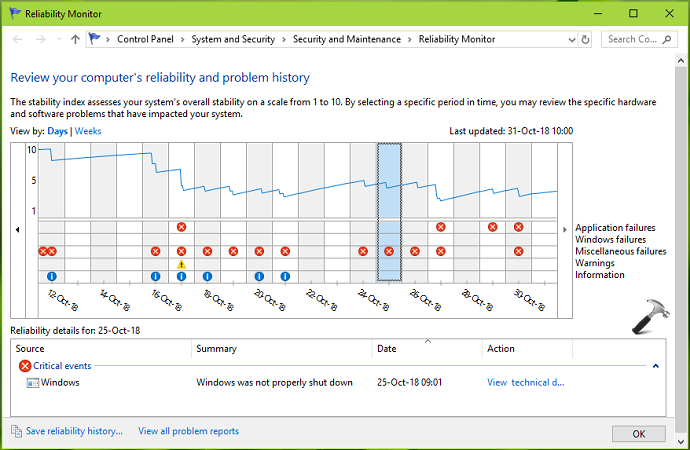
To reset Reliability Monitor, you can refer below mentioned methods.
How To Reset Reliability Monitor In Windows 10/8/7
Method 1 – Using Reliability Monitor UI
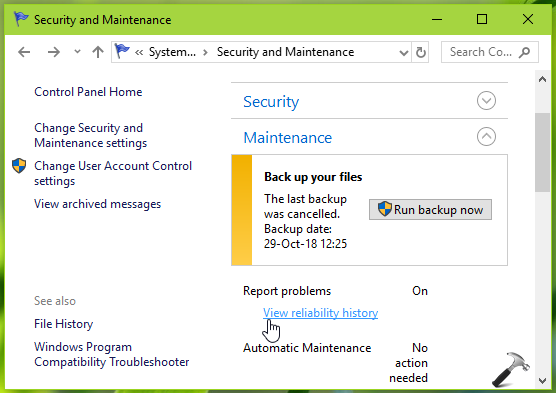
1. Open Control Panel and go to System and Security > Security and Maintenance. Under Maintenance, click View reliability history link.
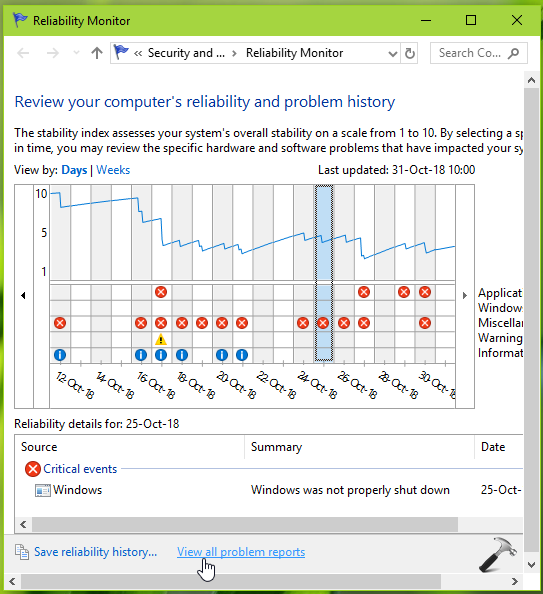
2. Next, in the Reliability Monitor window, scroll down and click View all problem reports link at bottom.
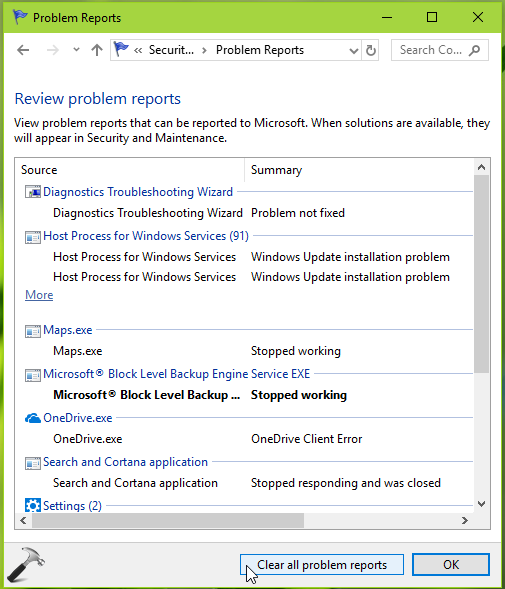
3. Now under Problem Reports window, click Clear all problem reports option.
4. Moving on, in the confirmation prompt appearing next, click Clear all option.
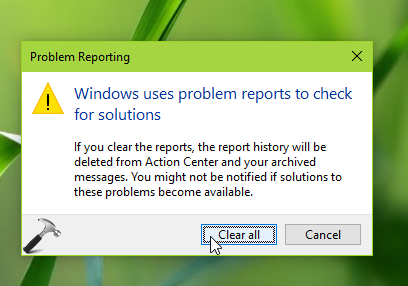
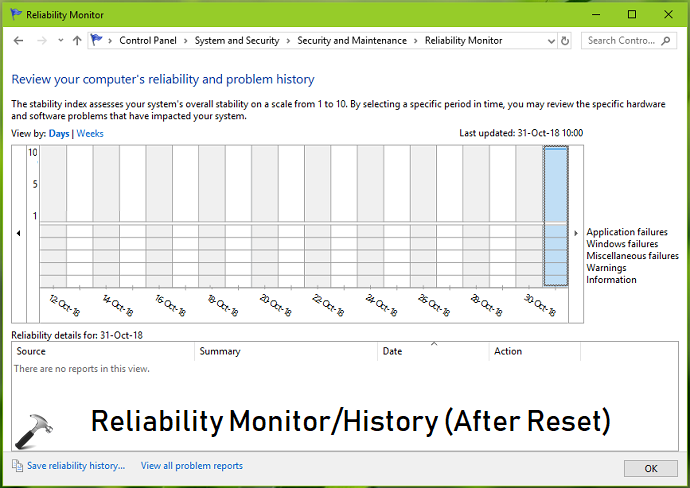
5. This will finally reset Reliability Monitor on your system and now it might look like the screenshot shown below.
Method 2 – Reset Reliability Monitor Using Batch Script
To save your time and reset Reliability Monitor in few clicks, you can use the batch script. Here’s how:
1. Open Notepad.
2. Copy and paste following in Notepad window:
reg add "HKLM\SOFTWARE\Microsoft\Reliability Analysis\WMI" /v WMIEnable /T REG_DWORD /D 1 /F
del /f /S /Q /A "%ProgramData%\Microsoft\RAC\PublishedData\*"
del /f /S /Q /A "%ProgramData%\Microsoft\RAC\StateData\*"
@echo off
FOR /F "tokens=1,2*" %%V IN ('bcdedit') DO SET adminTest=%%V
IF (%adminTest%)==(Access) goto noAdmin
for /F "tokens=*" %%G in ('wevtutil.exe el') DO (call :do_clear "%%G")
echo.
echo goto theEnd
:do_clear
echo clearing %1
wevtutil.exe cl %1
goto :eof
:noAdmin
exit
3. Save the file with your desired name and make sure to put a .bat extension, for example, reset-reliability-monitor.bat.
4. Now right click on this batch file and select Open. Once this batch file is successfully executed, your Reliability Monitor will be reset.
That’s it!







Does this batch script deletes complete Event Viewer logs from all the beginning when installed new Windows 10??
Also I want to ask I do not have RAC Task & RAC folder which is present in Task Scheduler Library/Microsoft/Windows. Then this batch script will help or not??
^^ I can’t remember exactly as of now if it would clear all events, but a close call could be yes.
Thanks a lot it worked 👍
^^ Glad to help!