When it is the matter of privacy, we all know very well; what to show and what to hide. Many of us never bother to display our location on our phones, laptops etc. But sometimes, it comes the situation when sharing your location with others became the matter of paramount importance. With Windows Phone 8, its really easy to share your locations with your friends, so that they can easily got you in short interval of time.
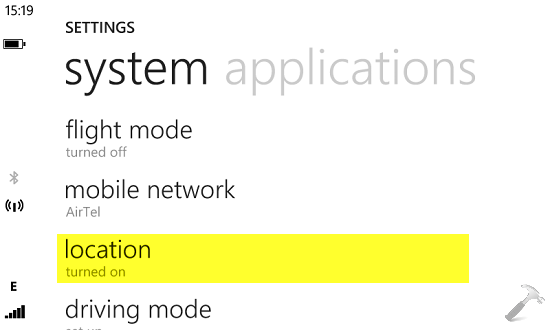
Sharing the location requires location option set to ON which you can find in the SETTINGS section. Thanks to Bing Maps integration, due to which you can instantly share your location and this makes your Windows Phone superior over an Android device in this comparison. Well, here are the steps you need to follow to let your friend know your location:
How To Share Your Location Via Messaging In Windows Phone 8
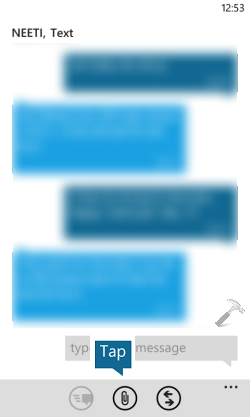
1. Open the Messaging app, then open the thread of your friend with whom you want to share you location. Tap on the paper clip (middle icon) at bottom of screen.
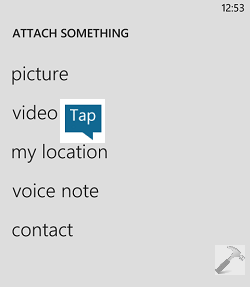
2. Next in the ATTACH SOMETHING screen, tap on my location.
3. As soon as you tap my location in previous step, you location map would be embedded in the text message (see below image). So, you can now add you message and tap on the send icon (first icon).
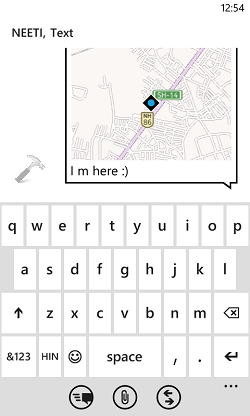
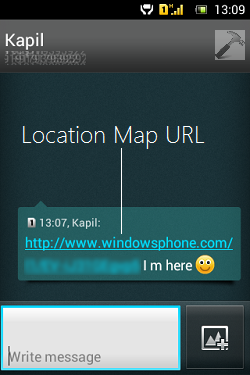
4. If the receiver’s phone is also Windows Phone with data connection enabled, then he/she can see your map location exactly as you have sent them. However in case of Android devices, receiver has to follow the link to see the location online.
Hope you find the tip useful!