

Earlier, we’ve shared you following guide for resetting Microsoft account password from your Windows 10 login screen:
How To Change Microsoft Account Password/PIN In Windows 10
But if you’re on local account, there is no way to reset its password, when you forget it. In such a case, you’ll need to format the OS and make clean install of it. Doing this will remove all your stuff, and you need to setup everything again, which is painful.
With Windows 10 V1803 (April 2018 Update) or later, you’ll be able to reset local account password, when you forget it. Actually Microsoft has realized the trouble of losing local account password, hence they implemented security questions feature to Windows 10 OS. Users will have to set the security questions in advance, so that they can use their answers to reset the forgotten password.
We’ll illustrate this with below mentioned how-to part:
Page Contents
How To Use Security Questions To Reset Account Password In Windows 10
PART 1 – First update your security questions for the account, in advance!
1. Right click Start Button or press  + X keys and select Settings.
2. In the Settings app, navigate to Accounts > Sign-in options.
3. Under Family & other people, click Update your security questions.
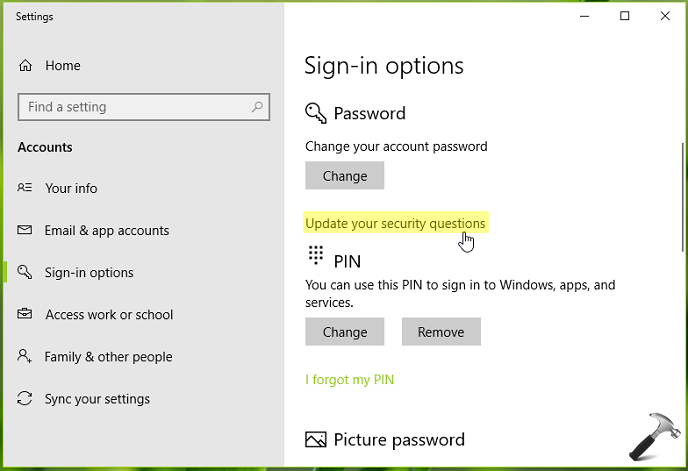
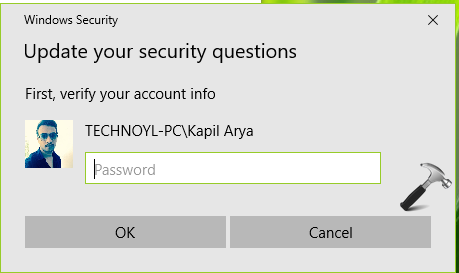
4. Next, verify your account by providing the credentials you’re asked for. Click OK.
5. Then in the below shown window, select your own security questions and type the answers (which may be case sensitive). Click Finish.
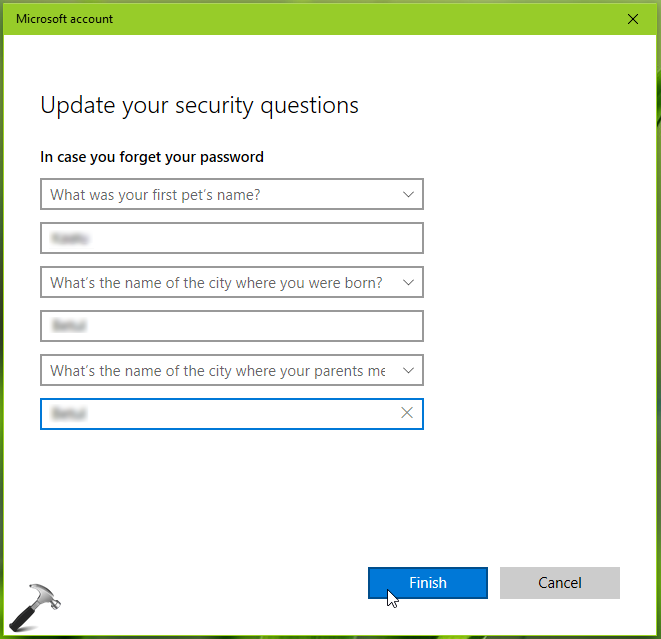
In this way, you’ve finally updated your security questions.
PART 2 – Resetting your account password using security questions
1. On the login screen, when you type incorrect password, a Reset password link would appear only if you’ve already updated your security questions. Click on the link.
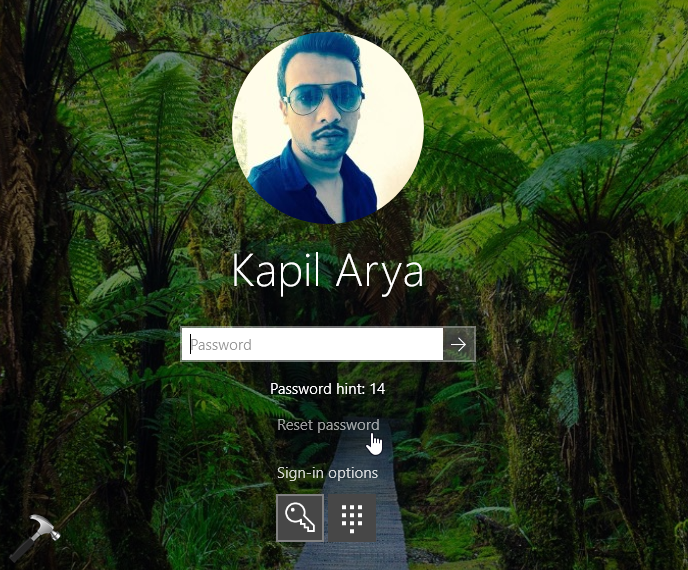
2. Next, type in the answers for your security questions and press Enter key.
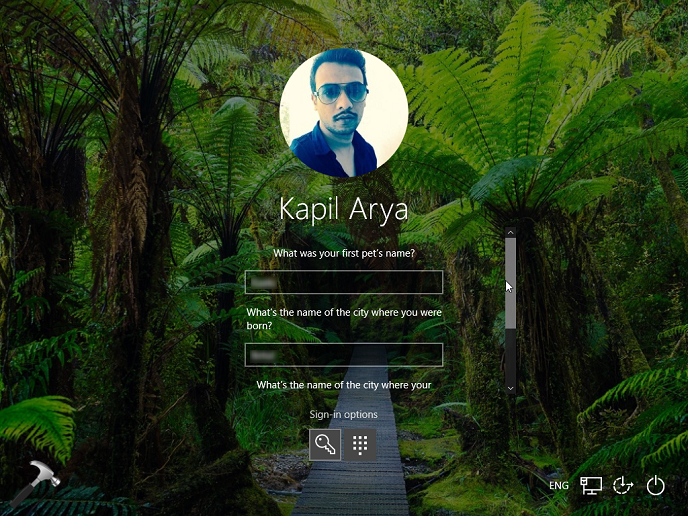
3. If your provided answers are correct, you’ll have the option to type new password and confirm it.
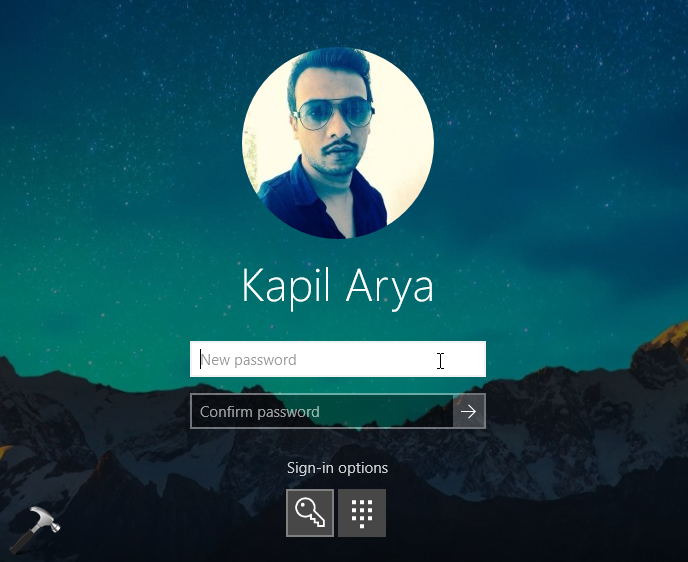
So you can now use this newly created password to login to your account.
That’s it!







At step 4 it asks for my credentials and I donor remember them what do I do?
^^ You need to follow PART 1 in advance, when you remember your password. Then only you can follow PART 2 to reset your password.
Hello can’t access my Windows 10 account forgot password and 3 security questions. Thank you
^^ In this case, complete Reset is the only option left: https://www.kapilarya.com/how-to-completely-reset-windows-10.
i don’t have update SECURITY QUESTION on my acc or in sign in options
^^ Make sure you have Windows 10 V1803 or later installed.
@roger
Most probably your Machin is in domain environment where some settings of security are being controlled by Security polices/group polices etc.