

We all here know that after Firefox 11, we have 3D View in this browser. Use of latest WebGL technologies has made this possible. Using Firefox‘s 3D View, you can see each webpage element according to coordinate geometry system.
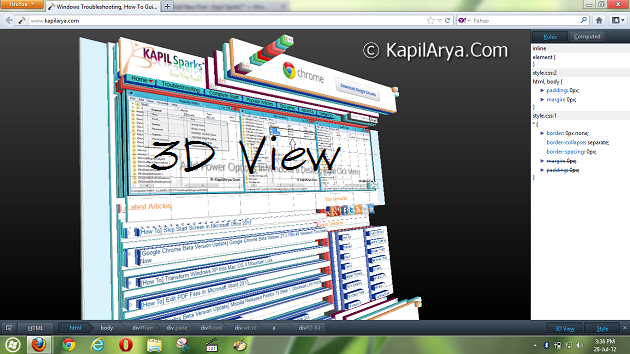
After playing with 3D View‘s of many sites, I suddenly thought to disable it. But unfortunately Firefox doesn’t have any straight option to do this. Hence we’ve to tweak the core settings to disable the 3D View.
After experimenting tweaks in core configuration, I was successful to disable the 3D View. Here is the way…
How To : Disable 3D View In Mozilla Firefox
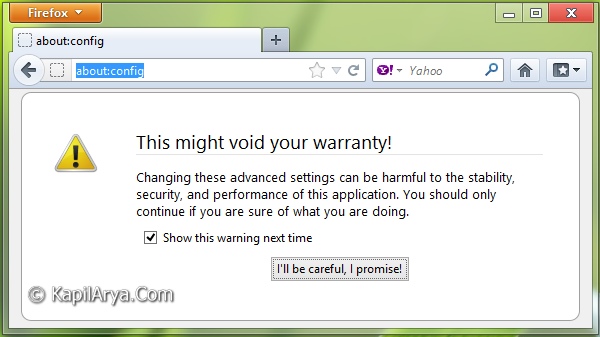
1. Type about:config in Firefox‘s address bar followed by Enter. You’ll be taken to following prompt. Click on I’ll be careful, I promise!.
2. Next, in the Search box, type webgl. A bunch of results will be displayed. Find out webgl.disabled, it must have value false by default.
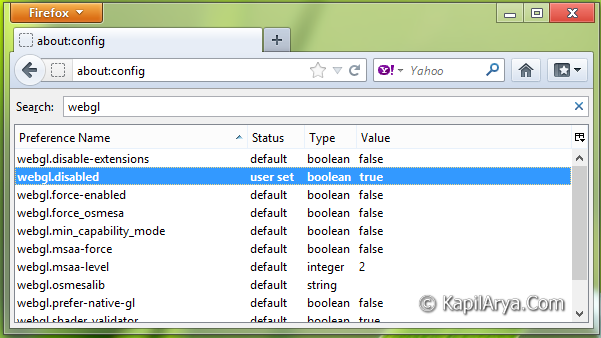
Double click on this value to set it to true. Restart Firefox. That’s it.
3. Now we have to ensure whether we have disabled 3D View or not. To do this, open a webpage, and press Ctrl+Shift+I combination on keyboard. It’ll open developer console, find 3D View in right bottom corner as shown below.
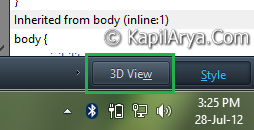
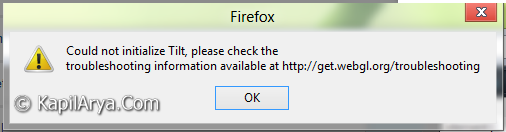
4. Now click on 3D View, and here it is, you’ll get following error that means you have disabled the 3D View successfully.
If you want to enable 3D View again, set the value webgl.disabled to false (step 2).
Hope you like the tip!



Thnks for the nice tip again :)
Can we disable this error to??!!!
Great Kapil, nice find :-)
Thnks for gr8 tip..
Does it works for all Firefox domain?
Gud tip though
^^ Yep.
@ Odio, Nope.
Hmm! Sounds Good ;)