

Today is the day when we have to say goodbye to our old mate; i.e. Windows XP, since Microsoft is ending support for it. That means, using Windows XP after today will bring you troubles only. So it is better to upgrade to later Windows iterations, to avoid the hitch. On the other hand, company has now made the update to its latest Windows iteration i.e. Windows 8.1. Exactly a week ago, Microsoft announced this update and made it available for Technet & MSDN users. Today, the update is available for end users worldwide.
Get Windows 8.1 Update Now
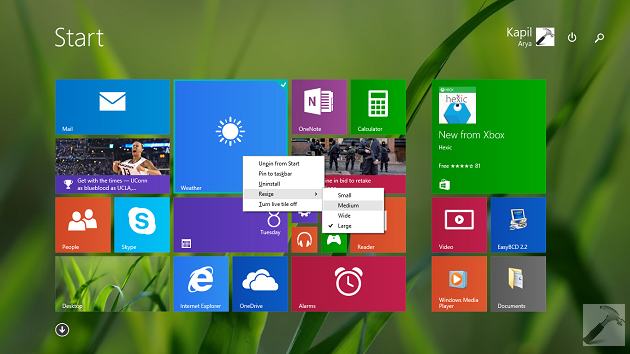
The update introduces many significant features along with stability improvements for Windows 8.1. We have already shared with you about the new features you’re getting with it. You can explore more about this update in following article:
Windows 8.1 Update & Windows Phone 8.1 : What’s New
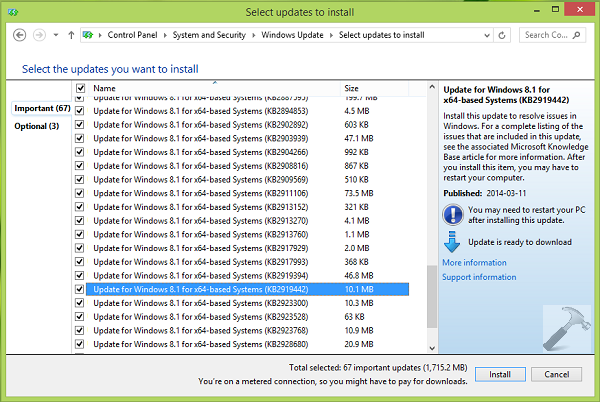
You can check the latest Windows Updates to be installed on your system; in order to get this update. You’ll find the update KB 2919442 which is pre-requisite update for Windows 8.1 Update. If you’re using Windows Update, it is recommended to install all important security updates available for Windows 8.1 section.
Here are the manual download links in a sequence, which allows you to download the updates and install them via Microsoft Download Center. Click on the links below and then click Download the package now for 32-bit or 64-bit system in the KB article page so open.
Once again, I would say, install the updates listed above in the sequence they are listed. After completing installation of these updates, you’ll have a new experience with your Windows 8.1. Its more stable now.
Enjoy the treat!

I m getting this: Error: 0x800f0906
The source files could not be downloaded.
Use the “source” option to specify the location of the files that are required to restore the feature.
Please help!