

We all know that Microsoft is testing Windows 10 among users by providing newer build with latest updates. By downloading these new builds, you’ll find a new feature and more improvements in a fresh copy as compared to earlier one. If you’re totally new regarding Windows 10, you can download the latest build from the PC Settings app. Open it and in the left pane select Update and recovery -> Preview builds. Then click on Check now in the right pane and should be able to get new build following this way. However, today when I tried to download a new preview build, it showed me following error:
Page Contents
Failed to download the new preview build, please try again later. 0x80246018
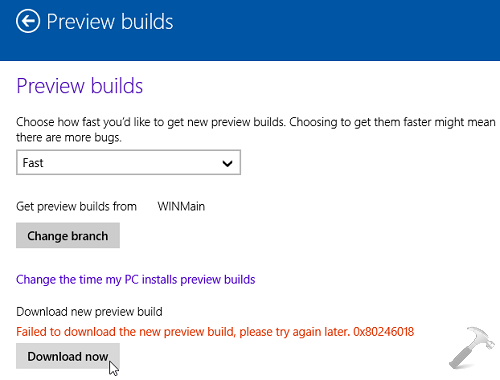
There are various error codes you may receive with this error message. Due to this, I was not able to get newer build at all. I tried rebooting the machine, changing network and regional settings of the system, but unfortunately, nothing worked. Then by doing some web research, I concluded that this might happen because the server that is delivering the new build, is over capacity. So I re-tried after a day to get new preview copy, but there were no changes in the situation. Then making following registry manipulation helped me to fix this issue significantly:
FIX : “Failed To Download New Preview Build” Error In Windows 10
Registry Disclaimer: The further steps will involve registry manipulation. Making mistakes while manipulating registry could affect your system adversely. So be careful while editing registry entries and create a System Restore point first.
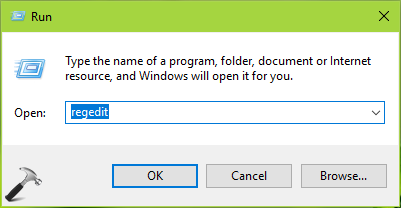
1. Press  + R and put regedit in Run dialog box to open Registry Editor (if you’re not familiar with Registry Editor, then click here). Click OK.
2. In the left pane of Registry Editor window, navigate here:
HKEY_LOCAL_MACHINE\SOFTWARE\Microsoft\WindowsSelfHost\Applicability
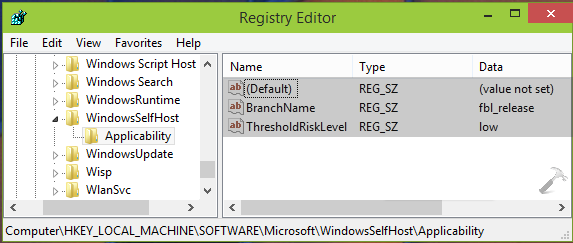
3. In the right pane of Applicability key, make sure that only following details exist:
(Default) – REG_SZ – (value not set)
BranchName – REG_SZ – fbl_release
ThresholdRiskLevel – REG_SZ – low
Delete all the registry strings expect the ones mentioned above. Once you’re done, close the Registry Editor and reboot the machine.
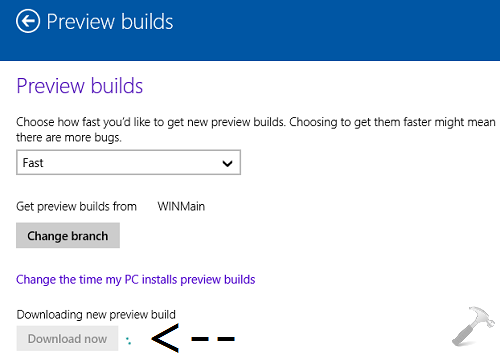
4. You can now re-try to download the newer build, and this time you won’t face any error.
That’s it!






I installed the win 10 tech preview 9841 and all went ok. I then requested a check for new builds and it installed 9860 which crashed the system. I reverted back to 9841 and now when I check for new builds, I am told there are no new builds. I cannot leave feedback by using the icon under the start menu also. The screen just hangs. Any ideas how else to get the new builds on this machine?
^^ Make sure you’ve same entries for the registry location mentioned in the article :)
this helped bro, I downloaded windows 10 tp 9860. Thanks a lot for your help!!!
^^ Glad we could help :)
What the **** I hv been waiting for 10 hours to download new preview and it is not completed!!! I am getting very frustrated :(
It works but the download is keep rolling for hours :| :-/ Dissatisfied!
did not work for me some of the names like brachname is not even there I guess ms dose not want me to help anymore
I dont have the following ThresholdRiskLevel – REG_SZ – low in my registry. I only have the default and branchname but the data under branch name is external not fbl_release. Please help.
Super and working ;)
^^ Glad to help!