After performing some feature upgrade to a Windows 10 machine, we lost its ability to connect the Internet. When we check the network device in the Device Manager, we found that it was no longer working. We checked the device property and found the following message under Device status:
This device cannot find enough free resources that it can use. (Code 12)
If you want to use this device, you will need to disable one of the other devices on this system.
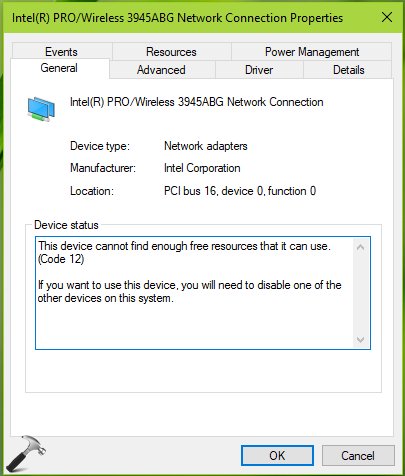
Due to the above mentioned Device status, we were not able to operate the network adapter and thus can’t get online on them machine.
According to one my MVP colleague, this error can occur if two devices that are installed on your computer have been assigned the same I/O ports, the same interrupt, or the same Direct Memory Access channel (either by the BIOS, the operating system, or both). This error message can also appear if the BIOS did not allocate enough resources to the device. Hence, first you need to make sure you’ve updated BIOS firmware on the device.
Well, if you’re facing this issue, here’s how to fix it.
Page Contents
FIX: This Device Cannot Find Enough Free Resources That It Can Use (Code 12) In Windows 10/8/7
FIX 1 – General Suggestions
1. Run the Network Adapter troubleshooter.
2. In the Device Manager, right click on problematic device and select Uninstall device. Then click Action > Scan for hardware changes.
3. Update or roll back the device driver, see if it makes the device working.
FIX 2 – Network Reset
If suggestions mentioned in FIX 1 doesn’t helps you, try the Network Reset. This will help you to restore default network configuration on the machine. Hence the network that is broken due to some upgrade, should be restored to its initials. Follow the guide linked below:
Steps to perform Network Reset in Windows 10
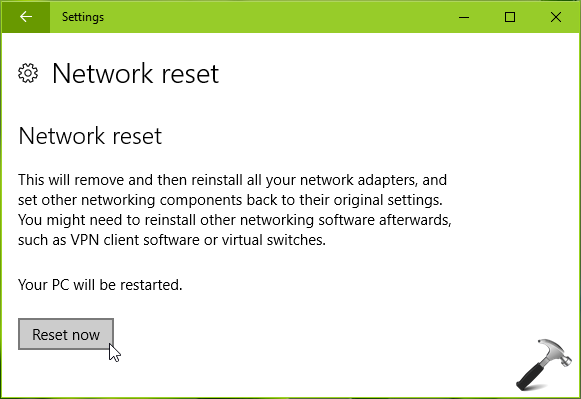
After performing above mentioned suggestions, we hope the device started to work fine.
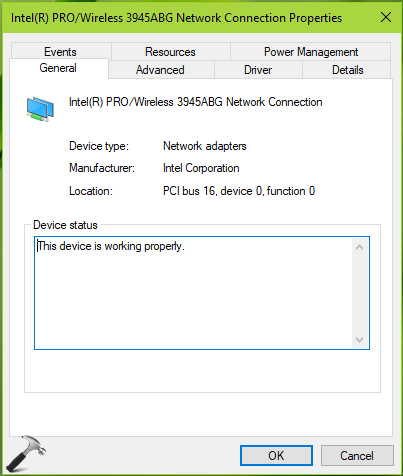
Hope something helps!