While visiting some websites on web, bits of data may be stored on your hard disk. Since these sites are using caching, so if you frequently visit them, some of their webpages are loaded directly from your hard disk instead of site’s web server. This helps you to browse the content faster. The data stored on your Windows comes under the name of temporary files.
Also when you install new software or apps on your Windows 10, there are some temporary files which are created on your local disk. If the program you’re installing is well coded, it will automatically remove the temporary files it will create. While some programs may not be able to do so and their temporary files get stored permanently on the machine. Thus, then you need to clear files manually. In this article, we’ll see how to remove unnecessary or temporary files on your Windows 10.
See this article, if you’re looking forward to remove temporary files on Windows Phone.
How To Delete Temporary Files In Windows 10
1. Open Settings app and click/tap System.
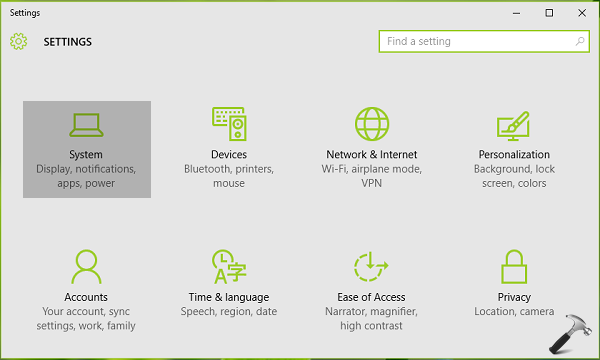
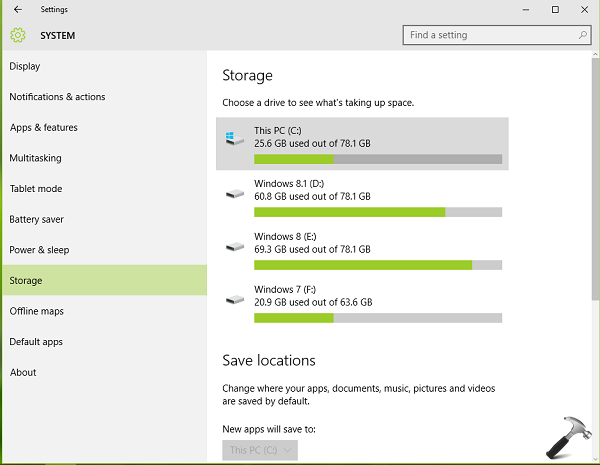
2. Next, under System, look for Storage option in left pane. Then in the corresponding right pane, click/tap on your system root drive.
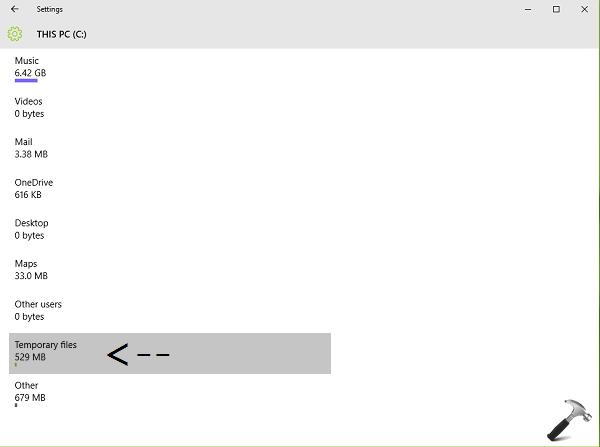
3. Then for the system root drive, you’ll be able to see how the drive space is being consumed.
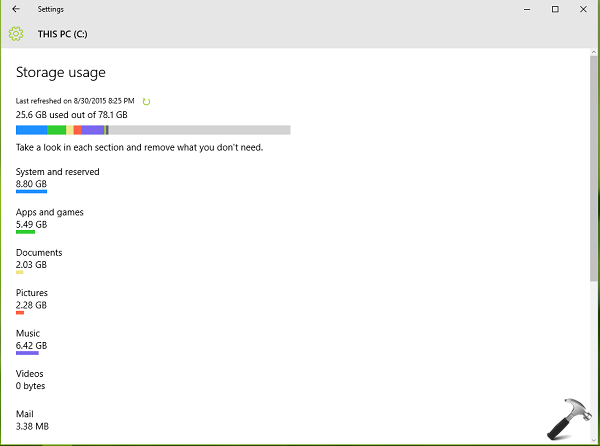
Scroll down on the same screen and you’ll find the temporary files heading underneath which the space located for those files is mentioned. Click/tap the Temporary Files to get on the its details:
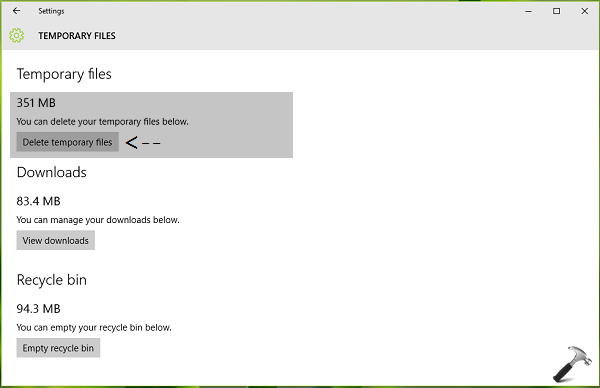
4. Finally, you have the option to clear temporary files. So hit the Delete Temporary files option and free up some space for your usage. Additionally, you can trash Downloads and Recycle Bin garbage and get even more space.
Hope you find the article useful! Also check how to change temporary files storage location in Windows.