

If you have noticed it in Windows, then you’ll find that only for the images or image files, Windows shows an option to set it as desktop background. This is casual straight from the world of Windows XP to Windows 8 in present scenario. However, this option comes handy when we have a short span of time to choose a desktop background. Obviously, you can set a background for your Desktop from Personalization.
Remove “Set As Desktop Background” From Context Menus
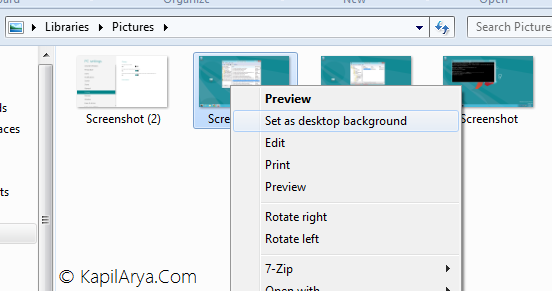
So if you can set your Desktop background from the Personalization frames, then whats the need of Set as Desktop Background in the right-click context menu for images as shown in above. In that case, its of no use and thus should be removed to avoid ghost spacing. But how to do that? Don’t worry, the solution is here.
Today, in this article, we’re providing you the read-made registry scripts to remove the option under the hood of context. This is the easiest and safest bet to remove the handler option we’ve. All you need to do is to download the registry script from below link and then right click on it when downloaded and select Merge (provided you’re are the admin of your computer).
After merging the registry, you’ll no longer see Set as Desktop Background option in context:
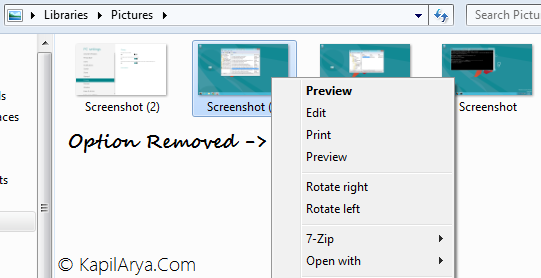
In case, you want to removed the added options, you can do that using following registry script. If you’re prompted for UAC permissions, click Yes. Here is the link:
Hope you like the tip!



Worked great. Just open regedit.exe, click file, import, select the file and you are good to go.