

On Windows 8, today we’ve experienced a weird problem that is for repairing and scanning of drives. Some times it happens that at start up on the booting phenomenon, Windows ran into a program probably to scan and fixes the drives which are not faulty at all.
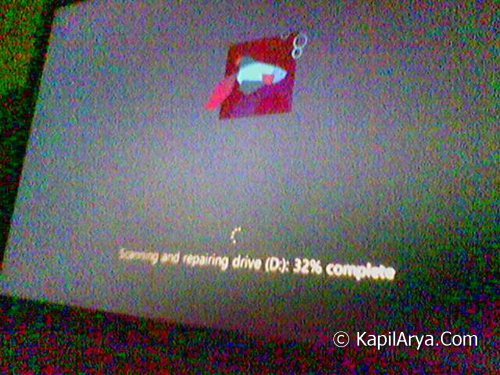
This scanning and repairing takes a lot of your precious time and do nothing and takes you to the as usual start up. Because it first scans C, then D, and then E drives and so on which consumes unnecessary time. Also it depends upon dual boots or multiple boots as Windows also fix the other drives which have different OSs installed on them.
Now if you try to repair the drive usually general method (Drive -> Right Click -> Tools -> Error Checking -> Check), it will tell you nothing:
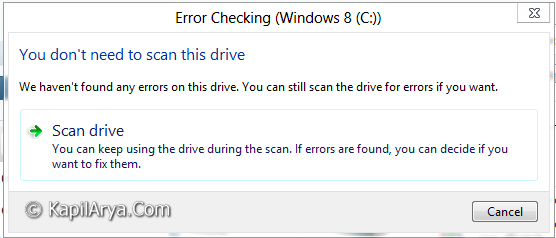
So how to fix up this weird issue? Today, in this article, we’ll tell you how to resolve this issue using Registry Editor.
FIX : Weird Scanning & Repairing Of Drives At Boot Screen
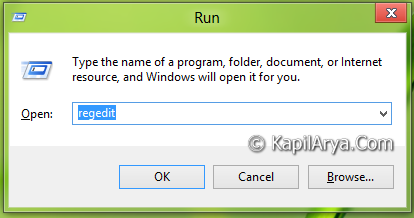
1. Press  + R and put regedit in Run dialog box to open Registry Editor (if you’re not familiar with Registry Editor, then click here). Click OK.
2. Navigate to the following registry key:
HKEY_LOCAL_MACHINE\SYSTEM\Current\ControlSetControl\Session Manager
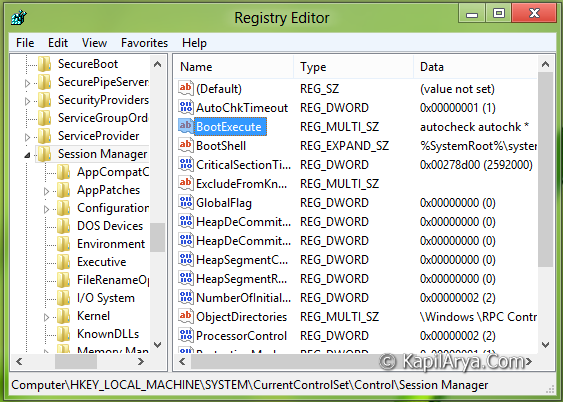
3. In the right pane of this location, double click on multi string (REG_MULTI_SZ) BootExecute. It must have the default value as autocheck autochk *. Replace the default value with autocheck autochk /k:C *.
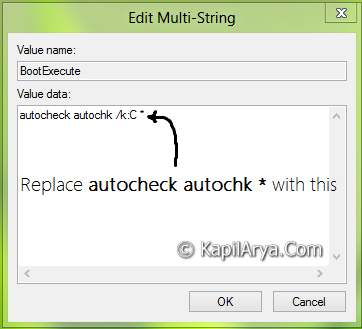
That’s it. Close Registry Editor and now make reboot at least two times to make this settings working and you’d no longer see scanning and repairing drives at boot screen until you do this operation manually in the OS using drive error checking tools.
Hope you find the tip useful!



Great fix up
well i was confused that this is due to reseting of registry to mess up the system.. So fortunately that’ nothing.. good to see the last portion .. thanks :)
Alhamdulillah and thanks to you sir. I got this problem settled just now. I had issue when I plugged my external drive. I hope you will share more tips on computing. ^_^
GREAT IT WORKED….
THANKSS… :)
excellent! really works! better than MS
Thanks for this info. I fixed the scanning of drive C, but now, starting this week, the machine is now scanning my drive F (my Windows 10 partition – dual boot system). Is there a way to add the drive F to this Registry fix?
TIA
^^ Yeah, you can replace C with F for registry string Value data. But IMO, that will again start scanning and repairing of C: drive. So for a while, do try it and let me know.
Will this same fix work for the same problem happening on Windows 10
great it worked : )
^^ Glad we could help :)
great it worked ^_^
Thank you Kapil. I got rid of annoying & time consuming task
^^ Glad to help!