

Microsoft‘s propriety browsers i.e. Microsoft Edge and Internet Explorer may sometimes give you false trouble of being unable to access some websites. While at the same time, you can access those websites using other browsers. This article talks about this common issue faced by users.
Actually recently while working with Microsoft Edge, when I try to access any of the websites, following error comes out along with Hmmm…can’t reach this page message:
The website could not be found.
Page Contents
Error Code: INET_E_RESOURCE_NOT_FOUND
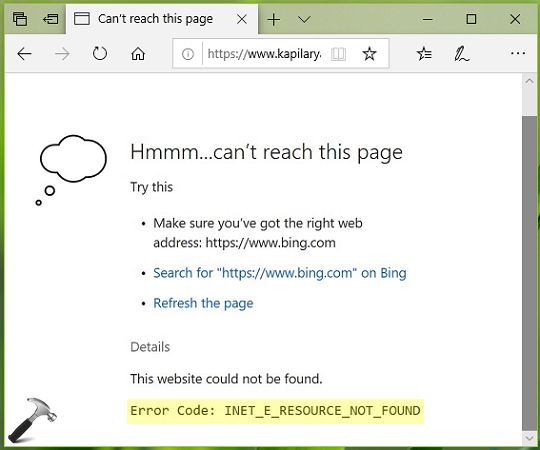
I checked the same website with Mozilla Firefox, Google Chrome and Opera and the website was accessible from all of them. This led to conclusion that something is wrong with Microsoft‘s browsers only. If you’re also victim of this issue, here are the things you can apply to fix:
FIX: ‘INET_E_RESOURCE_NOT_FOUND’ In Microsoft Edge/Internet Explorer
FIX 1 – General Suggestions
1. Make sure you’ve IPv6 enabled, especially if you’re on Windows 10 Version 1809 or later.
2. Try to enable automatic configuration, if you’re on LAN. Run inetcpl.cpl command, in Internet Options, go to Connections tab > LAN Settings and check Automatically detect settings option. Click OK.

3. In Internet Options, on Security tab, click Reset all zones to default button.
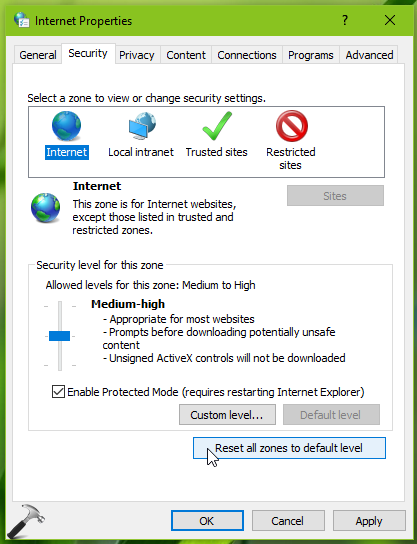
4. Reset Internet Explorer and see if this solves the issue.
5. Reset or re-register Microsoft Edge browser.
If above mentioned suggestions didn’t helped, try FIX 2 to correct TCP/IP settings related issue.
FIX 2 – Via Windows PowerShell
1. Right click Start Button or press  + X keys and select Windows PowerShell (Admin).
2. In administrative Windows PowerShell window, paste following and press Enter key:
Get-Acl HKLM:\System\CurrentControlSet\Services\Tcpip\Parameters | Format-List
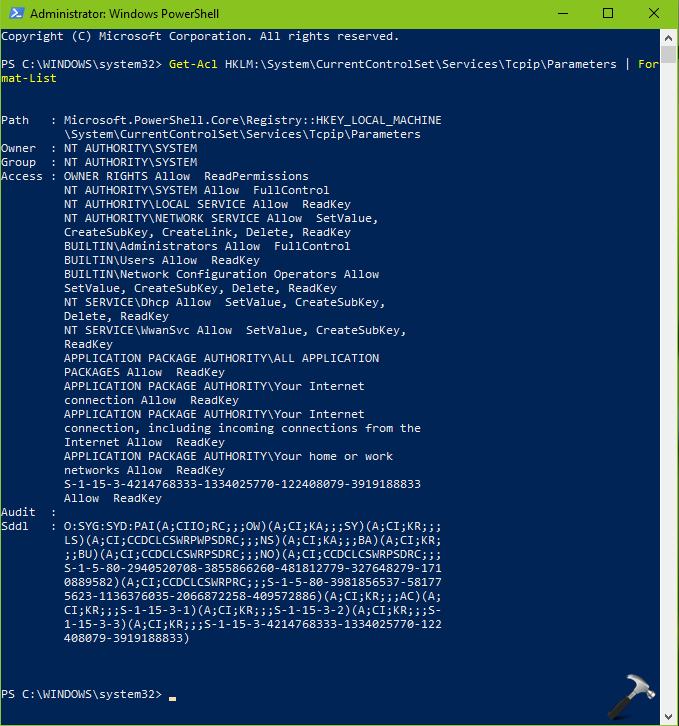
3. Let the cmdlet execution complete which may take few seconds and once it is completed, close Windows PowerShell.
We hope after trying above mentioned suggestions, you’d be able to get rid of this issue finally.
Let us know via your comments, if you still face this problem!





I did a system restore to before the last update and it seems to be working now. Hopefully the next update doesn’t cause problems. I’ll save this page for future use.
^^ Sure, perform the suggestions mentioned here, in case if issue occurs again.