

Windows 8 does not contains Start Menu and Start Button and this has been discussed here a number of times. The replacement of these things viz. Start Screen is given in Windows 8. You can pin drives, programs, apps to this so called Start Screen.
Start Screen Pinner : Pin Anything To Windows 8 Start Screen
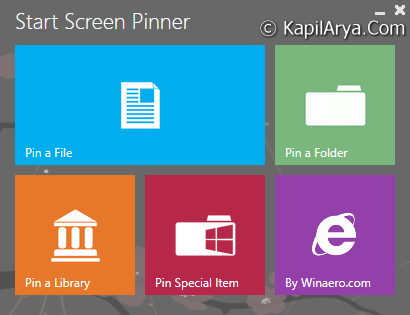
But the question arises when we have to pin a file of distinctive format, or any folder, shell objects etc. In such cases, we need a tool named “Start Screen Pinner” developed by our friendly site “WinAero”. Following are special features of this tool:
- To pin ANY file regardless of its type
- To pin ANY folder
- To pin drive
- To pin Control Panel items, all them including some hidden like God Mode/All Tasks, Network Connections
- To pin Libraries
- To pin shell objects like Run command, Show Desktop, Window Switcher
- To pin any folders or files with drag and drop. Drop them on application window
You can view this tool in action as well:
Download link to this tool at http://winaero.com/request.php?36.
Hope you enjoy the tool!

This developer is awesome, i have tried many tools from him.. thanks for sharing this tool with us