We’ve previously seen how to completely Reset Windows 10, in following guide:
How to completely Reset Windows 10
Recently, some users have reported Microsoft that they couldn’t Reset their system. Whenever they perform the Reset operation, the process seems to work for some time, until they receive following message at the end, indicating Reset was unsuccessful:
Page Contents
This PC has been reset, but some personal files were not removed.
Some users have discovered that the root cause for this problem is ‘Get Office‘ app, which comes pre-installed in Windows 10 Version 1607 or later. This app promotes Microsoft Office to Windows 10 users and shows them the benefits they could avail with Office as the productivity suite.
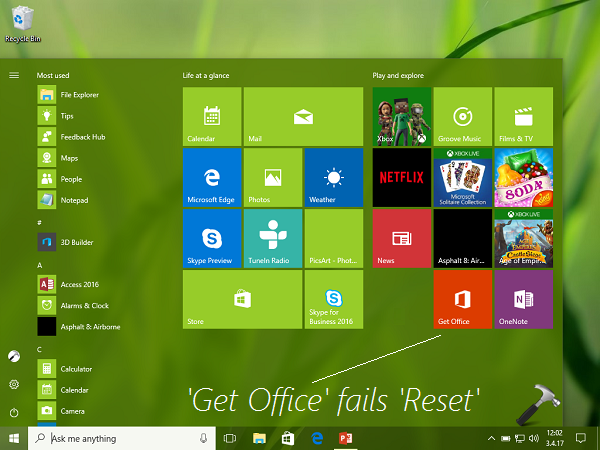
Windows 10 Reset Fails If ‘Get Office’ App Is Installed
Fortunately, Microsoft is now aware of this issue and they’re working on this. Acknowledging this problem, the company wrote on Microsoft Community:
Microsoft is aware of a known issue with the following scenario:
- You are running Windows 10 version 1607 and have the Get Office app installed (version 17.7909.7600 or later). The app may have been preinstalled with the PC or installed via the Store.
- You perform “Reset this PC” with the “Remove everything” option.
- During the reset, you receive a warning that some of your files cannot be removed.
- The reset completes successfully, however some of the factory settings configured by the PC manufacturer might not be restored correctly.
- If you then perform “Reset this PC” with the “Remove everything” option again, the reset operation fails.
We are currently working on this issue and will update this thread when a fix is released.
So if you’ve experienced this problem with your Windows 10, you should simply uninstall Get Office app and go ahead with Reset. The app is obviously a free app and can be easily re-installed from Store, if required later.
Thanks to our friend, Rob Brown (Microsoft MVP) for notifying us about this.