Consider a scenario that your system is not able to connect to the Internet. In that case, first thing you’ll try is running Network Adapter troubleshooter. The diagnostics reported that your connection doesn’t have valid IP configuration. Then you try to renew IP configuration by running ipconfig /renew command in administrative Command Prompt but then you receive following error:
Page Contents
An error occurred while renewing interface <connection> : Unable to contact your DHCP server. Request has timed out.
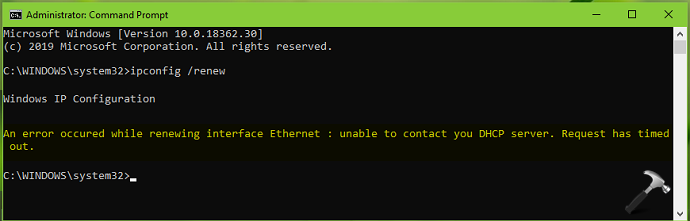
If you’re also facing this issue on your Windows, try below mentioned suggestions and see if they helps.
FIX: Unable To Contact Your DHCP Server, Request Has Timed Out In Windows 10/8/7
FIX 1 – General Suggestions
1. As soon as you see this issue, reboot your system and see if that resolve the problem.
2. If not, run Network Adapter troubleshooter (skip, if already run and it didn’t helped)
3. Open Services snap-in by running services.msc command. Make sure DHCP Client service is Running and have its Startup type set to Automatic.
4. Perform clean boot.
5. Make sure you’ve latest Windows Updates installed.
6. Update your network driver to latest version.
7. If you’re facing this issue by upgrading network driver to newer version, rollback it to previous version.
FIX 2 – Reset TCP/IP Configuration
1. In Windows 10, right click on Start Button and select Command Prompt (Admin). On older Windows editions such as Windows 8.1/8/7, you can open Command Prompt as administrator, using Windows Search.
2. In the administrative Command Prompt window, type commands mentioned in bold and press Enter key:
netsh int ip reset
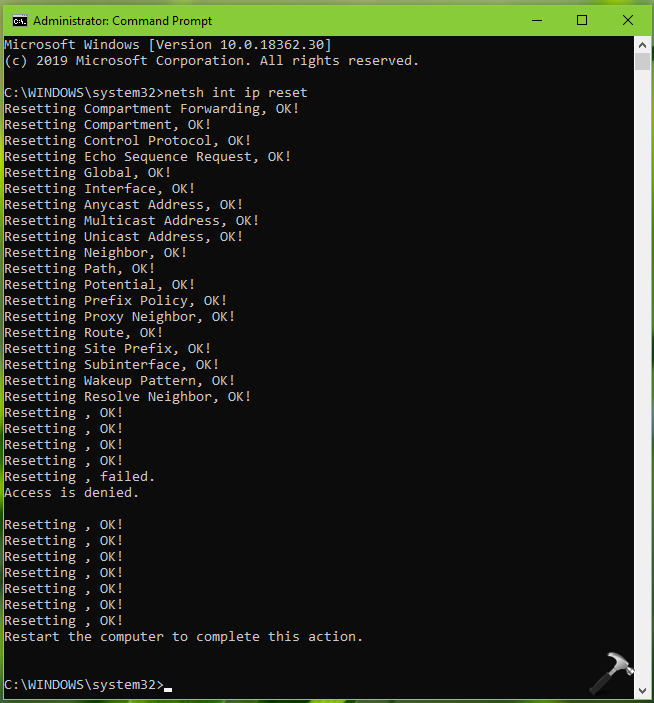
3. Restart your system and the issue would resolved after that.
FIX 3 – Reset Network In Windows 10
If above mentioned fixes didn’t solve your problem, try to reset network to default settings. Please refer following guide to reset network on your Windows 10:
How to reset network in Windows 10
We believe something from above should help you to fix this issue!