Calculator app is more than an utility in Windows. If the Calculator app is missing from your Windows 11 system, there are a few possible reasons for this. The app might got corrupted, or get removed from the system after some update or due to use of some third-party software. With the help of this article, we can fix this issue easily.

Page Contents
Fix: Calculator app is missing in Windows 11
Here are some troubleshooting steps you can try to resolve the issue.
Fix 1: Reinstall the Calculator app
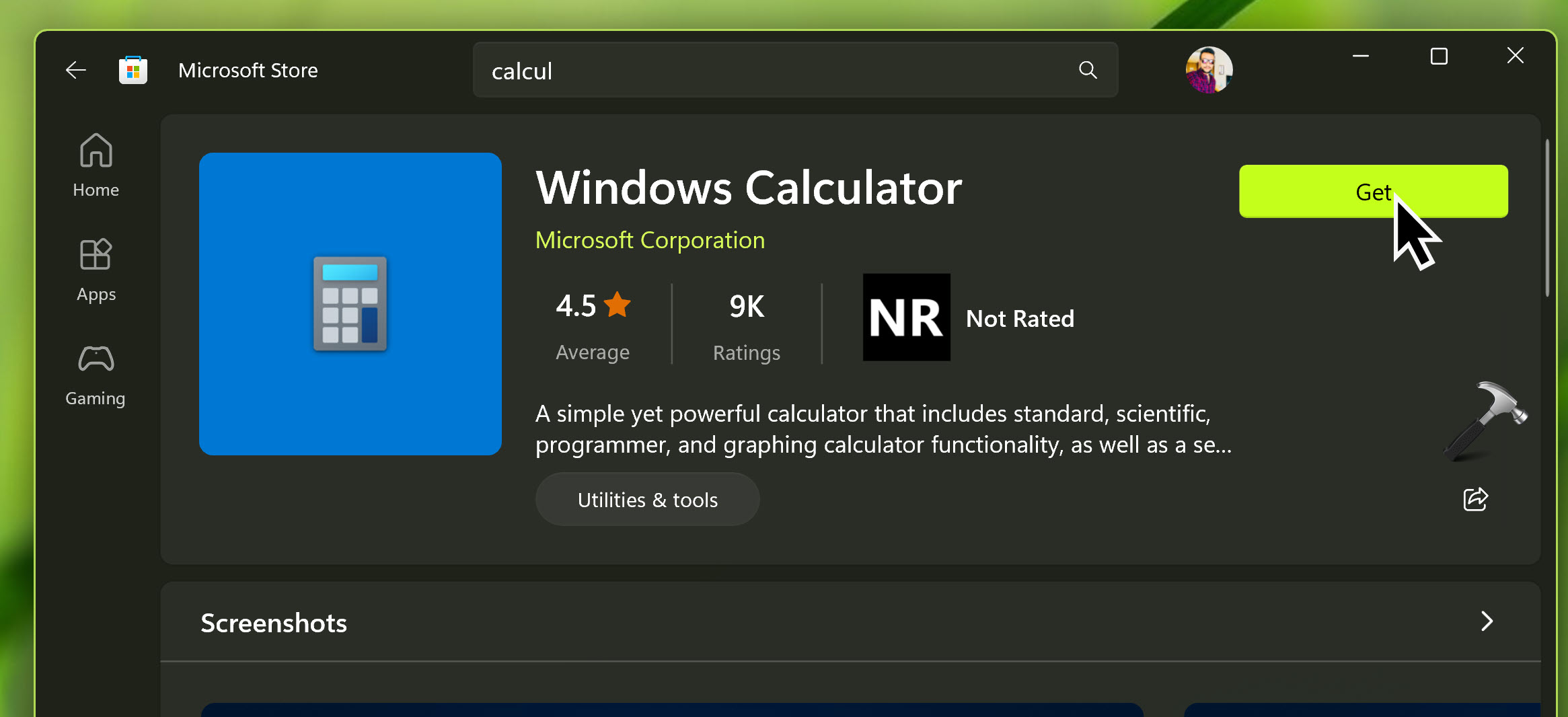
- Open the Microsoft Store app on your Windows computer.
- Search for “Calculator” in the store’s search bar.
- Locate the “Windows Calculator” app and click on it.
- Click on the “Install” or “Get” button to reinstall the app.
Fix 2: Reset the Calculator app
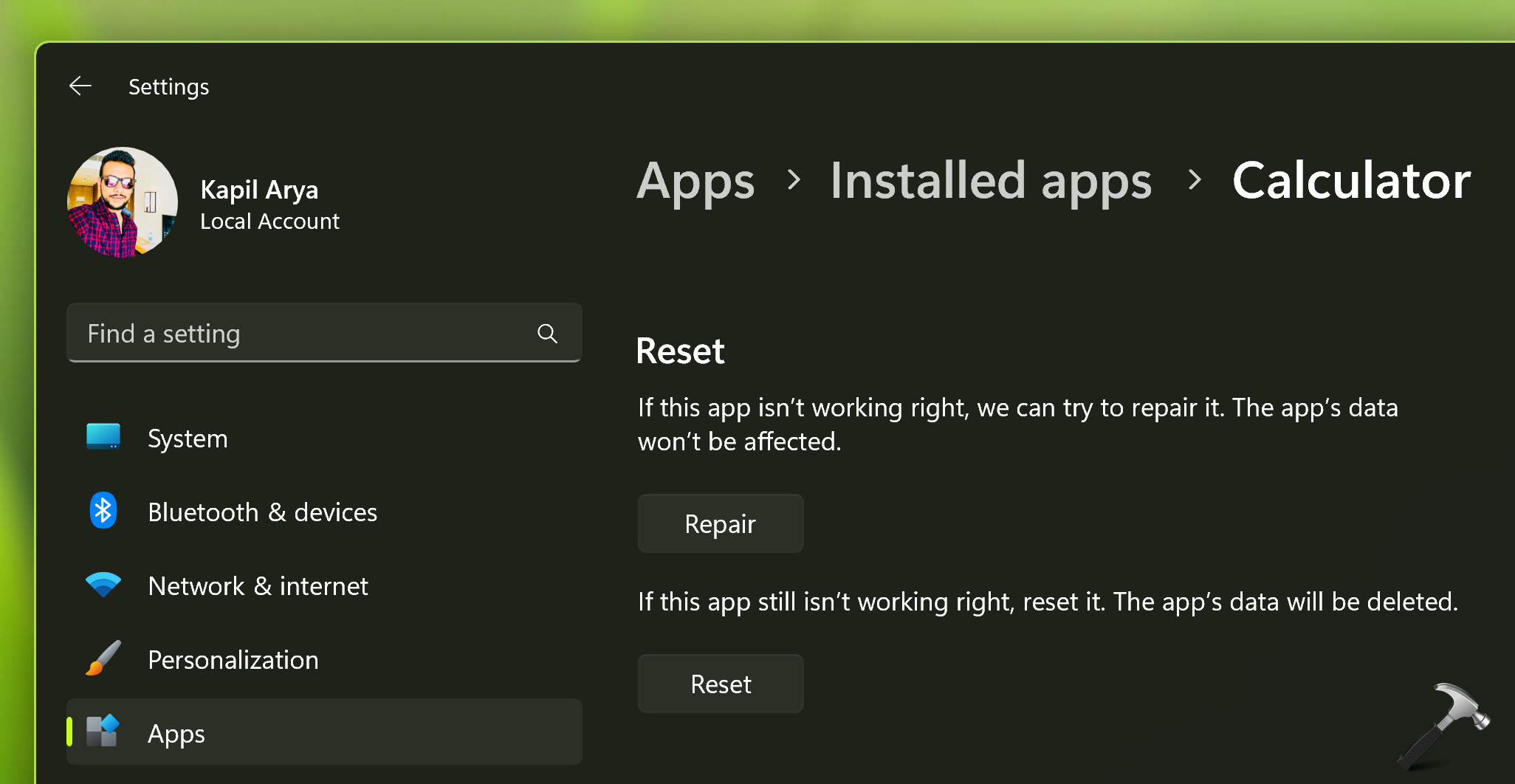
- Open the “Settings” app on your computer (press Windows key + I to quickly open Settings).
- Click on “Apps” or “Apps & features.”
- In the Apps & features settings, locate and click on the “Windows Calculator” app.
- Click on the “Advanced options” link.
- Scroll down and click on the “Reset” button.
Restart your computer and check if the Calculator app is available.
Fix 3: Check if the app is hidden
- Right-click on the Windows Start button and select “Apps and Features” from the context menu.
- In the Apps & features settings, click on “Optional features.”
- Look for “Calculator” in the list of optional features. If it’s listed, click on it and select “Uninstall.” Then restart your computer and go back to the Optional features section to reinstall it.
Fix 4: Run the Windows Store troubleshooter
- Open the “Settings” app on your computer.
- Go to “Update & Security” and click on “Troubleshoot” in the left-hand menu.
- Scroll down and click on “Windows Store Apps” or “Windows Store Apps troubleshooter.”
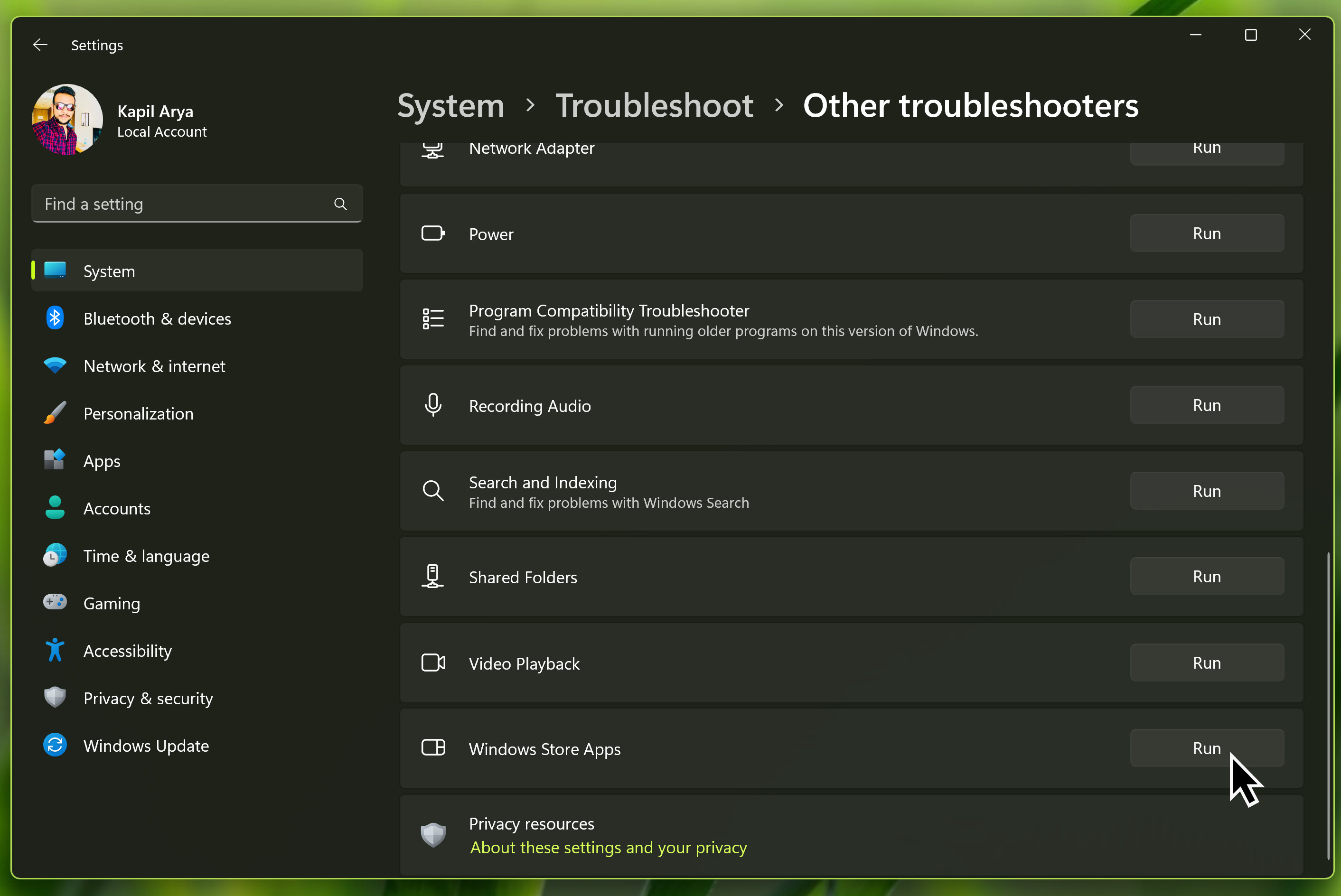
- Follow the on-screen instructions to run the troubleshooter and see if it detects any issues.
Fix 5: Re-register Calculator app
Make sure Calculator app is not running and then try below steps:
- Right click Start button, select Terminal (Admin).
- In PowerShell tab, paste following command and press Enter key:
Get-AppXPackage -AllUsers -Name Microsoft.WindowsCalculator | Foreach {Add-AppxPackage -DisableDevelopmentMode -Register "$($_.InstallLocation)\AppXManifest.xml" -Verbose}
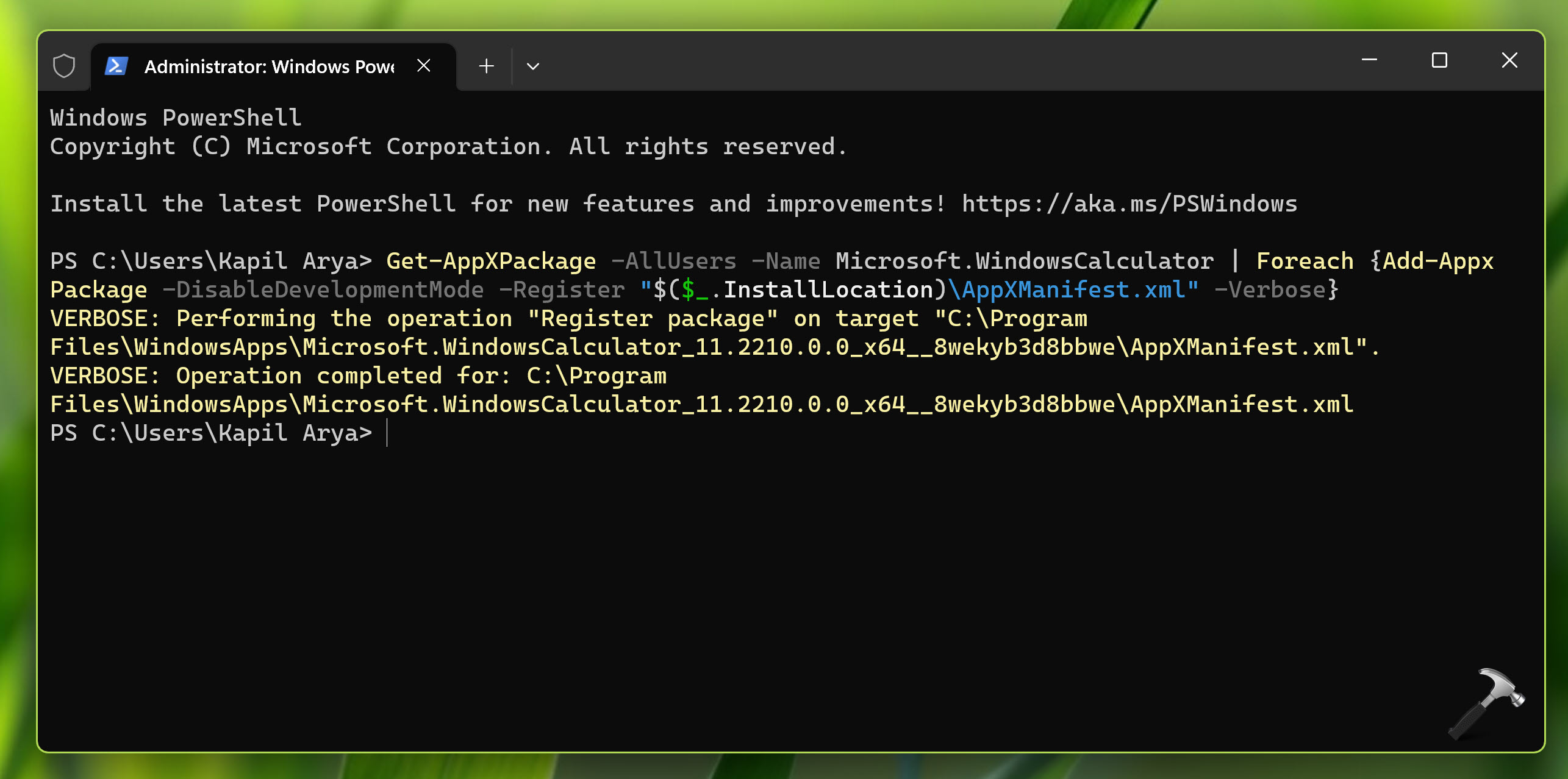
Once command executed successfully, close Terminal app.
Hope this helps!