We all know that Microsoft Store can be used to install and update apps on your Windows 10. This article talks about an issue where you may not able to install certain apps from Store. When you go to an app page, the Get button is greyed out. Also you found following message written there:
Page Contents
This app has been blocked due to Company Policy.
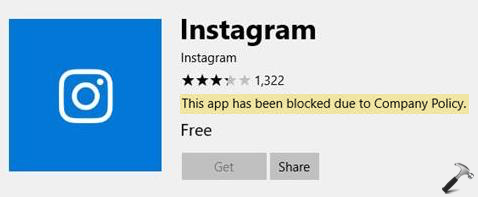
Image credits:MSA
If you’re also facing this problem, here is how to fix it.
FIX: This App Has Been Blocked Due To Company Policy
FIX 1 – General Suggestions
1. Try sign out and then sign in back to Store app.
2. Run Windows Store Apps troubleshooter.
3. Reset Microsoft Store by running wsreset.exe command.
4. Reset Microsoft Store app using Settings app.
5. Re-register Microsoft Store app using Windows PowerShell.
FIX 2 – Remove Or Switch Out Of Company/Work Account
If you’ve connected your system to corporate account then this issue may be resolved with account modification. Some companies may use advanced rules to block their clients from downloading the apps they should not use. So if you’re seeing this error, it is because your company don’t want that you install such app using their account.
Under this case, if you have two options. First option is sign-out from your corporate account and login to a local account on your system. Then download the app and sign-in back to your company account. This article will show you how to login to local account on your company joined system.
The second option you can use is to disconnect your system from company or work account and setup your personal local account or Microsoft account on the system. Checkout this guide to disconnect your system from work or company account.
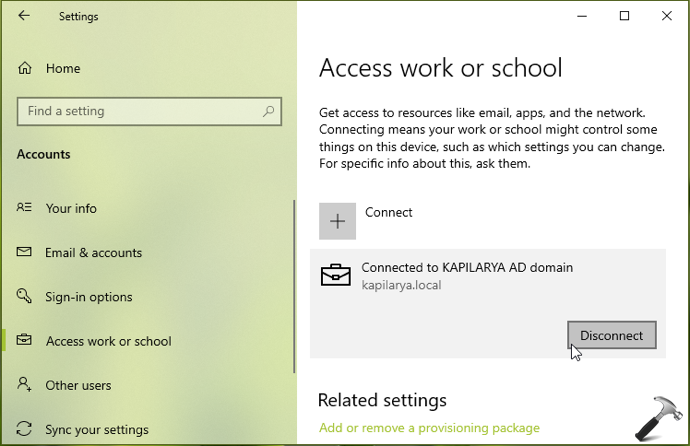
Once you signed in to your personal account, you should be able to download apps without any restriction.
Hope this helps!
Related: An Administrator Has Blocked You From Running This App.