Are you stuck in a situation where you wanna recover data from an Android phone? What I have gone through myself when I lost some data files from my cellphone. Losing it is sometimes annoying, since you might lose some important photos, video calls, contacts, and WhatsApp messages. This can be very disappointing if you don’t have a backup.
This is where a tool like Stellar Data Recovery for Android can come in handy. It is meant to restore various kinds of lost or deleted data from Android Smartphones. Does it really ease the recovery process? I opted to look into its capabilities, how to recover data, which devices it supports and what its restrictions are to see if I should try to give it a shot. Let’s check it out!
Page Contents
Stellar Data Recovery for Android: What is it?
As the name suggests, Stellar Data Recovery for Android is a desktop program that can recover lost data from the Android cellphone. The software will be loaded on the computer, and you connect your Smartphone using a USB cable.
It’s unlike some Android recovery software that requires rooting of the phone. Rooting is a process in which you can access the Android operating system in depth, which can be complex and may affect your device’s security.
The software is compatible with popular smartphones such as Samsung, OnePlus, Xiaomi, OPPO, and Vivo. It is also compatible with the latest versions of Android.
Google Drive and WhatsApp recovery is a useful feature that can be incorporated. In this manner, users can obtain WhatsApp chats and attachments from the backups offered from the cloud.
System Requirements and Compatibility
Stellar Data Recovery for Android is not a mobile app, but runs on a Windows computer version 7 to 11 with 64-bit only. According to the latest product page, the software supports Android versions 6.0 to up to 17. You can see the complete tech sheet on Stellar’s website.
It also has compatibility with popular smartphone vendors like Samsung, OnePlus, Xiaomi, OPPO and Vivo, etc. Installing software is a must for Google Pixel users, and since there are changes in each of the software versions, verifying compatibility with the latest one is a must for the user before starting the recovery process.
Using the ultimate Stellar Data Recovery for Android
The recovery is relatively easy. You do need to have a Windows computer/laptop, a USB cable and have access to your Android phone.
Steps to Download and Install
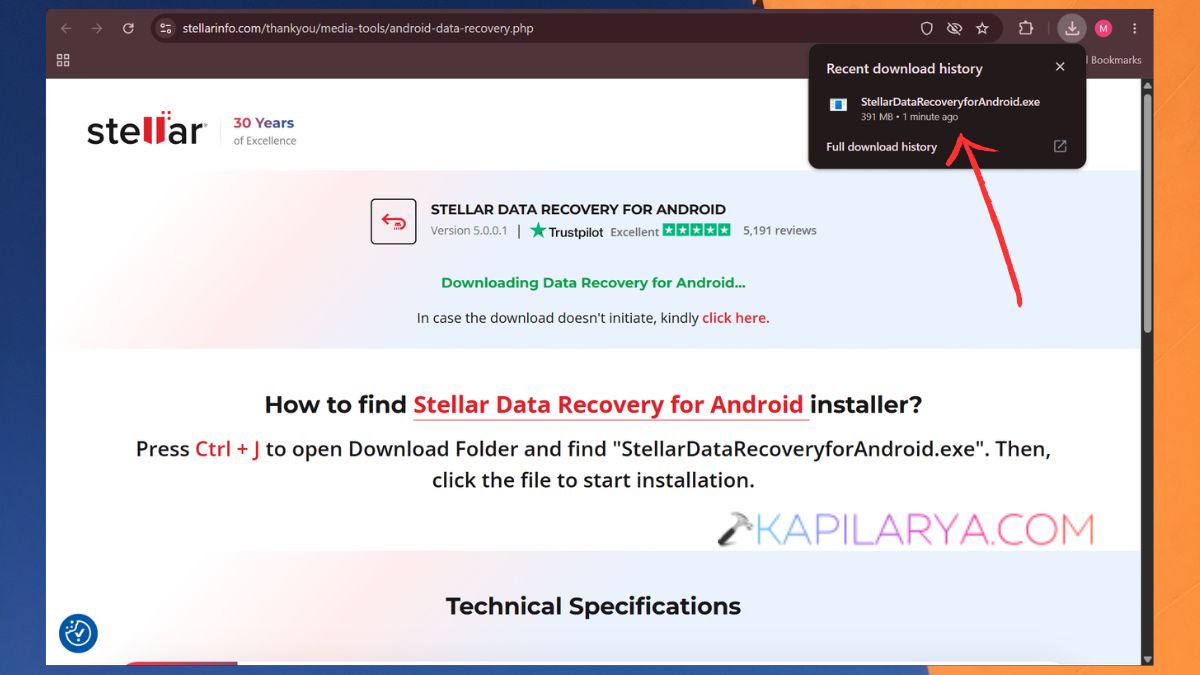
1. Download the official software by searching for Stellar Data Recovery for Android: https://www.stellarinfo.com/media-tools/android-data-recovery.php. Install it on your Windows machine and execute it.
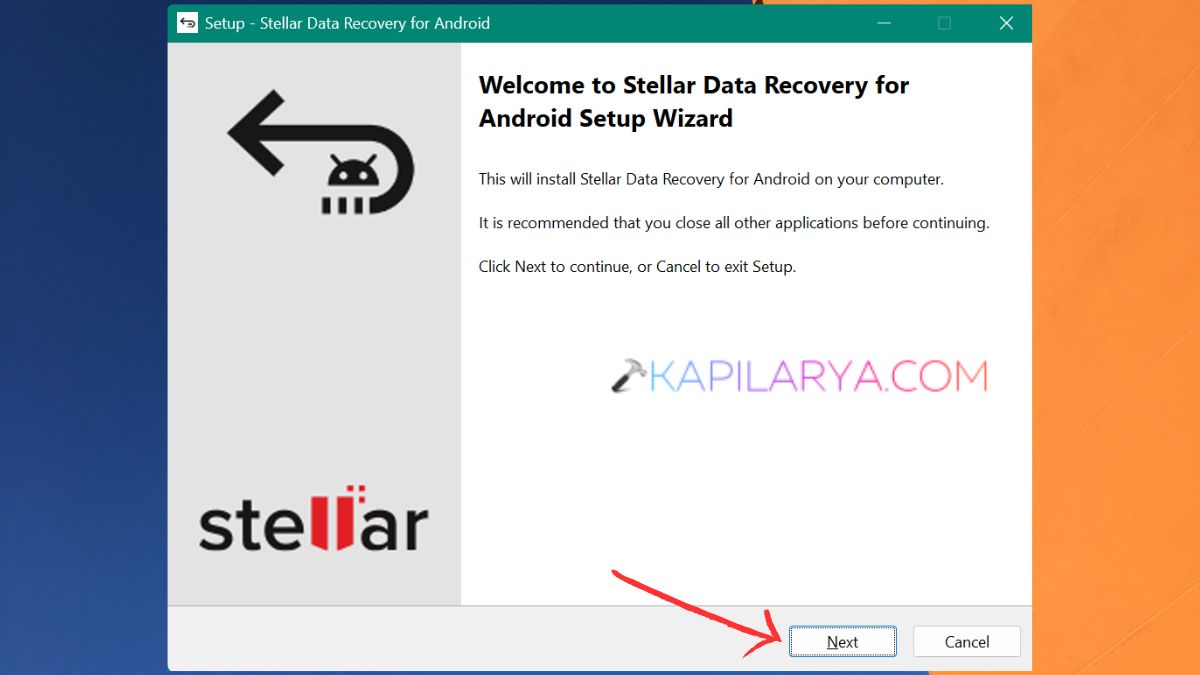
2. A welcome wizard screen will appear, click on ‘Next’.
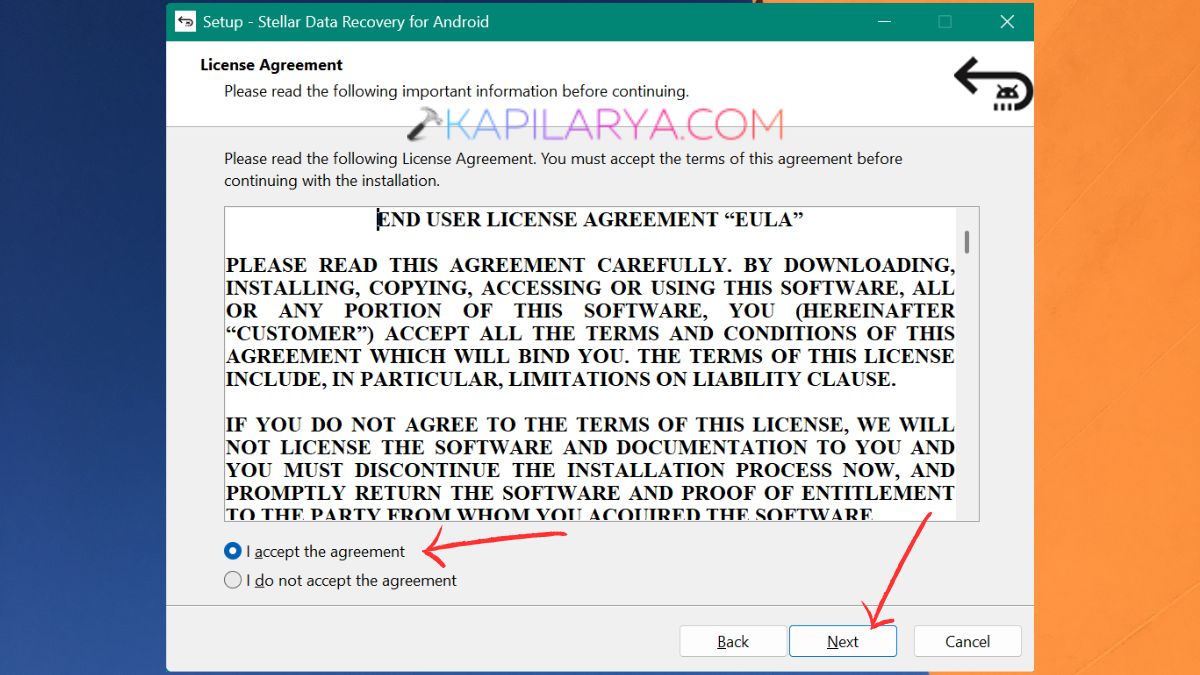
3. You may choose to read the agreement and accept it to move forward.
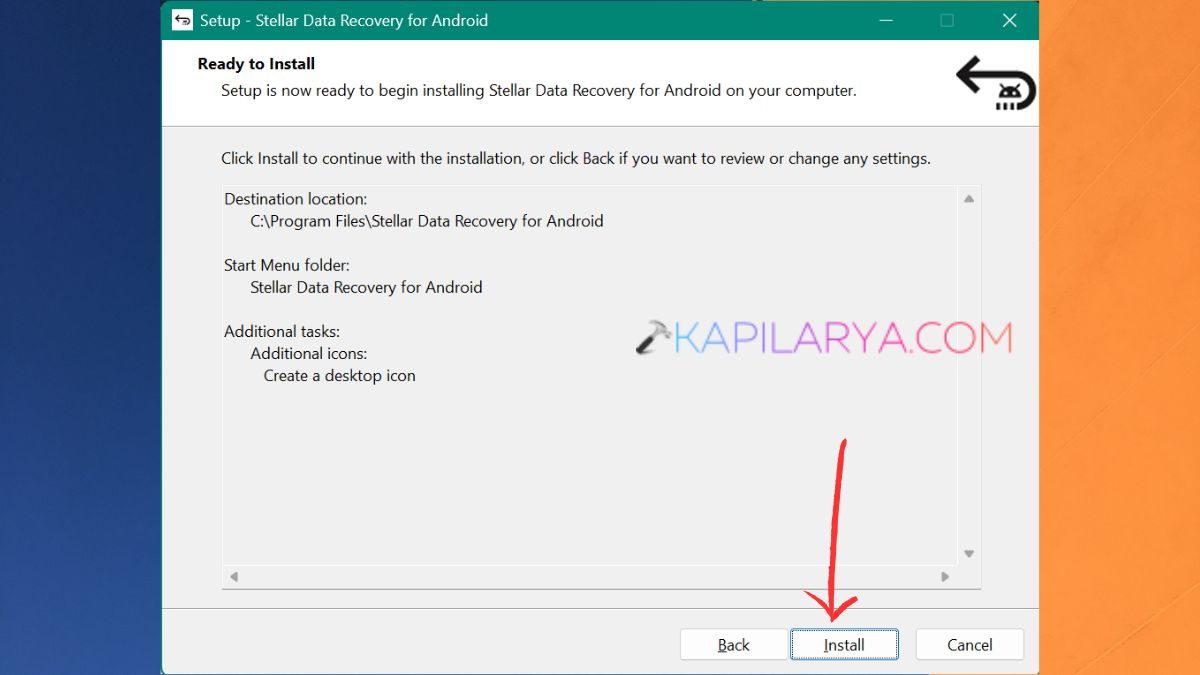
4. Select the destination folder, browse settings, and the desktop icon. Then, click on ‘Install’.
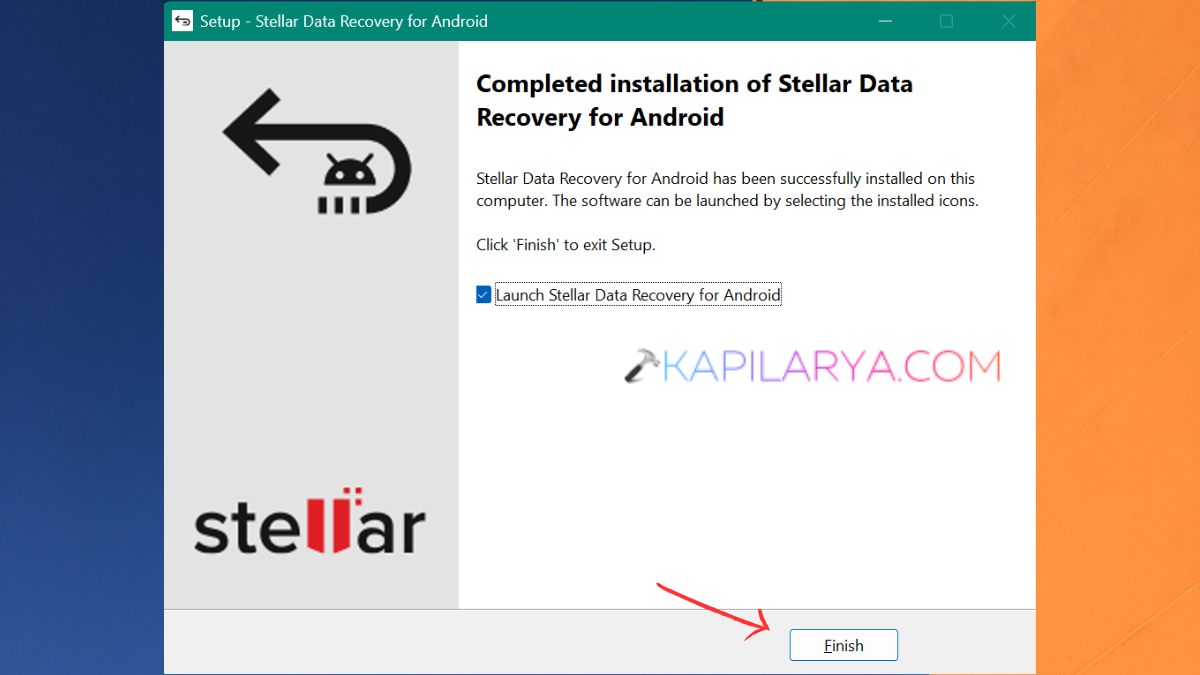
5. Once the installation is over, tap ‘Finish’ and launch the Stellar Data Recovery for Android software.
Steps to Use
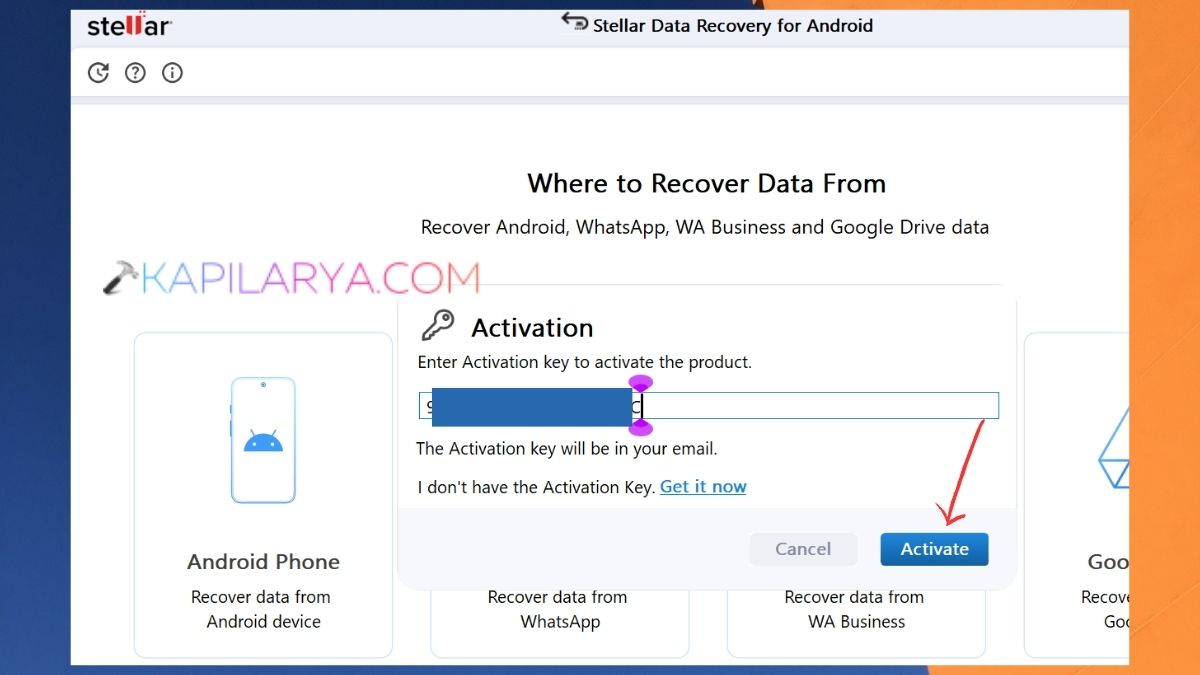
1. If you have an activation key, enter it here and click ‘Activate’.
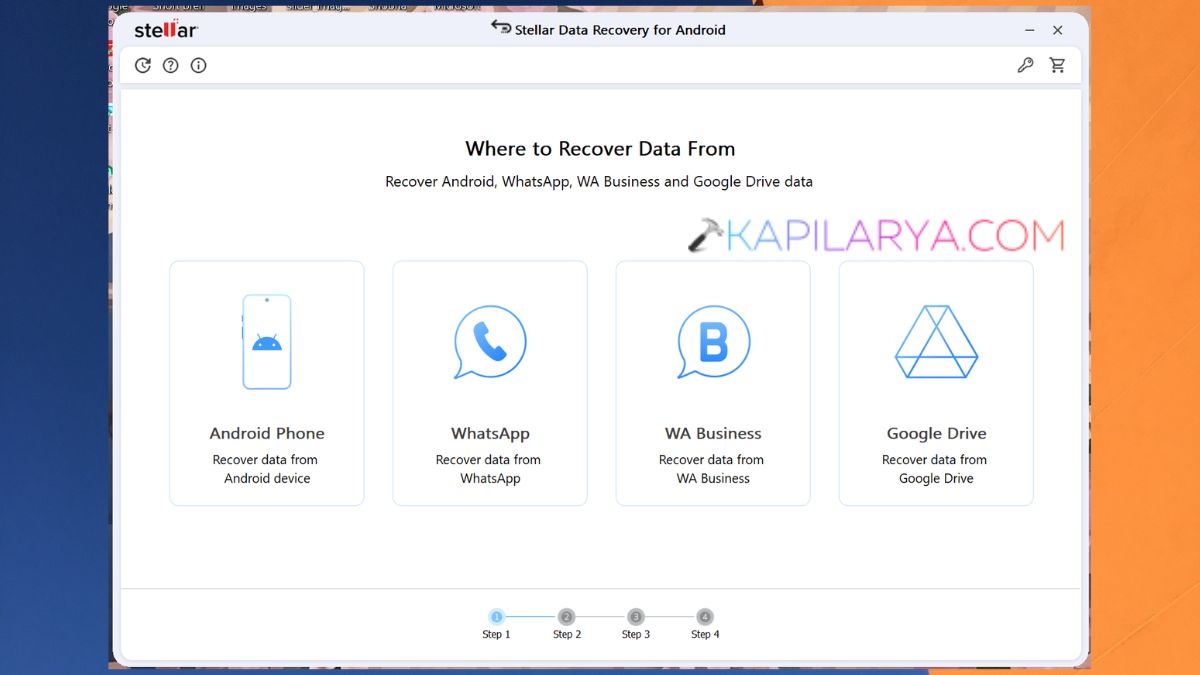
2. Click on one of the given options. I chose an Android phone.
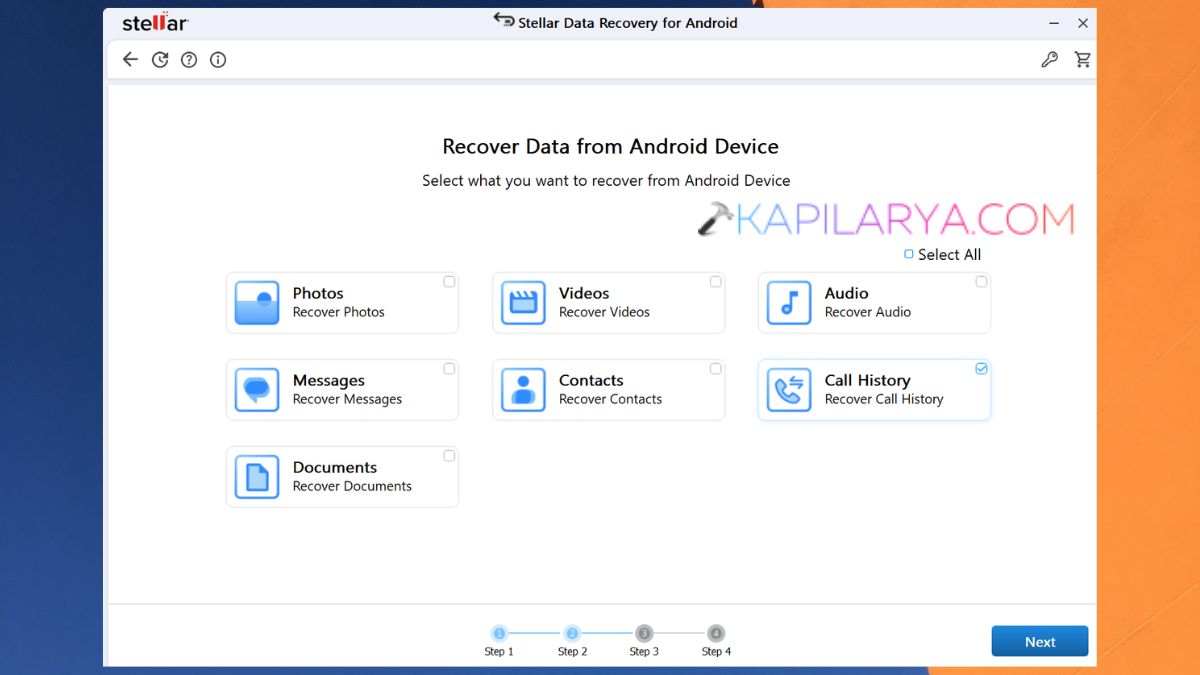
3. Select all that apply to recover – photos, videos, call history, etc.
4. Connect the smartphone with the data cable to the computer. Do not lock the phone, and if prompted, unlock the phone, and turn on Developer Options and USB Debugging. As per the instructions on screen, follow the steps.
5. Once the device has been detected, click on it, and then click on Scan. The software will try to identify if there is any data available to be recovered from the device.
Scanning time depends on the data to be scanned, the memory and the storage capacity of the phone.
6. Once you have scanned, you’ll be presented with a list of items to choose from and will have a chance to look at the files that you wish to restore.
Major Features of the Stellar Data Recovery Software
The most important pros of Stellar Data Recovery Software include:
- Stellar Data Recovery is capable of scanning and locating all deleted media files from Android Storage.
- Available in a variety of image formats such as JPG, JPEG, PNG, BMP, GIF and TIFF. Common video formats are standard MP4/AVI/ MOV/ 3GP files and others. It also features audio formats such as MP3, WAV, AAC and FLAC.
- This may be helpful if, by accident, you have deleted pictures from your Gallery, or if you have lost media files due to a software problem.
- It has the ability to recover contacts, SMS and call history. It is helpful for recovering deleted call recordings, checking deleted messages, or old contact numbers.
- Stellar Data Recovery for Android has a Google Drive Recovery feature that enables the user to recover chats and attachments from WhatsApp from Google Drive-backed-up files.
- In fact, they have a great feature that will let you check out which files you can retrieve before saving them.
- The software then shows the results it found and organizes them in an organized view. You can view photos, videos, documents, contacts and messages. This also has an option of selecting the ones you really need. This will save time as you don’t have to find everything in the scan that you’re looking for.
Cons: Fair Assessment You Should Know
While there are some pros to using Stellar Data Recovery, there are a couple of things to consider before you do:
- Overwriting of data blocks may prevent data from being recovered from deleted files. Power off the device when data is lost at any time. Hence, recovery is not assured.
- The challenge is when the software is not able to identify the phone. It may be due to missing drivers, the wrong cables or inactive/removed USB debugging.
- WhatsApp encrypted backups might not work with all Android versions of mobile devices.
- If the phone is found by the computer and can boot up, it is possible to recover. If a device doesn’t respond in any way, that’s another problem.
- One thing that I found useful to have but missing was compatibility with Mac devices. Luckily, I switched back to Windows recently from Mac.
Why use a Free Stellar Data Recovery Software?
Yes, Stellar Data Recovery for Android is free, but it has its drawbacks. The free version allows up to 10 photos or videos, and each can be up to 10MB in size.
For access to contacts, messages, documents or information in WhatsApp, you’ll need to use the paid editions. Here, you can see all the plans that come with this software on Stellar’s website.
Android Data Recovery Stellar – Is it worth it?
Well, for me, I think it is very worth it. I wanted to recover an image, and it is fine with the free version as well.
Fairly, Stellar Data Recovery for Android is a helpful suite of recovery options for those who have lost valuable data on their Smartphone. It does more than standard photo recovery software would; it will recover photos, videos, audio files, documents, contacts, SMS, call history, and, most of all, WhatsApp.
Frequently Asked Questions (FAQs)
That’s it!