

One of the favorite feature inside Windows Phone is Bing lock screen wallpapers for me. When you set lock screen wallpaper to Bing, then a new wallpaper is added automatically everyday. The wallpaper so added is the same image that is being displayed on Bing homepage. Well, few days back, I faced a weird problem that wallpaper was not refreshing automatically. This can drive you in a frustration especially if you’re fond of new wallpaper, daily on your phone. So you’ll ended this up by setting your own photos as wallpaper.
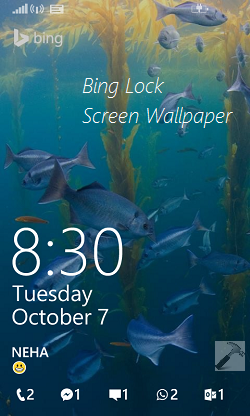
But there is a workaround, I found so far to suppress this problem and that is to force Bing lock screen wallpaper to refresh. All you need is to follow these simple steps to forcefully get a new wallpaper:
FIX : Bing Lock Screen Wallpaper Not Refreshing Automatically
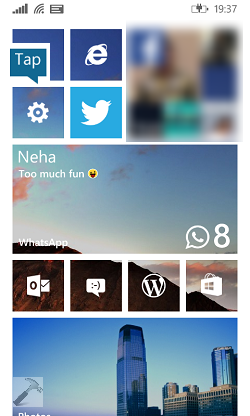
1. Go to Start Screen, tap Settings tile.
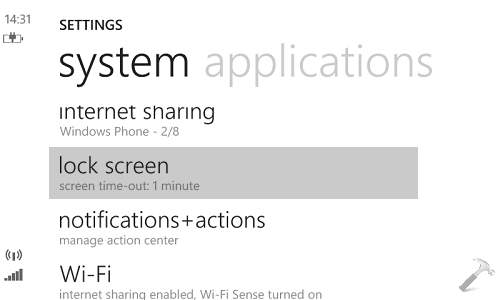
2. In the SETTINGS screen, scroll down to look for lock screen option and tap it.
3. Moving on, in the lock screen under SETTINGS, tap on Background drop down which is currently set to Bing. Then from CHOOSE BACKGROUND screen, select photo. So far, we pointed the Background from Bing to photo. Now all you need to do is to again change the Background from photo to Bing.
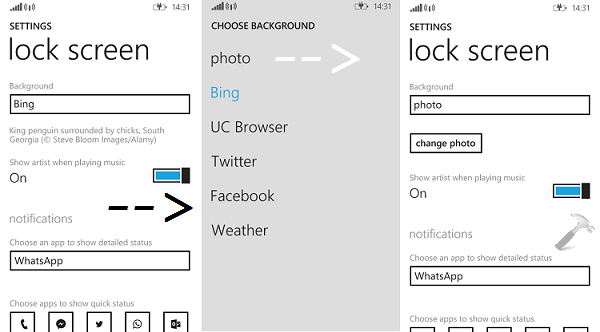
Once you’ve restored Bing option for Background, immediately press the power button of your phone. Then again press the power button and you’ll found that the new lock screen wallpaper is fetched already by Bing app. If it is not appearing instantaneously, just for 2-5 seconds, and it will be refreshed. Please note that the new wallpaper wouldn’t be fetched if your network connectivity is extremely poor, as it obvious.
Enjoy the new wallpaper now!



thanks man it works, u r genius!
^^ Glad we could help :)
Nice find Kapil!
Thanks for helping
I can’t fixed
And now…
F I X S
^^ Glad it helped!
HELP WINDOW 10 ONLY HAS TWO OPTIONS ON THE SUFACE!! PLEASE HELP