Data loss on an SD card is more common than most people realize. A card may get formatted accidentally, files may disappear during transfer, or a camera may suddenly display a corruption error without warning. In professional photography and videography workflows, even a minor storage issue can cost hours of work and eventually cost clients.
Page Contents
Stellar Photo Recovery Review: Can It Really Recover Deleted Photos
This is where dedicated recovery software becomes important, and Stellar Photo Recovery has built a strong reputation in this category over the years. Unlike any generic recovery software that attempts to recover every type of deleted system file, Stellar focuses specifically on recovering photos, videos, and audio files from SD cards, cameras, drones, USB drives, SSDs, and other storage devices. The software also offers free recovery for up to 10 photos, videos, or music files up to 100 MB each, allowing users to test recovery results before upgrading.
After reviewing the software’s features and user experiences across multiple sources, Stellar Photo Recovery stands out as a smooth and capable recovery solution, particularly for users working with multimedia content and removable storage media.
What Is Stellar Photo Recovery?
Stellar Photo Recovery is a specialized media recovery tool designed to restore deleted or inaccessible photos, videos, and audio files from damaged, formatted, or corrupted storage devices. The software supports both Windows and macOS systems and is compatible with a wide range of storage formats and devices.
During testing and review research, Stellar Photo Recovery appeared most effective in common SD card recovery scenarios such as accidental deletion, quick formatting, and inaccessible camera memory cards.
The software is particularly popular among:
- Photographers
- Videographers
- Drone users
- Content creators
- Media professionals
- Every day, users are recovering personal memories
One of the reasons Stellar has remained relevant in this category is its focus on multimedia recovery rather than trying to function as an all-purpose data recovery suite.
Installation and First Impressions
The installation process is quick and beginner-friendly. Once launched, the software immediately detects connected storage devices and presents them in a clean, organized dashboard. The interface feels modern without becoming overly technical, which makes the recovery process easy even for people with no tech knowledge.
The workflow follows a simple structure:
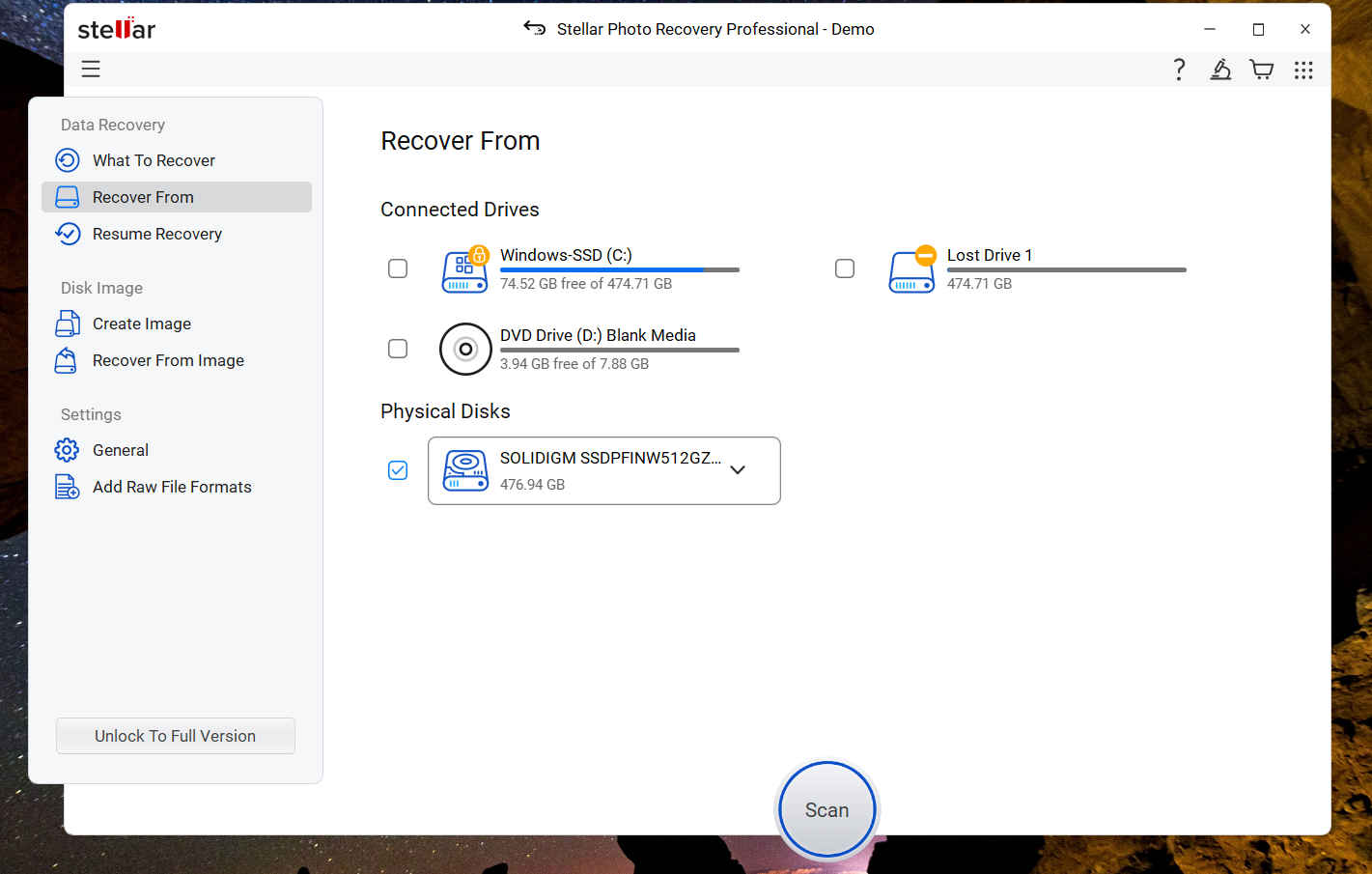
- Select the storage device
- Scan for recoverable files
- Preview and recover files
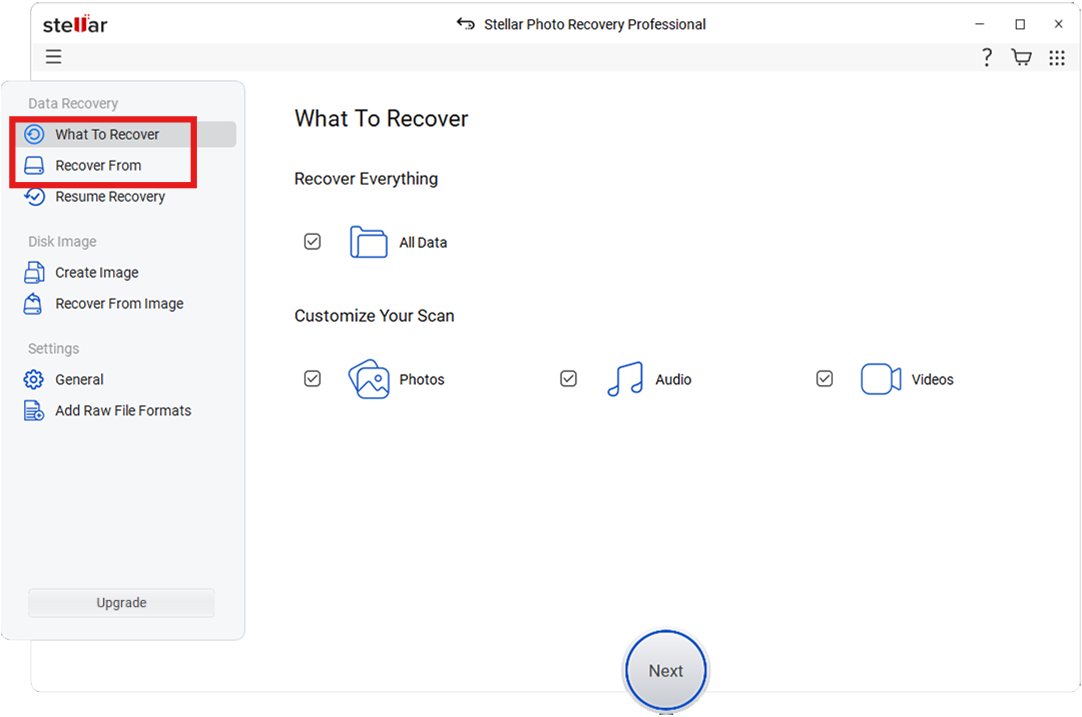
This simplicity is one of the software’s biggest strengths. Recovery software is often used in stressful situations with no other option, and Stellar’s interface avoids unnecessary complexity while still offering advanced controls for experienced users.
SD Card Recovery Performance
SD card recovery is clearly one of Stellar Photo Recovery’s strongest areas. The software supports:
- SD cards
- microSD cards
- SDHC/SDXC cards
- CF cards
- USB flash drives
- External hard drives
- SSDs
- Camera storage
- Drone memory cards
Independent reviews and recovery tests consistently report good recovery results when files are deleted accidentally or when cards are formatted but not heavily overwritten afterward.
In one documented recovery test involving a 128 GB SD card filled with deleted video footage, the software reportedly completed a deep scan in around just 25 minutes and successfully recovered the full dataset without playback issues.
That aligns with what Stellar is designed to do best: recover logically lost media files before they are permanently overwritten by new data.
Supported File Formats
One area where Stellar performs particularly well is file format compatibility. The software supports standard image formats such as:
- JPEG
- PNG
- TIFF
- BMP
- GIF
- PSD
More importantly, it also supports a wide range of professional RAW formats, including:
- Canon CR2/CR3
- Nikon NEF
- Sony ARW
- Fujifilm RAF
- Panasonic RW2
- Olympus ORF
- Pentax PEF
- Adobe DNG
For video recovery, the software supports formats such as:
- MP4
- MOV
- AVI
- MKV
- AVCHD
- MTS
- MPEG
This broad compatibility makes the software practical for professional workflows involving mirrorless cameras, DSLRs, drones, and action cameras.
Scan Modes and Recovery Experience in Stellar Photo Recovery
Stellar Photo Recovery offers two main scanning methods:
Quick Scan
Quick Scan is designed for recently deleted files where the file structure remains largely intact. It is fast and suitable for accidental deletions. Also, when you are panicking and just want your files back to calm down.
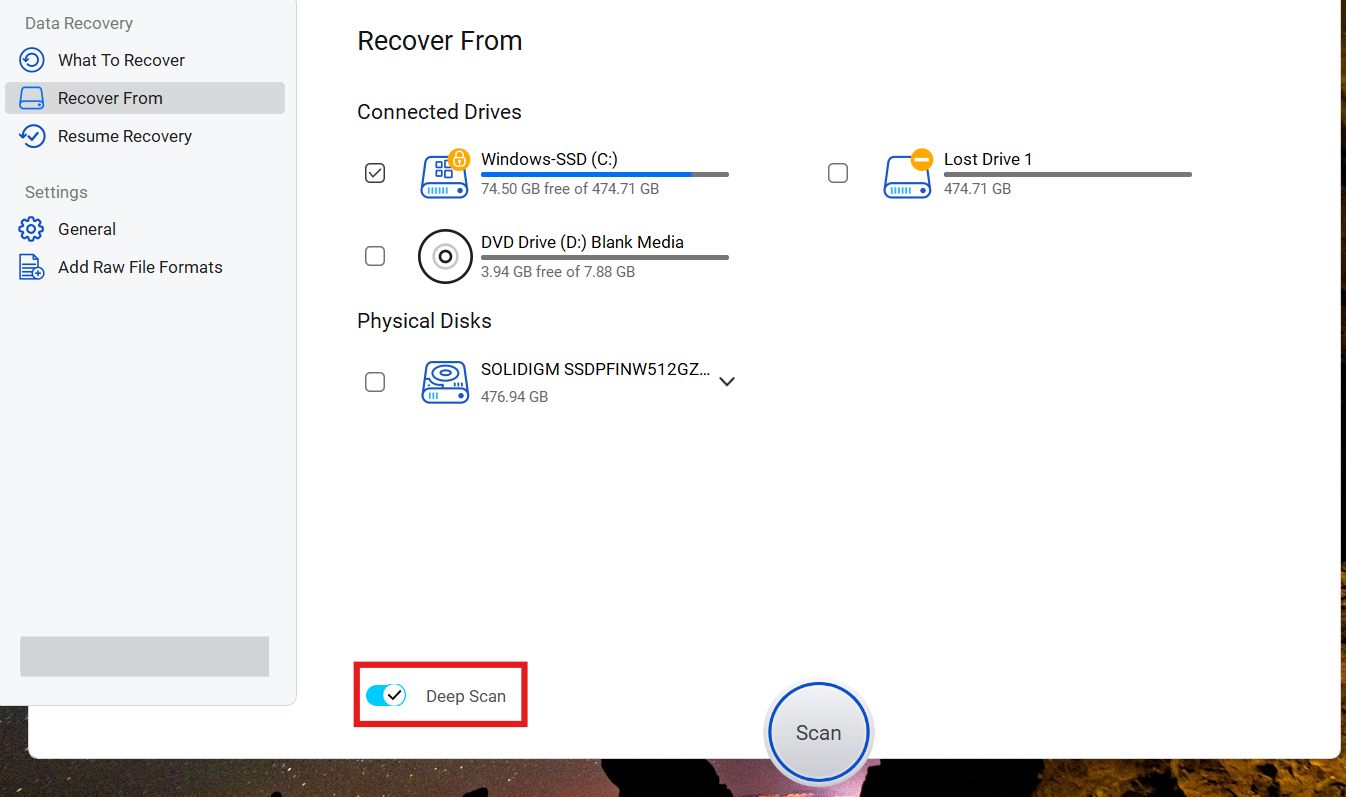
Deep Scan
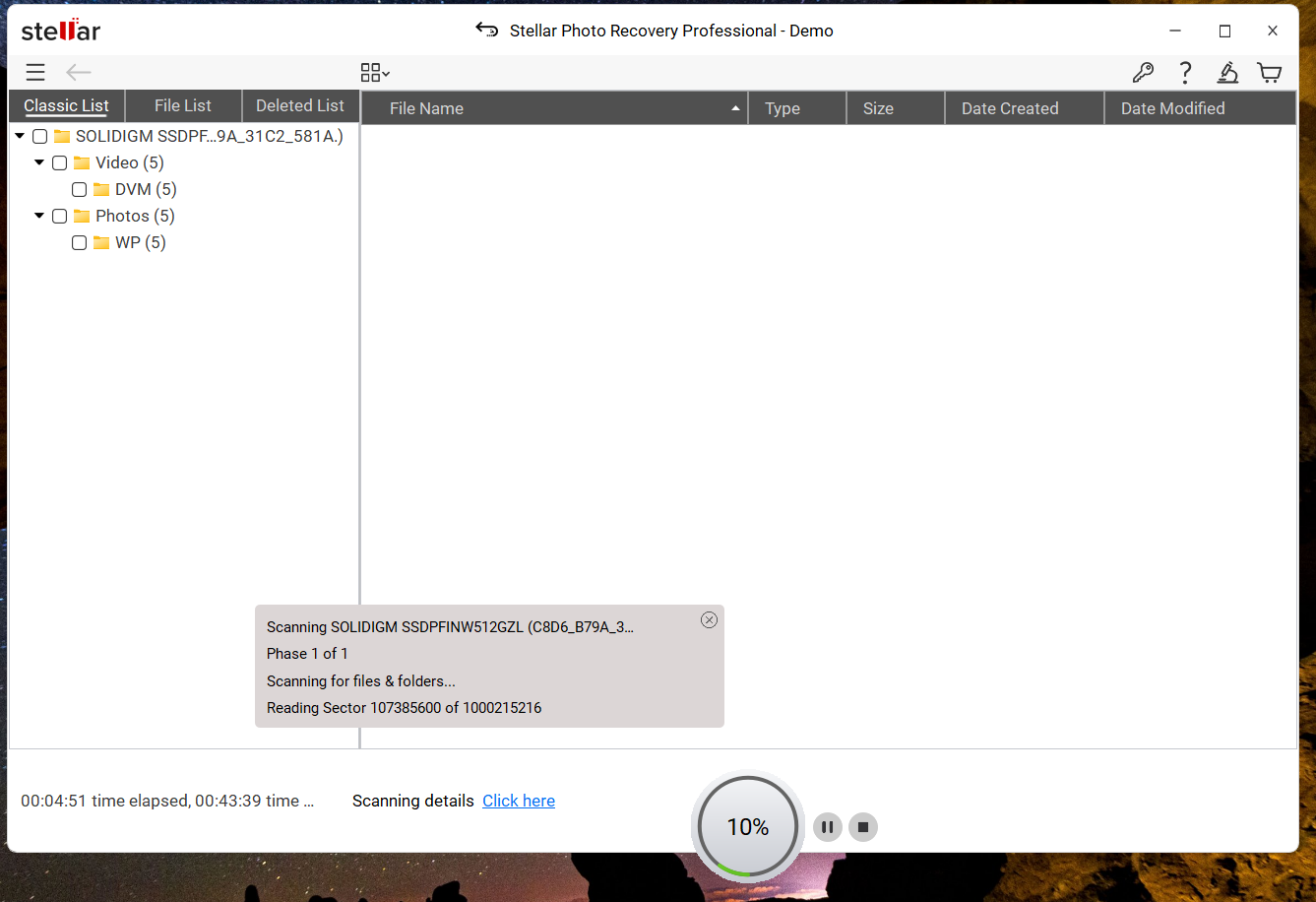
Deep Scan performs a more detailed tiered-level analysis of the storage media. This mode is especially useful for:
- Formatted SD cards
- Corrupted storage devices
- Missing partitions
- Severe logical file loss
Deep Scan usually takes longer, particularly for high-capacity storage devices, but it also delivers more thorough recovery results at the same time. Stellar prioritizes recovery depth and reliability over raw scan speed, which is generally the right tradeoff for professional recovery scenarios.
Preview Before Recovery
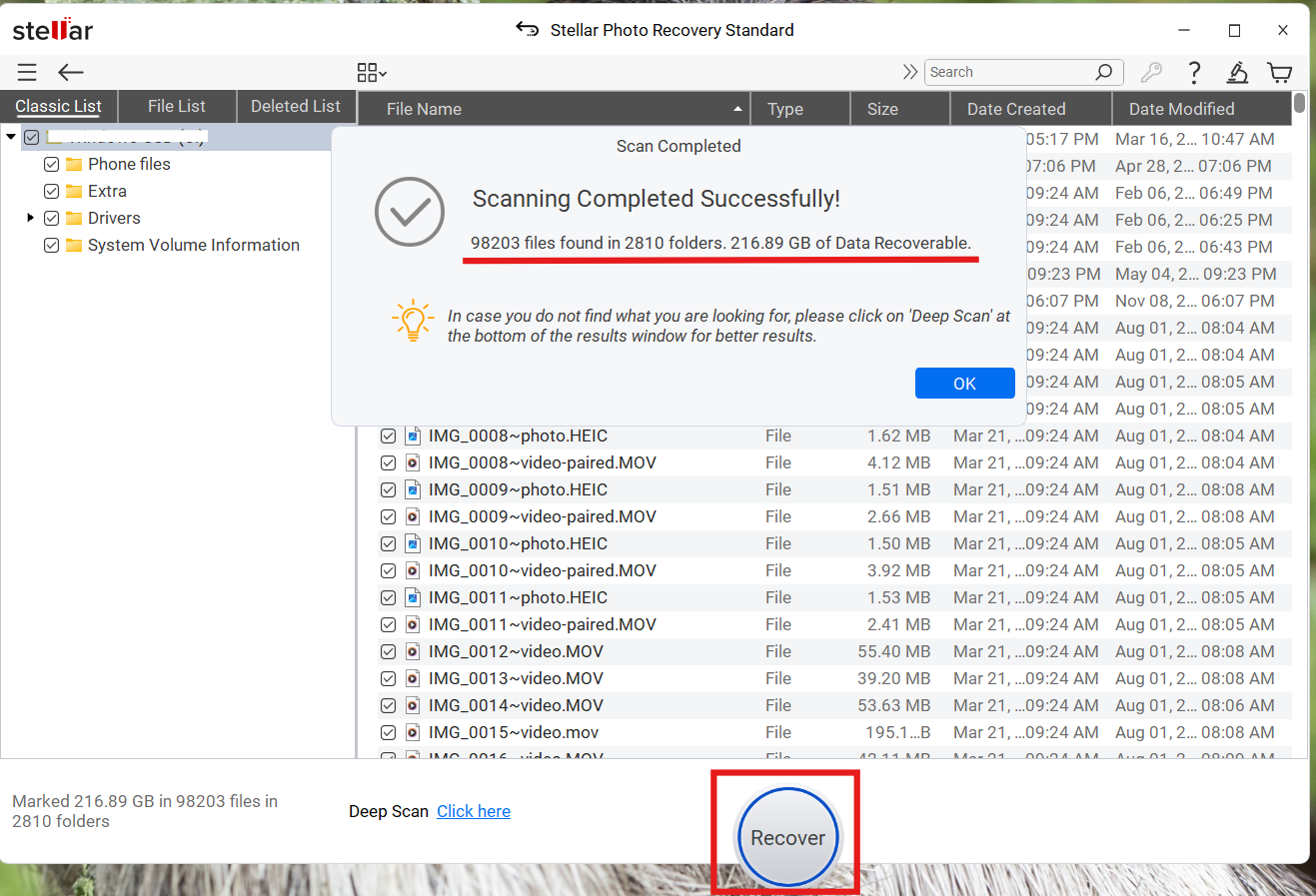
A feature that deserves special mention is the built-in preview system. Before recovering files, users can preview photos, videos, and audio files directly within the software that they want to restore. This serves two important purposes:
- It confirms that the file is actually recoverable.
- It helps avoid recovering corrupted or incomplete media unnecessarily.
This feature is especially valuable when recovering large volumes of data from formatted cards. Instead of blindly restoring a large number of files, users can verify recovery quality beforehand.
Recovery Quality and Metadata Preservation
One of the more impressive aspects of Stellar Photo Recovery is how well it preserves file integrity during successful recoveries. Recovered images generally retain:
- Original resolution
- EXIF metadata
- Timestamps
- Camera information
- File quality
For photographers and content creators, metadata preservation is extremely important because it helps maintain organization and workflow continuity after recovery.
Advanced Features
Beyond standard recovery, Stellar includes several advanced capabilities that make it more than a basic recovery tool.
Disk Imaging
The software allows users to create a byte-to-byte image of failing storage devices. This is a professional-grade feature that reduces the risk of further damaging unstable media during recovery attempts.
Photo and Video Repair
Higher-tier editions include repair tools for damaged or partially corrupted media files. These tools can help repair:
- Corrupted JPEGs
- Damaged RAW images
- Unplayable videos
- Broken file headers
The video repair functionality is particularly useful for creators working with drone footage or interrupted video recordings.
Free Recovery
Stellar offers a free trial version that allows users to scan and preview recoverable files before purchasing. The company currently provides:
- Free recovery for up to 10 photos, videos, or music files
- Maximum file size of 100 MB per file
This approach works well as a proof-of-performance system. Users can test whether their files are recoverable before deciding to purchase a paid license.
Performance and Reliability
Based on reviews and user testing, Stellar Photo Recovery performs consistently well in common recovery scenarios such as:
- Accidental deletion
- Quick formatting
- Corrupted file systems
- Missing media files
The software is especially effective when recovery is attempted as soon as data loss occurs, which is mostly the case for professionals. Like all recovery software, success rates decrease if:
- The storage device continues to be used after deletion
- New data overwrites old sectors
- The hardware itself is physically damaged
Still, Stellar’s recovery engine is generally regarded as reliable and technically advanced within the professional recovery software category.
User Feedback and Industry Reputation of Stellar Photo Recovery
Across expert reviews, Stellar Photo Recovery is frequently praised for:
- Ease of use
- Strong recovery performance
- Broad format support
- Professional repair tools
- Clean user experience
The software also maintains a strong presence in the professional media recovery market and is often compared alongside established tools such as Disk Drill and EaseUS Data Recovery Wizard.
Deep scans can take time on larger drives, but this is fairly standard for detailed recovery operations involving large-capacity storage devices.
Pros and Cons
Pros
- Excellent SD card recovery performance
- Supports a wide range of photo, video, and RAW formats
- Clean and beginner-friendly interface
- Preview files before recovery
- Preserves metadata and image quality well
- Includes advanced photo and video repair tools
- Available for both Windows and macOS
Cons
- Deep scans can be time-consuming on large drives
- Free recovery is limited to 10 files
- Recovery results depend heavily on whether the data has been overwritten
Final Verdict
Stellar Photo Recovery delivers exactly what most users look for in a dedicated media recovery solution: reliability, broad compatibility, and a recovery process that feels polished and professional. Basically, a recovery software that actually works!
Its strongest advantage is its focus on multimedia recovery rather than generic file restoration. The software handles SD card recovery particularly well, supports a wide range of professional file formats, and includes genuinely useful features such as preview, disk imaging, and media repair tools.
While no recovery software can guarantee results in every situation, Stellar Photo Recovery performs very well in common real-world recovery scenarios involving deleted, formatted, or corrupted media files. The interface felt approachable even during deeper recovery scans, which is important because recovery situations are usually stressful for users.
For photographers, videographers, drone users, and anyone working with important media content, it remains one of the more capable and dependable recovery tools currently available.
Video review
Here’s the video review for getting you live demonstration of this tool: