We all love to have latest updates installed on our technology devices. Recently we have shared you the getting started tutorial for Windows Phone 8 users. Now in this article, we’re going to share you the step by step guide to check and install latest updates for your Windows Phone 8 device. Till Windows Phone 7.8, you can install Zune to update your phone but in Windows Phone 8, the OS itself can check and install latest definitions.
To begin with the installation of latest updates, you must first ensure that your battery is above 50% or if it is less than 50%, then phone is connected to charging. Installing updates may take up to an hour so keep enough patience. While installing updates, its better to keep all the apps closed.
How To Install Latest Updates On Windows Phone 8
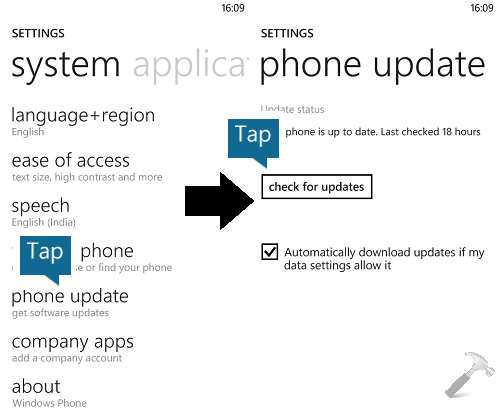
1. Go to Start Screen and tap Settings. Then tap phone update and then tap check for updates.
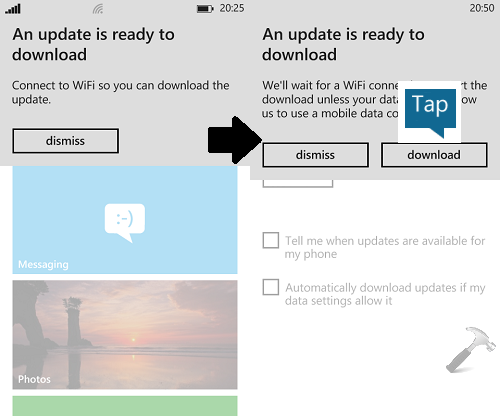
2. If new updates are available, you’ll be notified. If you cellular operator supports downloading updates then it will be done otherwise you can connect to a WiFi network to proceed download.
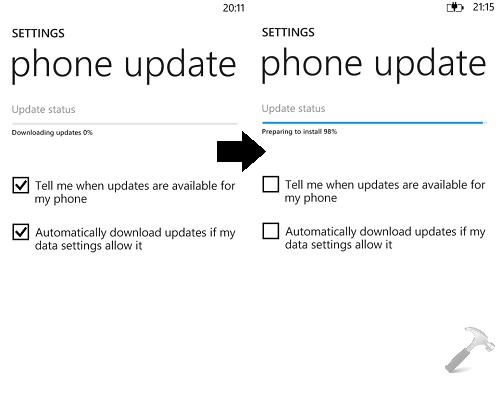
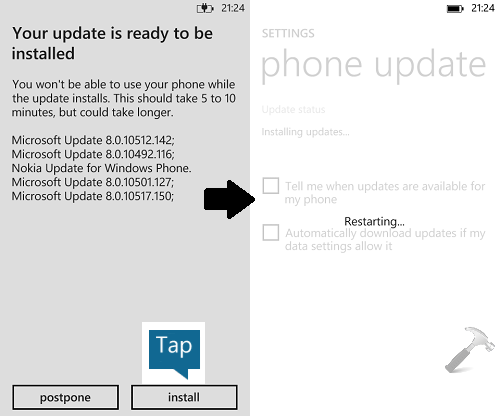
3. Once the downloading of updates is finished, Windows Phone prepares to install it:
4. Moving on, when phone is ready to install the updates, you can tap on install otherwise you can tap postpone to install updates later. When installation is done, phone will restart itself.
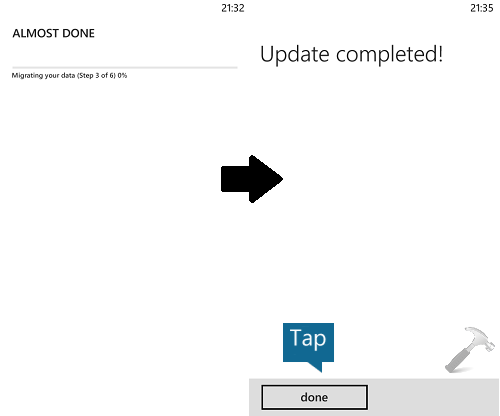
5. After restart, your data will be migrated safely, thus finally the update is completed. Tap done.
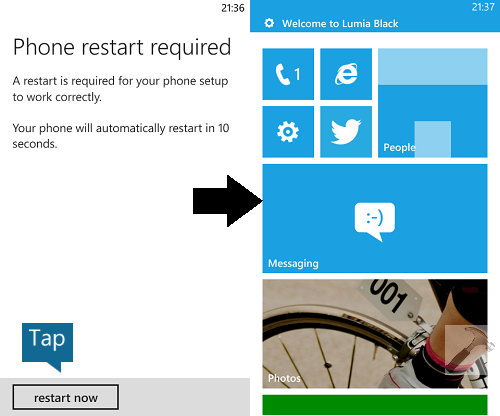
6. Finally tap restart now and after this reboot, you’ll have the latest update installed on your phone.
In this way, you can get latest updates on your Windows Phone 8. If you’re unable to install latest updates then drop a comment below and we’ll be happy to help you.
Hope you’ll find the article useful!