

When you’re working on your machine and if your system suddenly notifies you that it is about to restart, this will obviously frustrate you. Because no one likes to get interrupted while working on his/her computer. Unfortunately, we came around this issue on Windows 10, few days back.
In this case, Windows keep displaying following message and then reboots itself after 1 minute:
Page Contents
Your PC will automatically restart in one minute
Windows ran into a problem and needs to restart. You should close this message now and save your work.
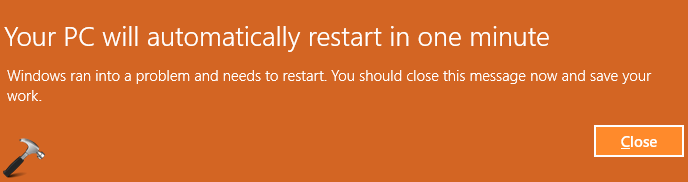
Should it have rebooted once but this doesn’t ends after single reboot. After restart it displays the same message and reboot again, forming an infinite loop. So in case if you’re also facing this weird problem on your Windows, in this article we’ll help you to fix this.
FIX : ‘Your PC Will Automatically Restart In One Minute’ For Windows 10/8.1/8/7
You may go ahead and try these suggestions and see if they helps you:
1. If you’re using any third-party antivirus on your system, temporarily uninstall it for a while and see if cures this conflicting message.
2. As a workaround, try running shutdown.exe -a command to turn off your machine and check if it breaks the infinite restart loop.
3. Try running SFC scan and DISM commands to fix possible system file corruption, if any.
4. Update your device drivers to latest one and make sure you installed latest updates as well.
5. Perform the Startup or Automatic Repair to fix booting related errors which could prevent your PC from behaving abnormally. If Startup Repair couldn’t fix your PC, repair the Master Boot Record.
6. In case if you’re on a Windows Insider build, update to newer build and see if this fixes the problem for you.
7. Perform Windows 10 Refresh, if above mentioned suggestions doesn’t helps. You may also try in-place upgrade, if you’ve your Windows 10 ISO with you.
Hope this helps!



none of these things can be done within 1 minute and av software can’t usually be uninstalled from safe mode.
I have the “Your PC will automatically restart in one minute” message and it goes in a continuous cycle. I do not have any boot discs as I did not receive any when I purchased this Inspiron 15-5578 from the Microsoft store. I hit F8 constantly but it only continues to load and then go thru the same vicious cycle. My laptop has no CD ROM. Only the F12 button works.