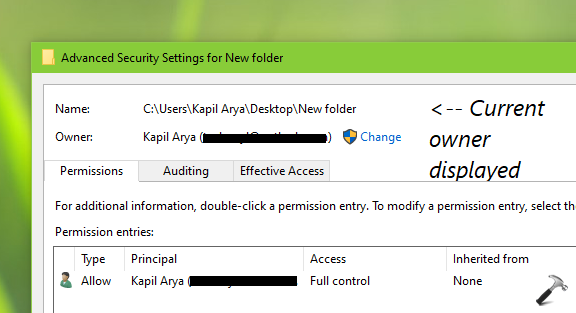
In Windows operating system, objects such as files, folder, registry keys etc. have their owner associated. The owner has appropriate permissions to modify object as per his/her need. You can check out owner for specific object by right click on it, select Properties, switch to Security tab and click Advanced. In resulting Advanced Security Settings window, the Owner name should be mentioned after name of object.
But sometimes you may need to deal a situation where owner of object is not available and Windows quotes Unable to display current owner against Owner name as you can see in below screenshot:
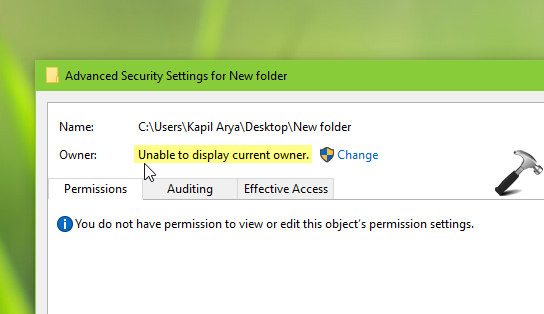
Following may be the reasons behind this issue:
- The owner account assigned to object no longer exists.
- The owner account is hidden or disabled.
- The owner account is corrupted.
- You may not even have the permissions to see owner’s name.
- Windows has hide the owner’s name for security purpose.
- You’ve disabled inheritance and removed all inherited permissions from the object.
The above mentioned reasons are just indicators what may have cause this problem. The actual root cause may vary system to system. If you’re facing this issue while working with specific object, you can try below mentioned steps to resolve the problem.
FIX: ‘Unable To Display Current Owner’ In Windows 10/8/7
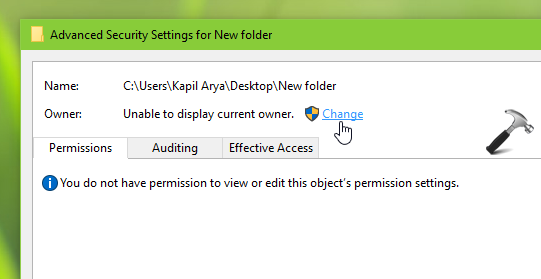
1. Open Advanced Security Settings window, where you’re facing this issue. Click on Change link there.
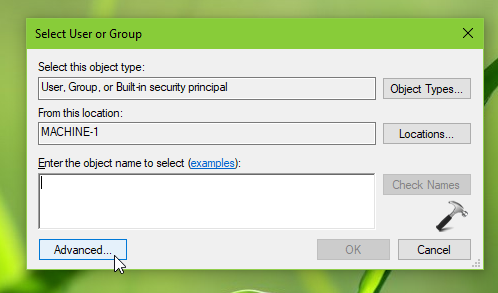
2. Next, in Select User or Group, click Advanced button.
3. In next window, click on Find Now and from Search results, choose your currently logged user account and click OK.
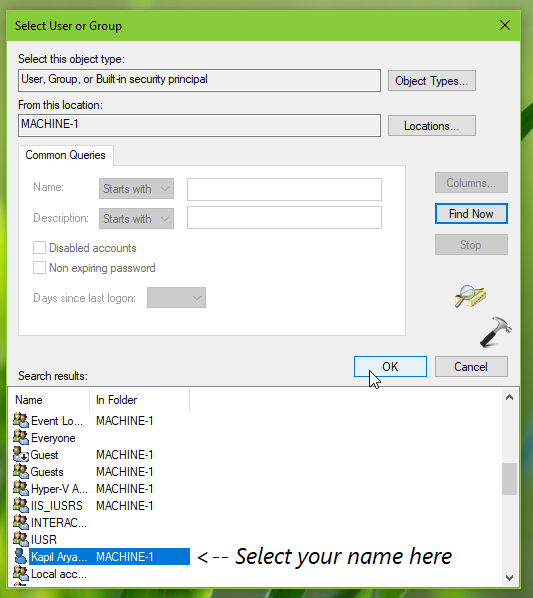
4. Back in Select User or Group, click OK button.
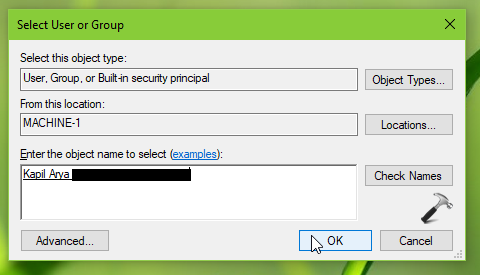
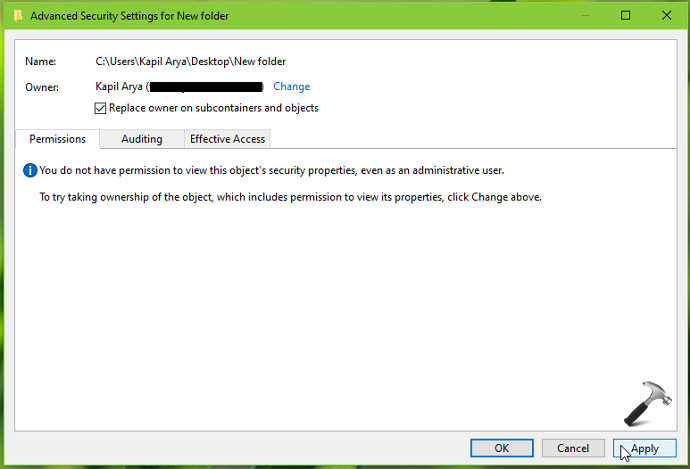
5. Then in Advanced Security Settings window, make sure you check Replace owner on subcontainers and objects and click Apply.
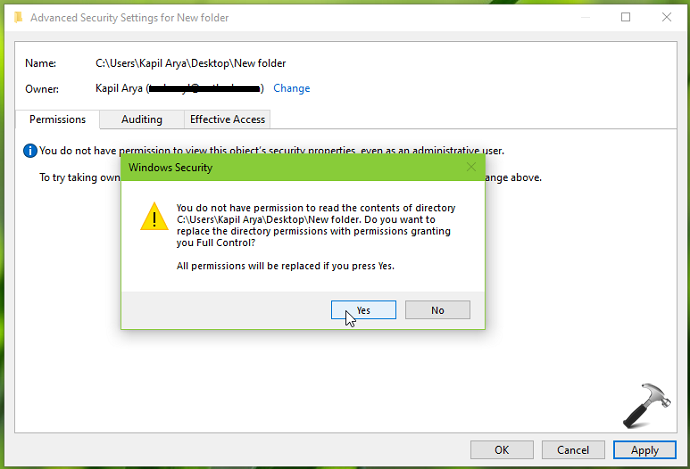
6. In the security warning appearing next, select Yes.
7. Then in the security information displayed, click OK, then click OK and close Advanced Security Settings window.
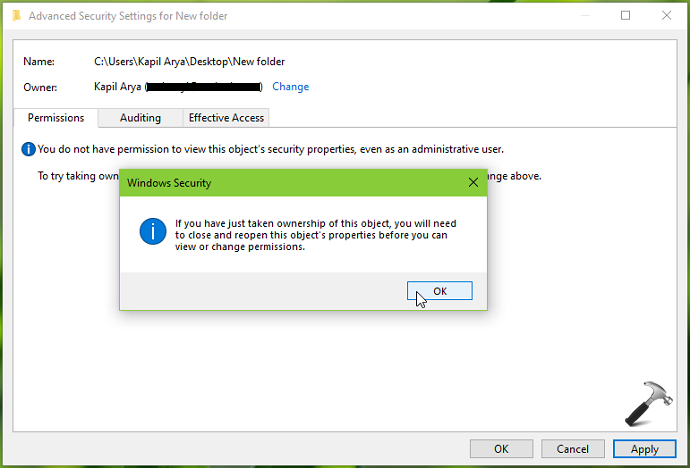
8. Finally, reopen Advanced Security Settings window and you must be able to see current owner for the object.
To illustrate this fix, refer this video:
Hope this helps!