Sometimes an app or service may ask us to provide permissions to read Microsoft account data. These app/services may read your primary information such as your name, date of birth, location etc. The entity will require this information to provide its services you intend to use.
Let us understood this with an example. David is having Microsoft account and he wants to use ABC app. The app essentially requires to sign-in with Microsoft account. When David sign-in with his Microsoft account, app asks him to provide basic permissions to read his data. David understood this and provides required permissions. After having permissions, ABC app works as expected.
Now after some months or years, David no longer be using that app. But the app still have permissions to read David’s account data. However, David has now forgotten about that app as he no longer use it. This creates a security issue for David’s Microsoft account. If the app is not from trusted source, someone may access David’s account to read his data. Ultimately, the data can be misused and David has no information about it. To prevent this, David needs to revoke access for that app, so that his account stays safe and secure. In this article, we’ll exactly show steps to revoke permissions from unnecessary apps, that you no longer needed with your Microsoft account.
Page Contents
How To Prevent Third-Party Access To Your Microsoft Account
Revoke Permissions To Apps And Services From Your Microsoft Account
You can anytime prohibit apps or services from reading your Microsoft account data with these simple steps:
1. Go to https://account.microsoft.com and sign-in to your Microsoft account.
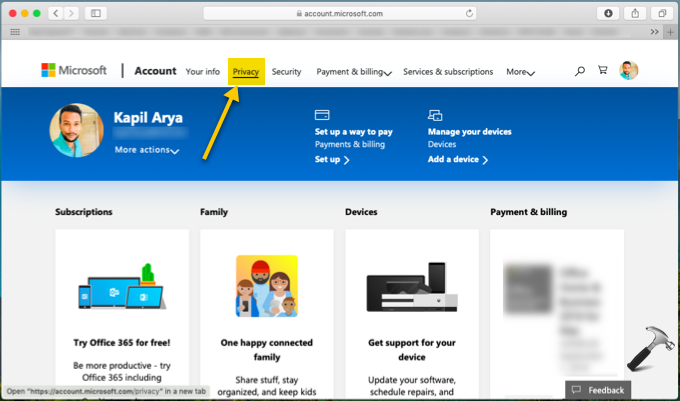
2. After signing-in, you’ll see Your info page. On the top navigation bar, click on Privacy tab (refer below shown screenshot).
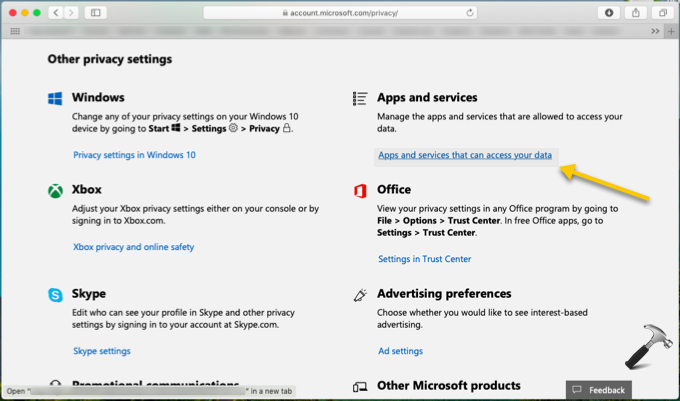
3. Next, on privacy settings page, under Other privacy settings heading, click on Apps and services that can access your data link.
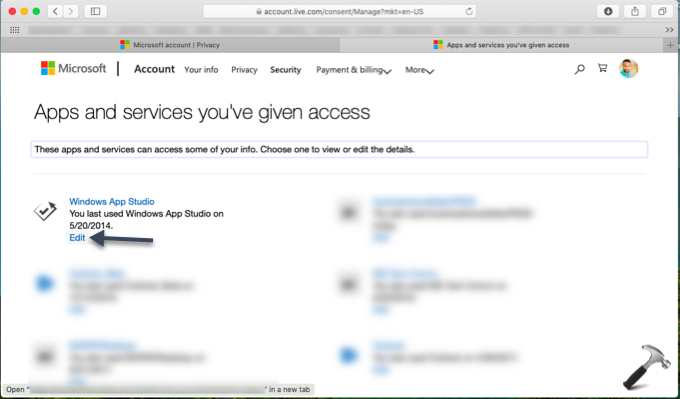
4. Moving on, next page will show you all apps and services that have permissions to access your Microsoft account. To revoke access from an app or service, click on Edit link below its name.
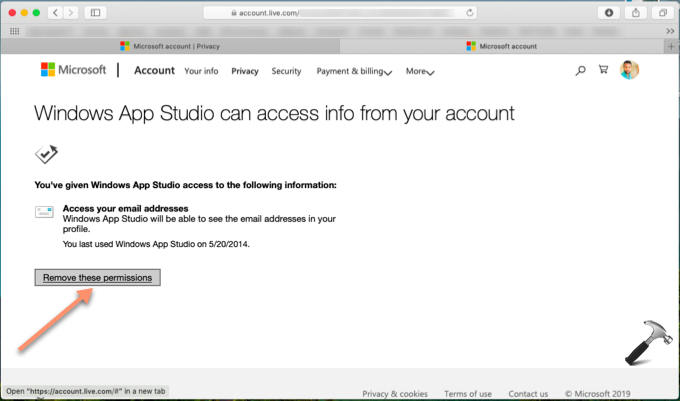
5. Finally, on next page, click on Remove these permissions button. This will remove all the permissions for app/service and same will no longer be able to read your Microsoft account data.
That’s it!
Also read: How To Verify Your Microsoft Account In Windows 10.