

We all know Microsoft introduced gadgets and sidebar collectively called desktop gadgets to Windows era since Windows Vista. Later on, due to some vulnerability issues, they removed the same in Windows 8. However, end users like some of you want them back in Windows 8 or Windows 8.1. So a good news for you is that you can get them back easily using the way provided in this article below.
Bring Gadgets & Sidebar To Windows 8.1
At WinAero, which is our friendly site for Windows stuff, the team has released an unofficial gadgets and sidebar installer, which works in the sense to bring the dropped accessories from Windows.
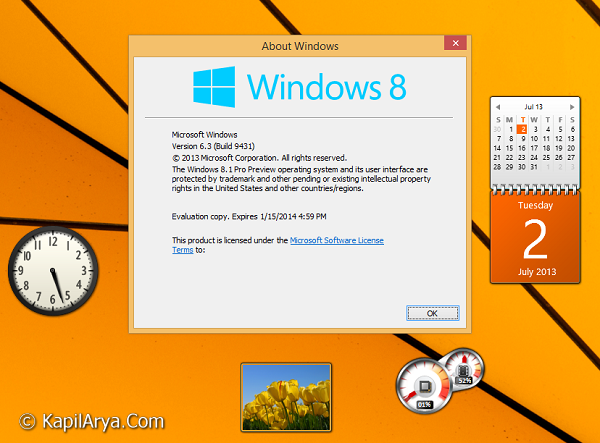
Here is the screenshot of gadgets and sidebar taken in working condition on Windows 8.1:
Now here is how to get the gadgets and sidebar accessories in Windows 8.1:
1. Download the unofficial installer from https://winaero.com/download.php?view.60.
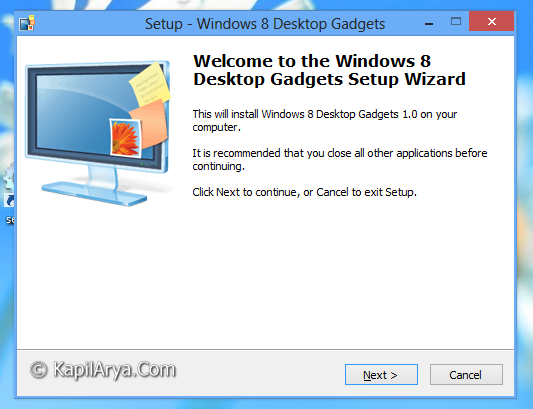
2. Now open the executable file downloaded from above link, so that you can get into the installation wizard. Click Next:
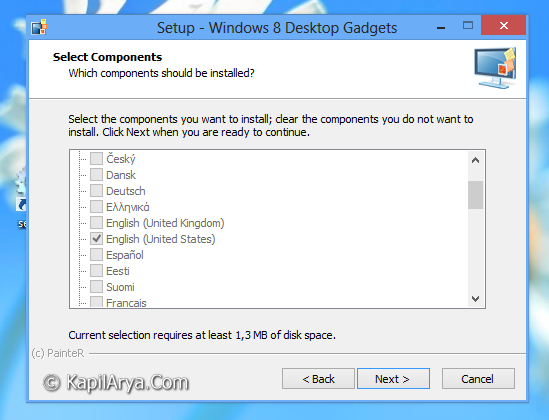
3. Now select the language you prefer. Note that the utility supports all the Windows 8 languages, so another plus point is that you can use it in your native language. Click Next finally:
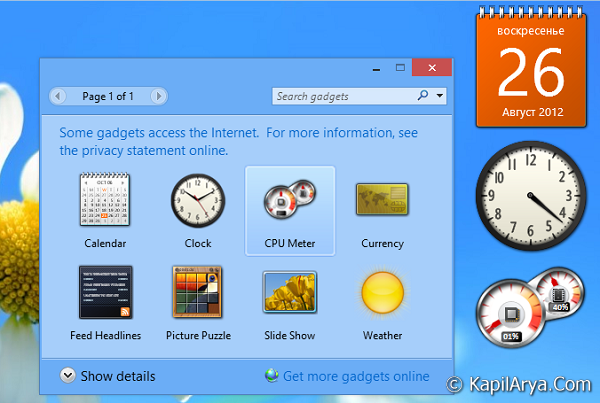
4. After clicking Next in above window, wait for some seconds for installer to finish the installation of desktop gadgets. And finally, here it is the in action:
Following video illustrates the live working of these desktop gadgets:
Hope you enjoyed missing desktop gadgets!

wow great , thanks for share