

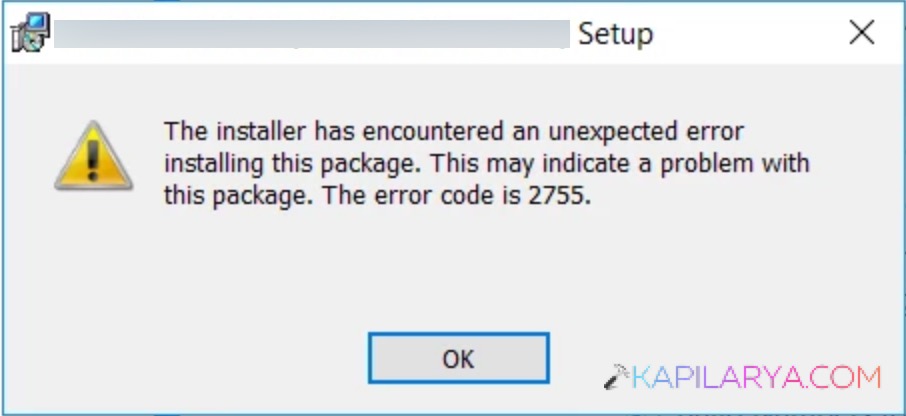
Windows Installer error 2755 is a problem that is displayed when attempting to install a program on your Windows 11/10 system, particularly by using MSI installation packages. This is a common error that will appear in the form of a message that depicts that the installer has made an unexpected error during the installation of this package. The present article will assist you in overcoming Windows Installer error 2755 by employing simple and straightforward steps.
Page Contents
How to fix Windows Installer error 2755
It could be a permission problem, a missing Installer folder, or an encrypted file, and in any case, the solutions below will get you over the hurdle soon.
Way 1: Create an Installer Folder in the Windows Directory
The number of causes of the error 2755 is that the Installer folder needed by Windows is absent or destroyed.
1. Firstly, open File Explorer.

2. Go to this path. Search folder with the name Installer.
C:\Windows\
In case it is not there, right-click > New folder. Then, name it: “Installer”.
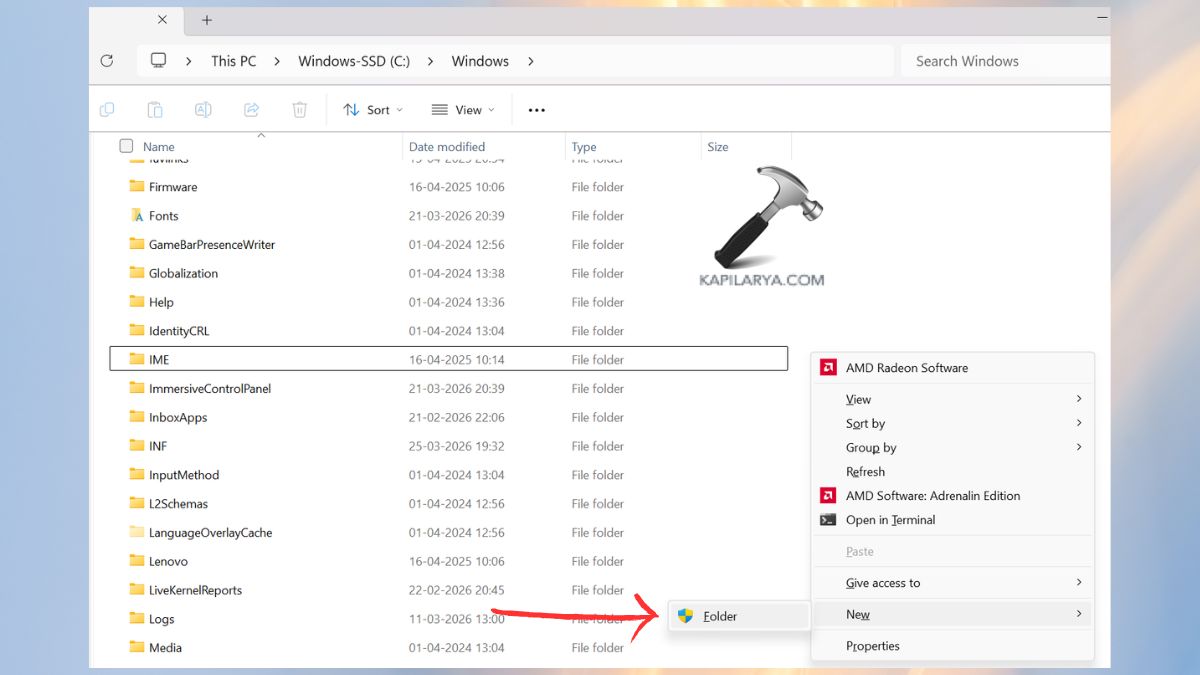
Reboot the computer and reinstall the program. Making this folder recreates critical paths of installation needed by the Windows MSI engine.
Way 2: Add the SYSTEM User to the Installer Package
Failure to have Windows installer with the right permissions may block system thus the error 2755.
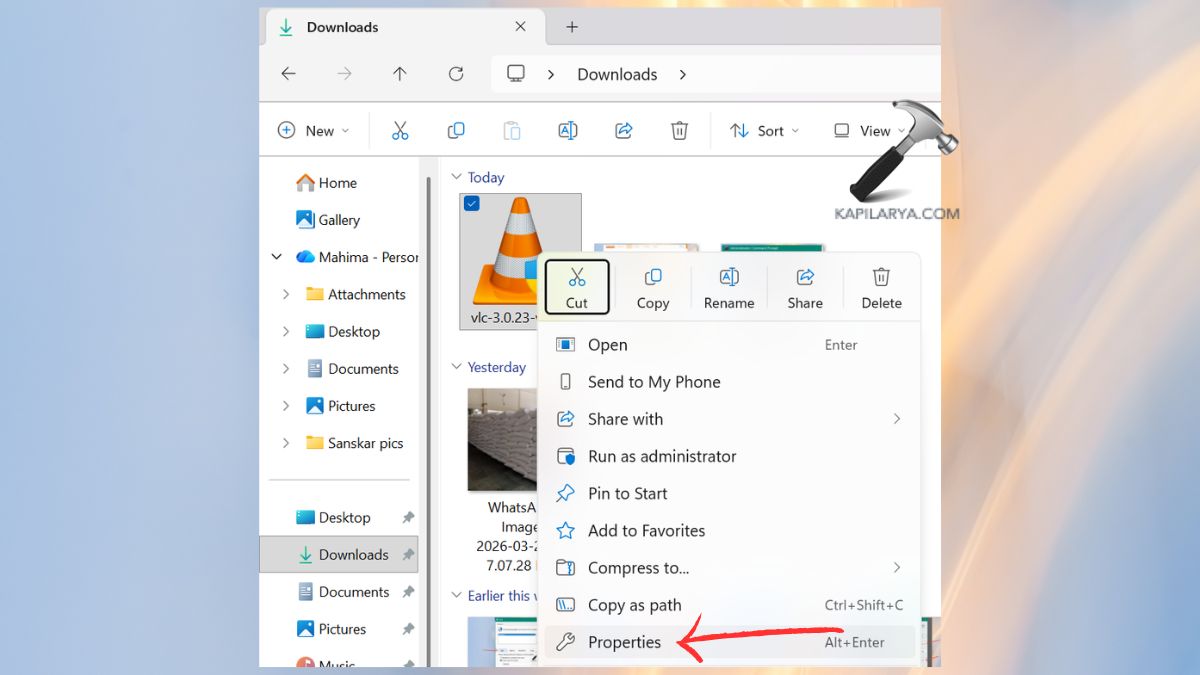
1. Click on the installer file that ends in “.msi” or “.exe”. Click on the Properties > Security tab.
2. Click Edit > Add.
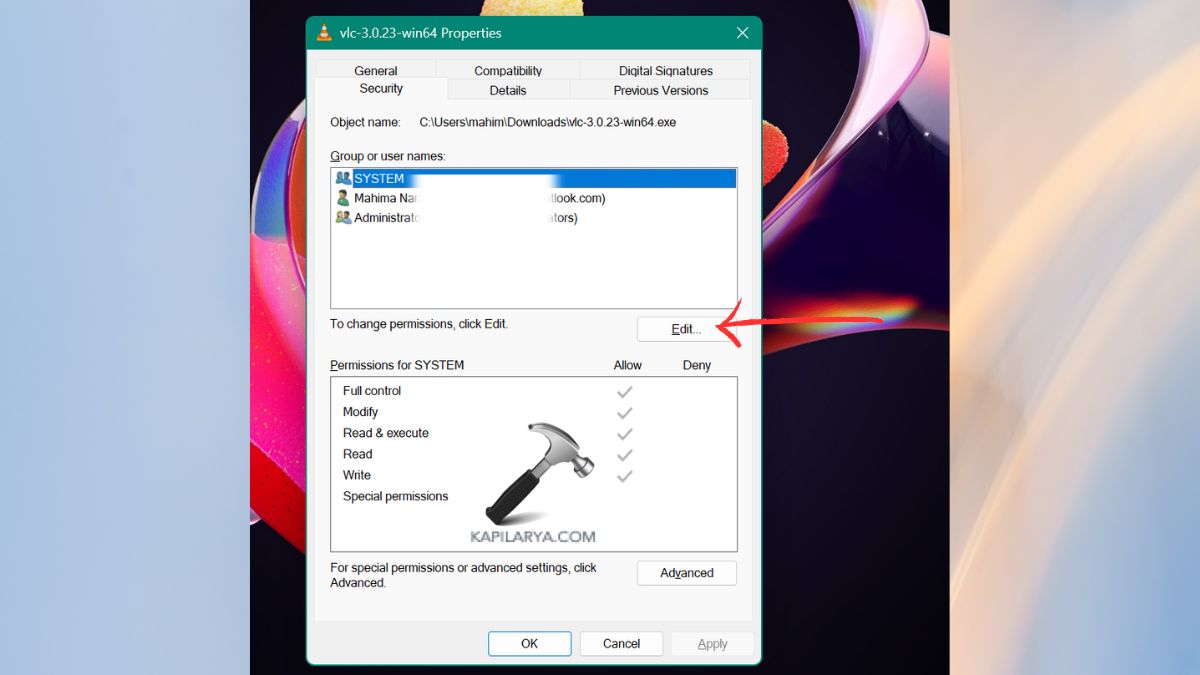
3. Type “SYSTEM”, and then click the “Check Names” option > OK. Go to Full Control and go to SYSTEM. Implement the alterations and restart the installation.
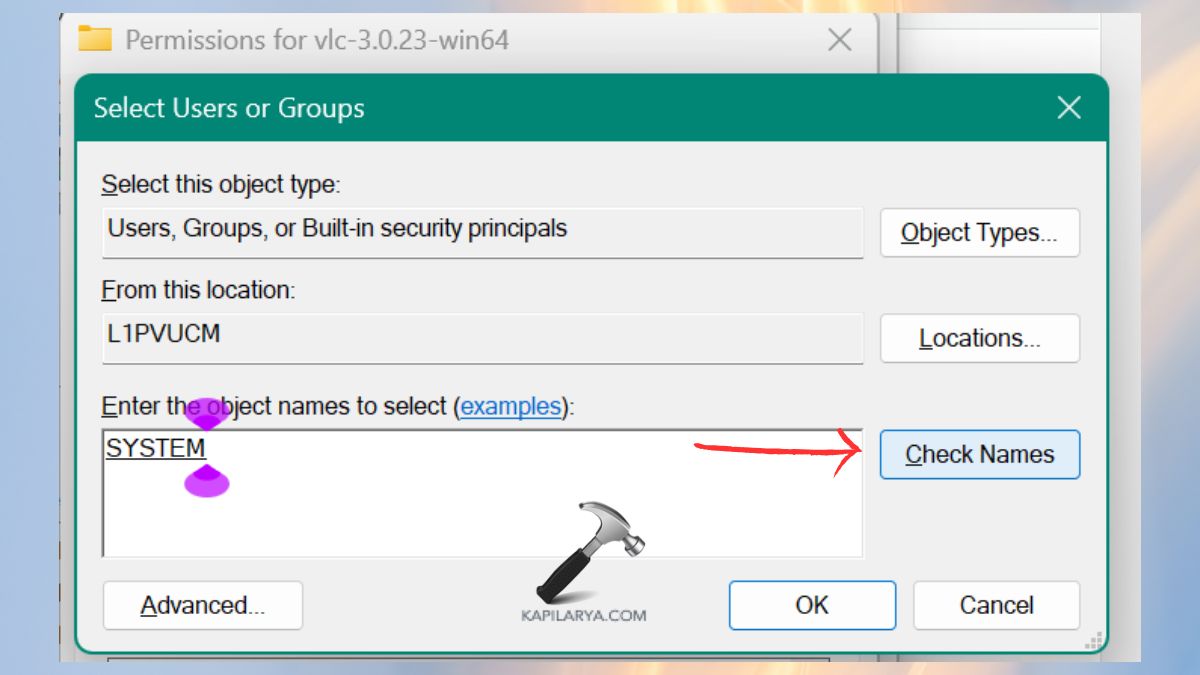
This repair is done to make sure that the Windows possess all the rights to execute the installer without any limitations.
Way 3: Check If the Setup File Is Encrypted
Installation files may have encrypted content and may cause Windows Installer error 2755.
1. Click on the installer file with the right option. Choose Properties.
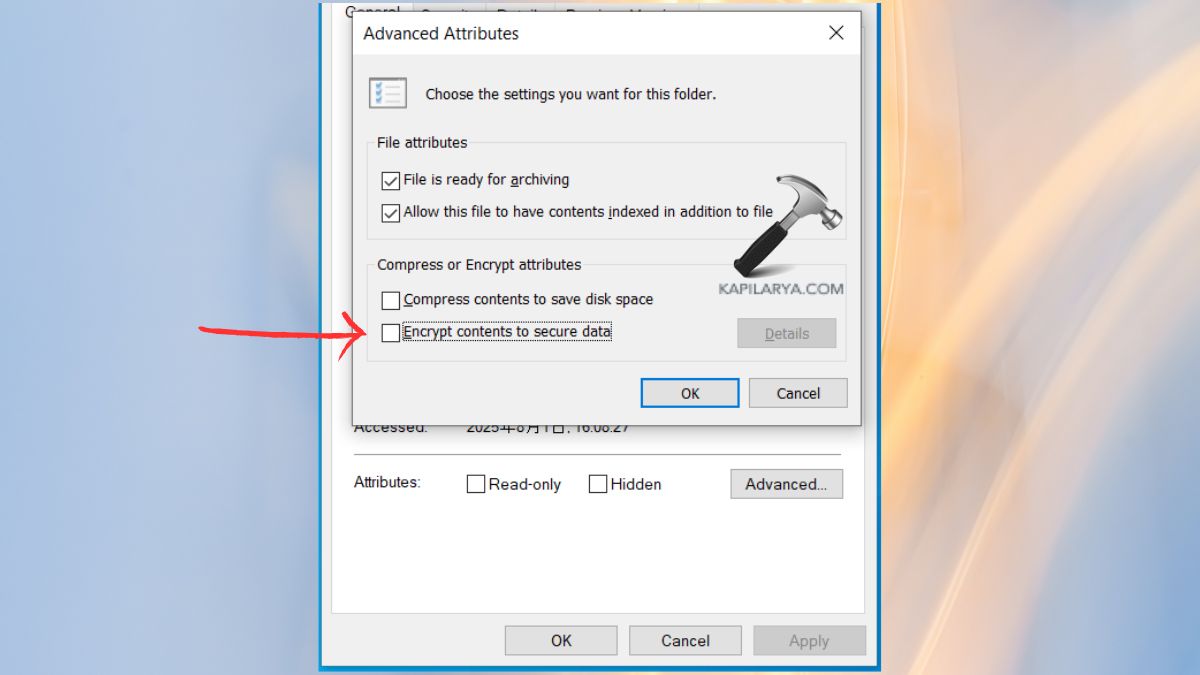
2. Open the Advanced button under the General tab.
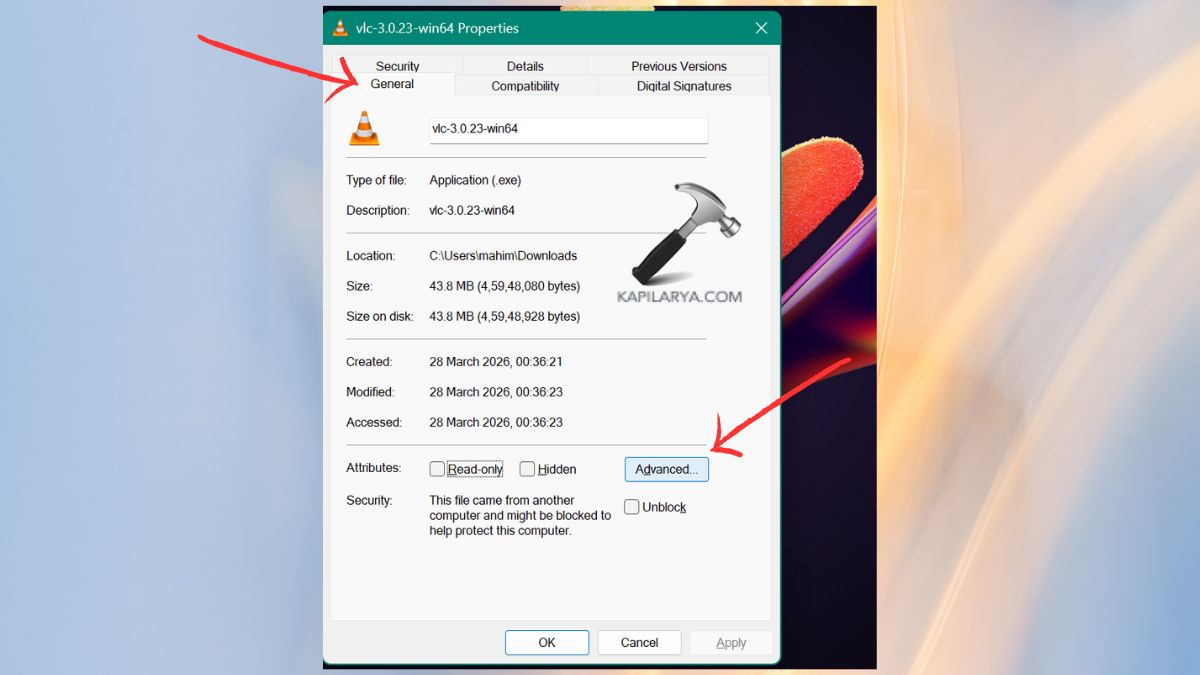
3. In case the option Encrypt contents to secure data is marked, unmark it. Click OK. Apply changes. After the file has been decrypted, reinstall it. In case if Encrypt contents to secure data option is greyed out, checkout this fix.
Way 4: Redownload the Installation Package
In other cases, the setup file is itself corrupt, incomplete or even damaged upon download. And, it is required to redownload of the app installer.
Note: It does not download the Windows Installer (MSI service), because Microsoft no longer provides the MSI engine as a separate download.
1. Uninstall the old version of the installer.
2. Go to the home page of the app installer. Install the newest edition of the installer like Chrome, Zoom, VLC, AutoCAD, etc., and the installer file (MSI or EXE).

In the event of the inability, download the non-MSI version (EXE) in order to prevent MSI-specific errors. Run the setup again. The use of unofficial downloads may result into corrupted files or virus programs, causing all sorts of installation failures.
Way 5: Repair or Re-register Windows Installer Service
Failure of the Windows Installer service can also trigger the 2755 error in the installation.
1. You have to press Win+R, type in cmd, followed by Ctrl + Shift + Enter to run Command Prompt as an administrator.

2. Run these commands one-by-one:-
msiexec /unregister
msiexec /regserver
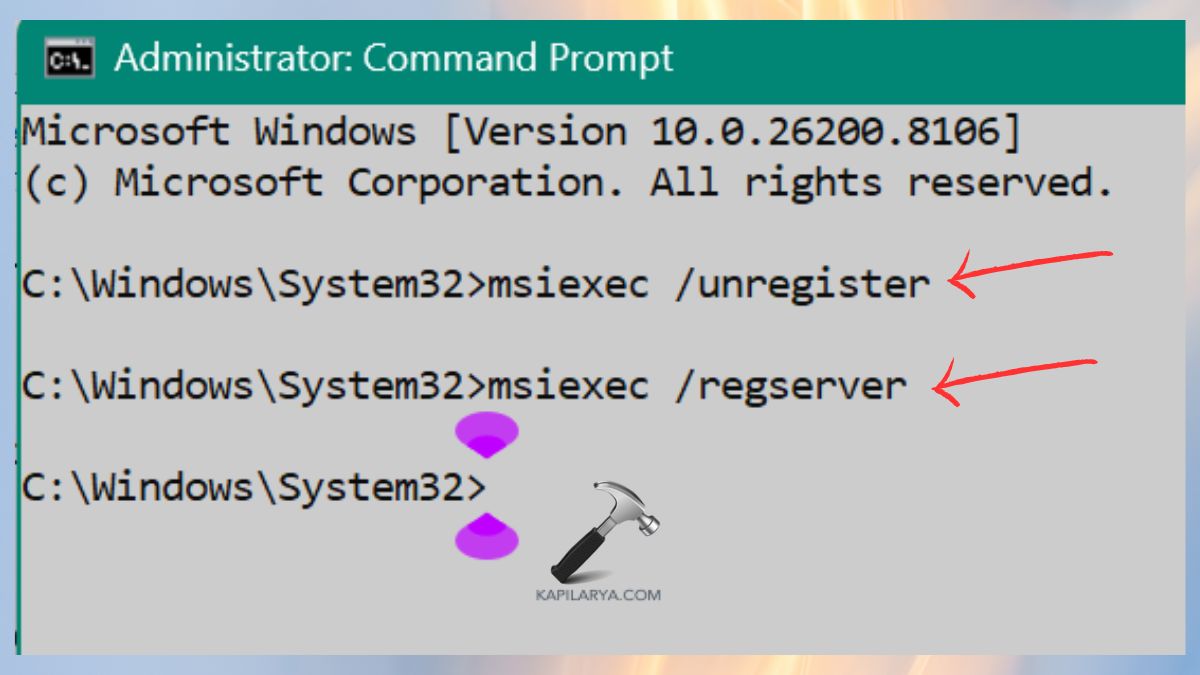
Now, you should restart your PC and make another attempt at installation. Re-registering the MSI engine needs to fix hidden glitches.
Frequently Asked Questions (FAQs)
What is Windows Installer error 2755?
An installation error is an error that is shown when Windows does not have access to, is not able to understand an MSI installation file owing to a lack of folders, permissions, or a damaged package.
Can Windows Installer error 2755 damage my system?
No, the mistake is not damaging. But it does not allow the installation of software. Once it is fixed, it has a normal installation performance.
Does this error occur only with MSI files?
Mostly yes, MSI installers use Windows Installer Services. Therefore, when there is a problem with the MSI engine, it leads to error 2755.
Is it safe to create the Installer folder manually?
Yes, Installation cache files are automatically stored in the folder by Windows. In case of a missing one, a manual creation of it is a recommended change.
That’s it!

![[FIX] ‘This Installation Package Could Not Be Opened’ In Windows 10/8/7](https://www.kapilarya.com/assets/settings_icon_windows_10_1705413498-768x432.jpg)

