Few hours ago, Microsoft has rolled out Windows 8.1 as an update. Most of you have already pointed your computers to download this update. We know that the Windows 8.1 installation is a patch file installation in itself. So there is the probability that you might get this error:
Page Contents
The update is not applicable to your computer.
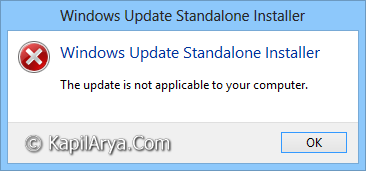
Since you can’t install the Windows 8.1 update, hence you can’t upgrade Windows 8 to Windows 8.1 as well. But thanks to the MS Answers guys, who has given us the idea to fix this error. So you can fix this strange issue using following method:
FIX : Error “The Update Is Not Applicable To Your Computer” While Upgrading To Windows 8.1
1. Create a new folder in your C: drive (say temp) and save this file (Windows8-RT-KB2849636-x86.msu) to your C:\temp folder.
2. Open administrative Command Prompt and enter following command and press Enter:
cd c:\temp
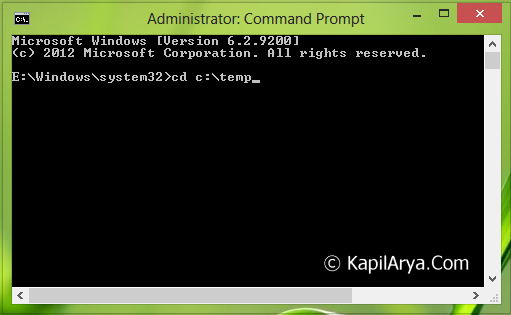
3. Next type the following command inside the temp folder to unarchive the patch:
Expand –F:* Windows8-RT-KB2849636-x86.msu
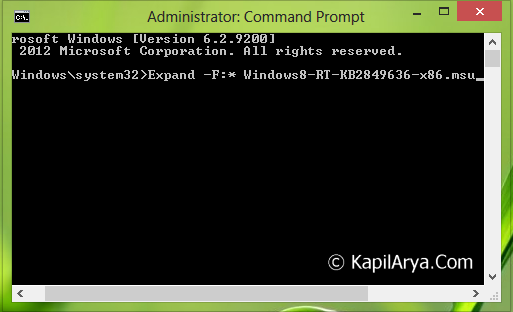
4. You’ll find a bunch of new files in your temp directory. Now type the following command to install the Windows 8.1 patch:
DISM.exe /Online /Add-Package /PackagePath:Windows8-RT-KB2849636-x64.cab
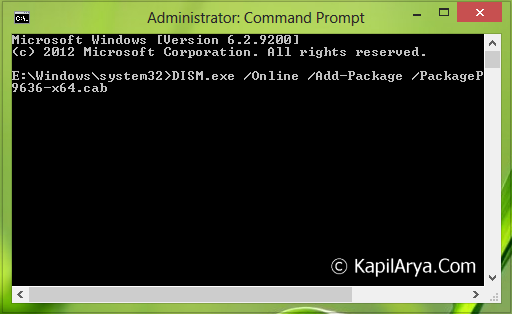
The command prompt will say “processing 1 of 1” and, after a while, you will be prompted to restart the computer. Type “y” (without quotes) and the patch will be installed.
Now when the machine restarts, you’ll asked to download the Windows 8.1 upgrade from the Windows Store. If you’re lucky, the installer will download in the background else, like many others, you may see another error that says “The Windows 8.1 Preview isn’t available right now. Please try again later.”
Hope this helps!