Generally, when you add more than one language in your Windows 10 OS, the input indicator or language bar appears in system icons area on taskbar. The aim of the language bar is to display current language, when users is supposed to perform switching of languages. This will help the user to be always aware of current language in use. Sometimes, the language bar may appear, even if you’ve single language installed.
If you don’t want to display language bar on the taskbar, login screen, UAC prompt screen etc., you need to turn off the Input Indicator from Settings > Personalization > Turn System icons on or off. However, following this way, we realize that language bar removes temporarily and keeps coming back when we restart the machine. No matter how much time we turn off the Input Indicator, it returns back creating an infinite loop.
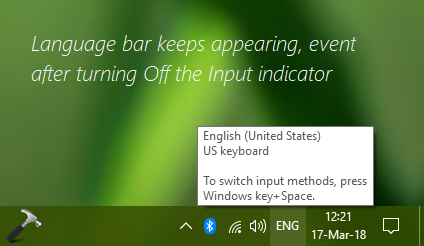
If you’re also facing this problem on your Windows 10, this article is for you. Try below mentioned steps to fix this annoying problem.
Recommended: Cannot install language packs in Windows 10.
FIX: Windows 10 Language Bar Keeps Appearing
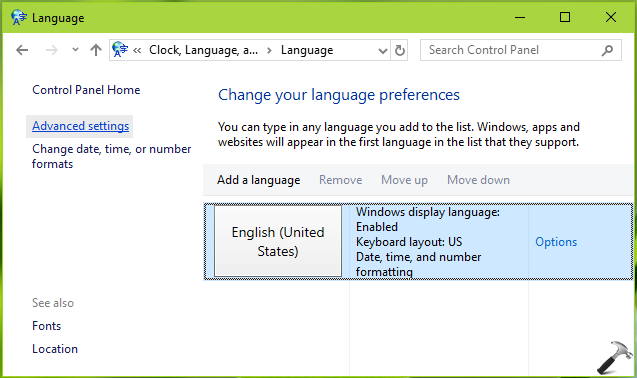
1. Open Control Panel and go to Clock, Language, and Region > Language. In the left pane of the window, click on Advanced settings link there.
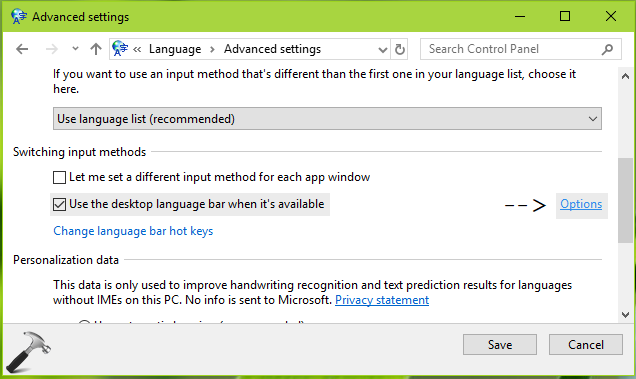
2. Next, in the Advanced settings screen, under Switching input methods, enable Use the desktop language bar when it’s available option. Then click on Options link next to it.
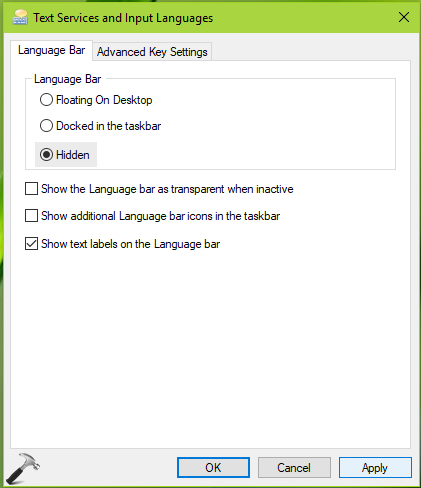
3. Finally, in the Text Services and Input Languages window, under Language bar tab, select Hidden option for Language Bar heading. Click Apply followed by OK. Then click Save in above shown window.
Exit Control Panel. The language bar should be immediately removed from the taskbar now. You may return to Desktop now.
Let us know if you still have the issue!
Related: How to turn off language indicator in Windows 8.1.