

Today, I was trying to download some new extensions for Google Chrome. Thus opened Chrome, what I see pulled me to write this article. It was the Windows – Application Error. There is nothing to help except the error code itself i.e. 0xc0000135. Also the Chrome crashed at start up.
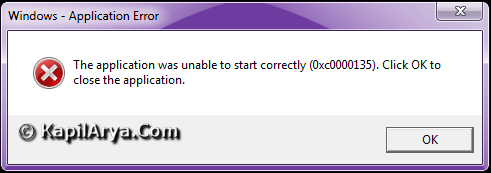
To fix it, initially I tried the Microsoft Support. But it didn’t helped and I end up blaming that this is Chrome’s error and it would be better if I try Chrome community. Finally I got the solution and here it is…
FIX : Error 0xc0000135 While Starting Google Chrome
1. First of all download the latest version of Microsoft .NET using below links. Remember here to, solve the error 0xc0000135 on other apps, running latest version of .NET is the first priority. However, my system was already running latest version of .NET when I got the error.
Download Microsoft .NET 4.0
Offline Installer [Direct Link]
2. Press  + R, type following command in the Run dialog box (replace XXXX with username) and hit Enter:
C:\Users\XXXX\AppData\Local\Google\Chrome\Application\chrome.exe -no-
sandbox
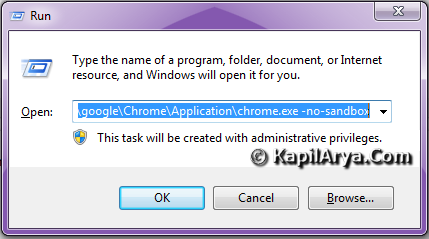
3. Moving on, now refer to Chrome desktop icon and right click on it. Select Properties and add the same command provided in step 2.
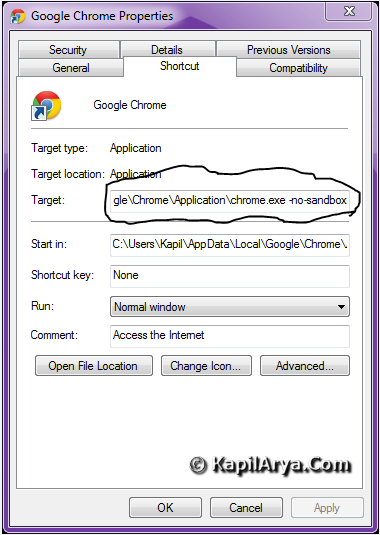
Click Apply followed by OK. Now in the Windows 7 search box, search for Google Chrome, you’ll see two Google Chrome shortcuts, one is older and another is you just created right now, select the later. You can also try this:
Right click on Google Chrome desktop icon. Select the Troubleshoot compatibility. After successfully applying troubleshooting effects, choose Start program which leds you Chrome but without Aero effects.
That’s it!





Oh, I can’t believe dat u got that error on 7 even after having .NET!!!!!!!!!
LOLZ… chrome is dominating over net :)
Hi Kapil
i have HCL ME laptop running vista, but since this morning getting the black screen.already booted in safe mode with no good luck …… i think a troubleshoot is needed;
plz. tell me any fix… I’m posting this from my friend’s PC…
@ JACM
1.use regedit
2. HKEY_LOCAL_MACHINESOFTWAREMicrosoftWindows NTCurrentVersionWinlogon
3.replace existing data with explorer.exe
4. reboot
let me tell if it doesn’t work ::::
by the way good article dear editor!
C:UsersXXXXAppDataLocalGoogleChromeApplicationchrome.exe -no-sandbox
There is no Application on my pc? Just User Data
^^ It should be there. Recheck it.
Also, type chrome://version/ in URL path and check Executable Path. You will get it.
Hi there, You’ve done a fantastic job. I will certainly digg it and personally suggest to my friends. I’m confident they’ll be benefited from this website.
I really like and appreciate your blog article. Awesome.