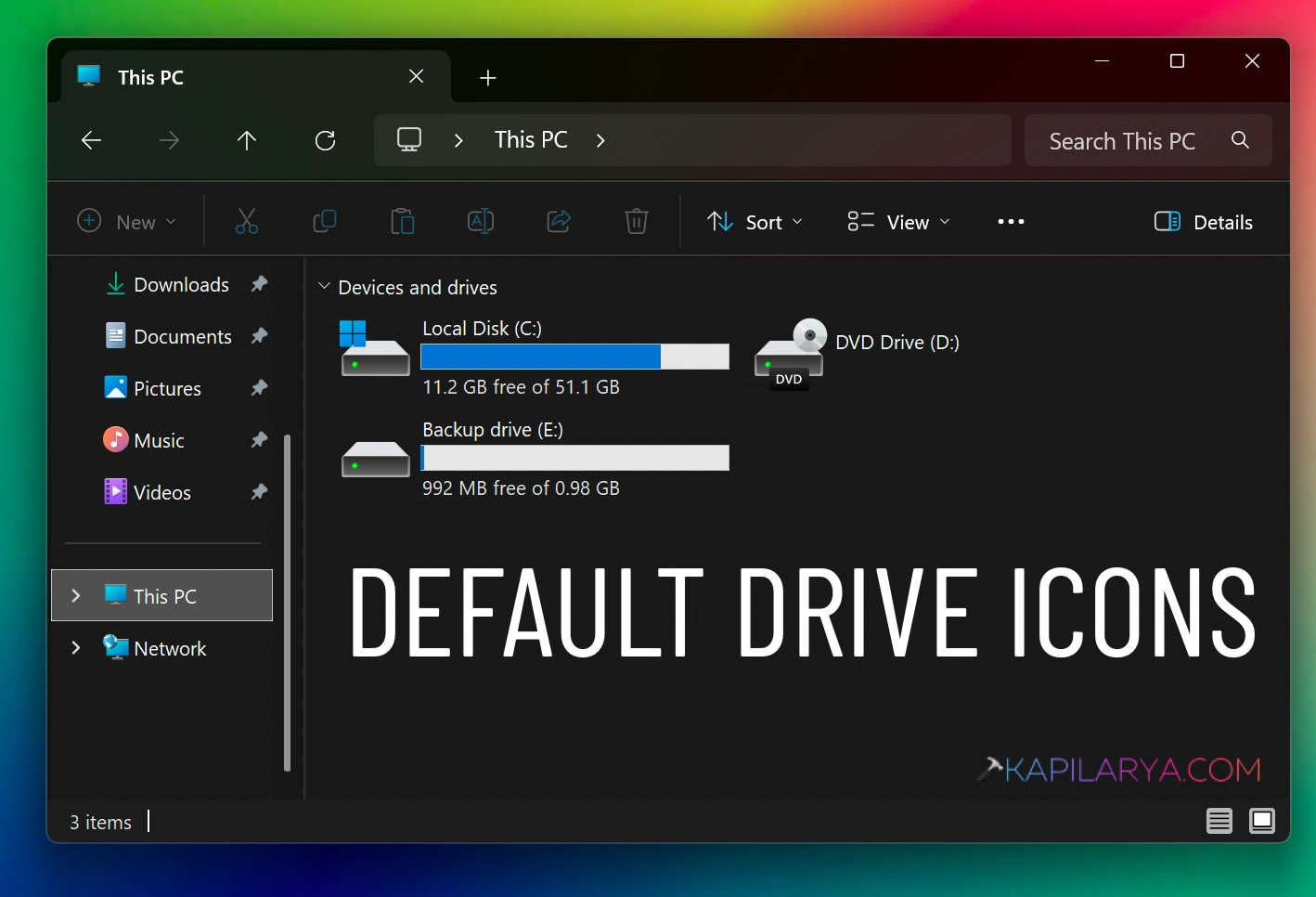
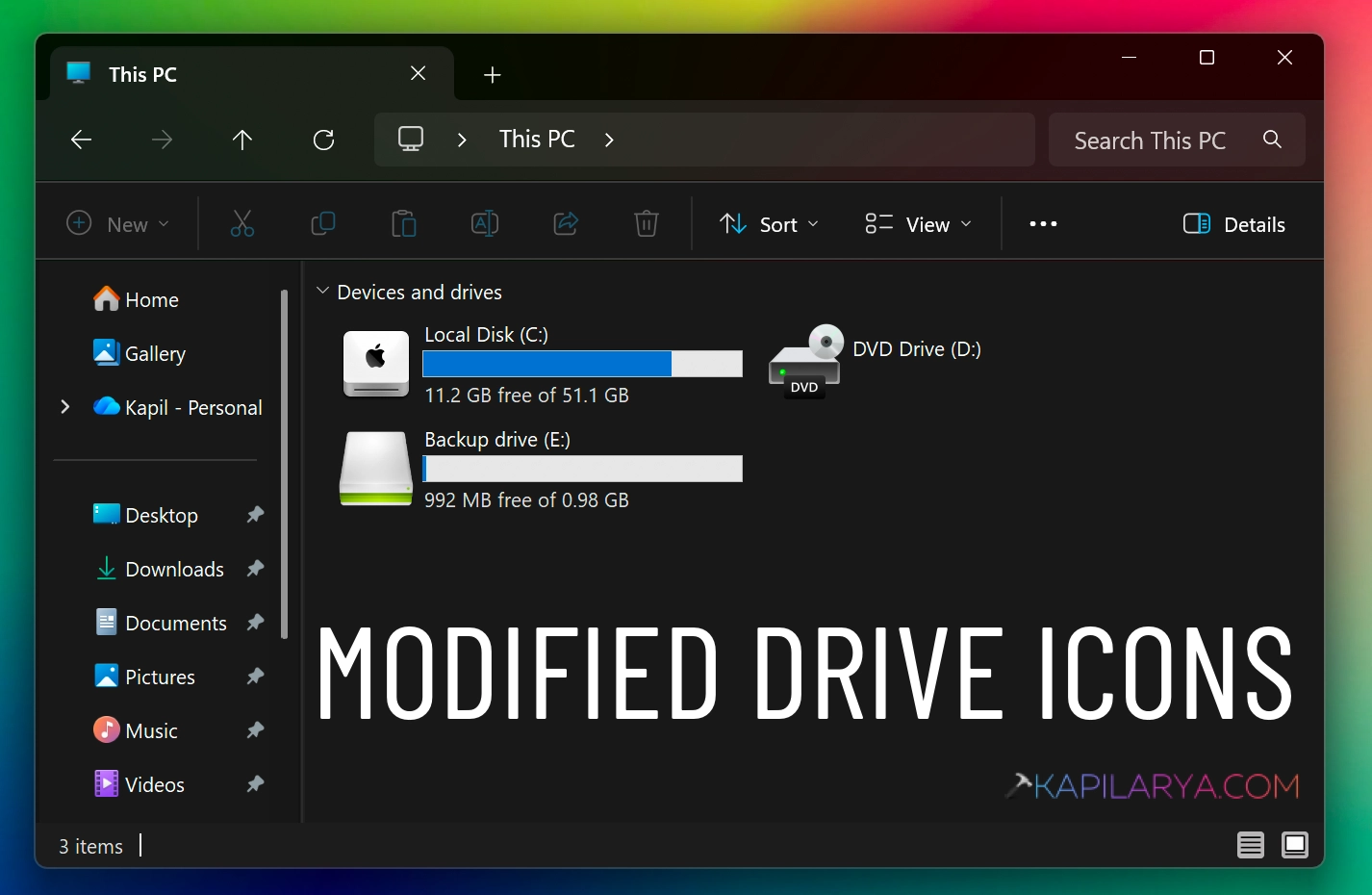
All your drives look the same in File Explorer. It gets confusing when you’re switching between work files, backups, or USB drives. A custom drive icon makes it much easier to find the right one. Windows 11 doesn’t offer a direct setting for this, but you can still change drive icons in a few simple ways.
Page Contents
How to Change Drive Icon In Windows 11
Here are some of the simplest and easiest methods:
Method 1: Change The Icon For A Specific Drive
1. Press Windows + R, type regedit, and press Enter.

2. Go to:
HKEY_LOCAL_MACHINE\SOFTWARE\Microsoft\Windows\CurrentVersion\Explorer\DriveIcons
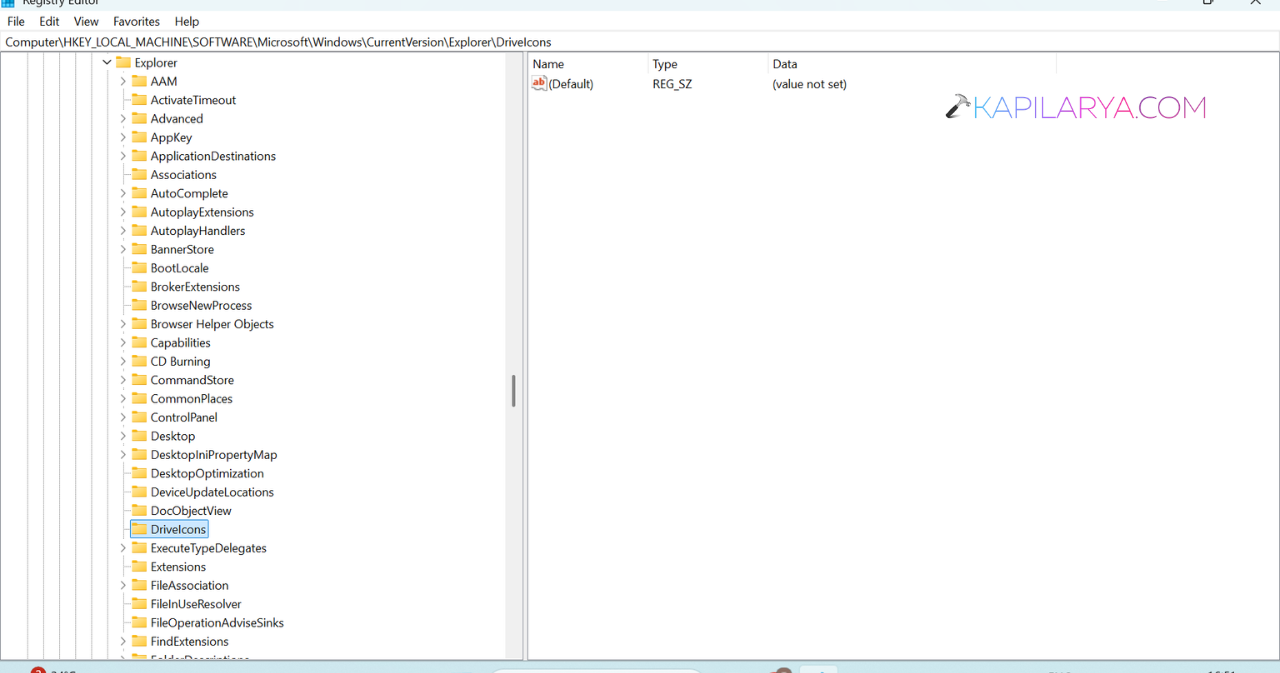
3. If DriveIcons doesn’t exist, right-click Explorer > New > Key and name it DriveIcons.
4. Right-click and create a new key with the drive letter (for example, D).
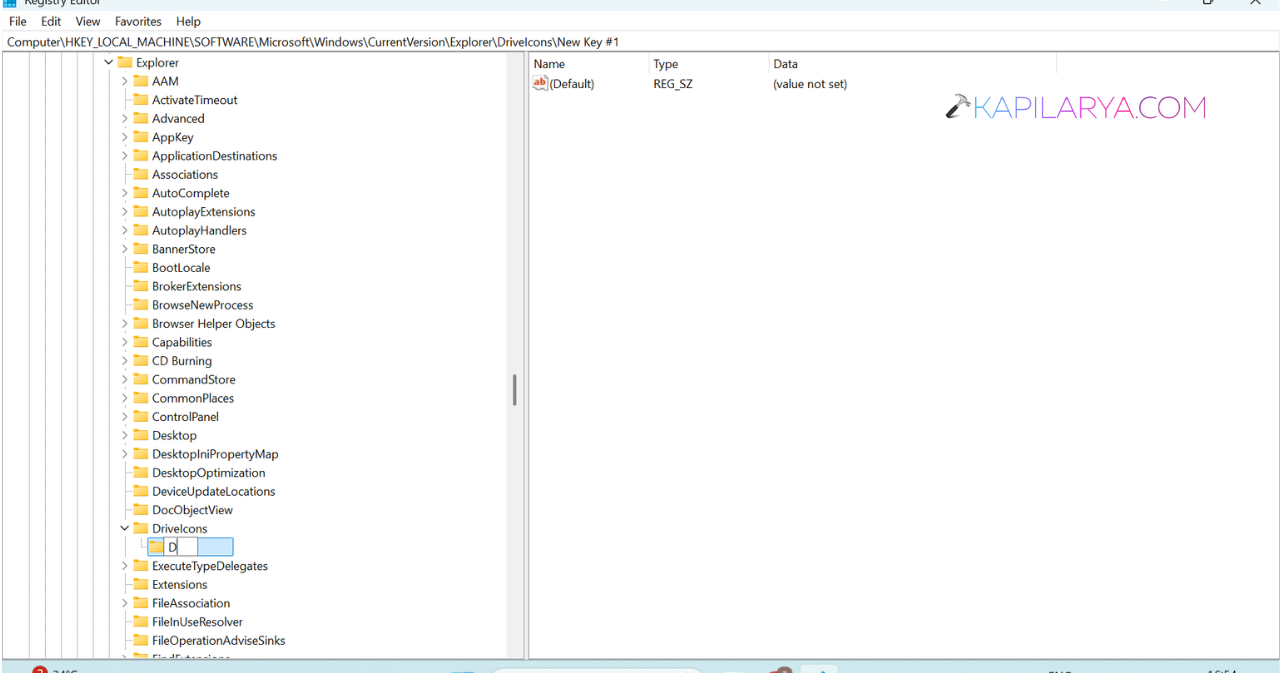
5. Inside it, create another key named DefaultIcon.
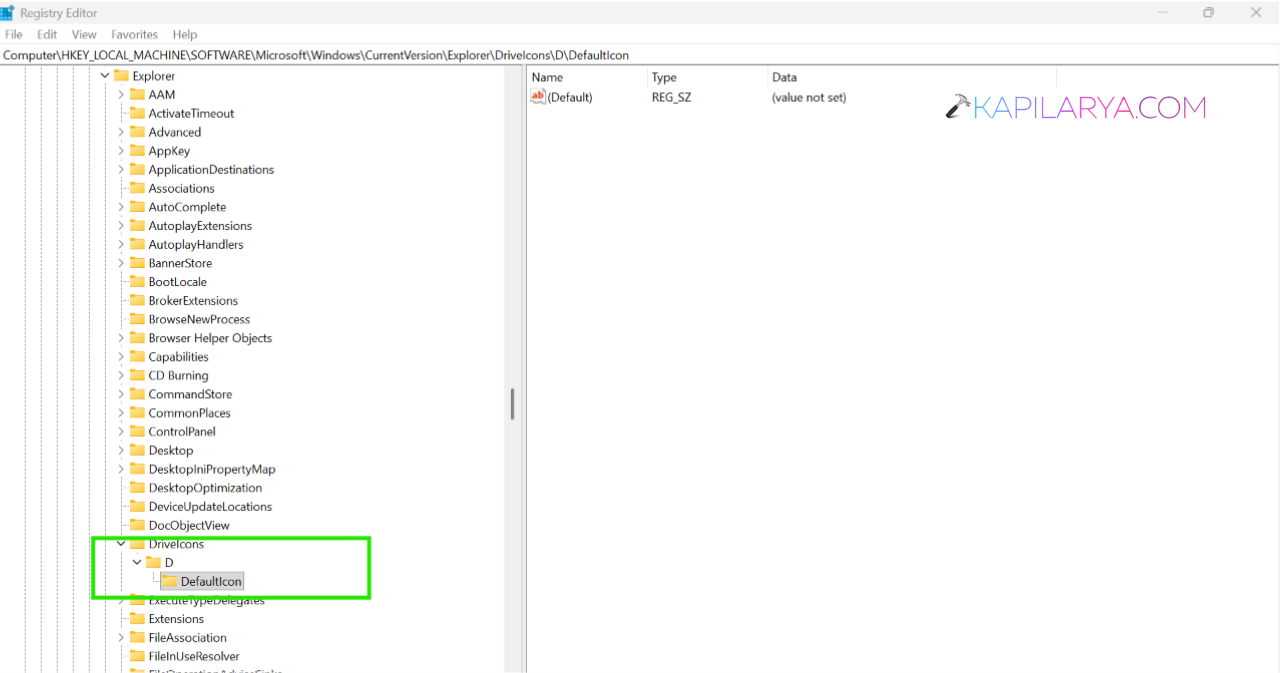
6. Double-click (Default) and enter the full path to your .ico file, such as
C:\Icons\Drive.ico
7. Restart File Explorer or your PC.
Method 2: Use The Alternative Registry Method
1. Open Registry Editor using regedit command.
2. Browse to:
HKEY_CLASSES_ROOT\Applications\Explorer.exe\Drives
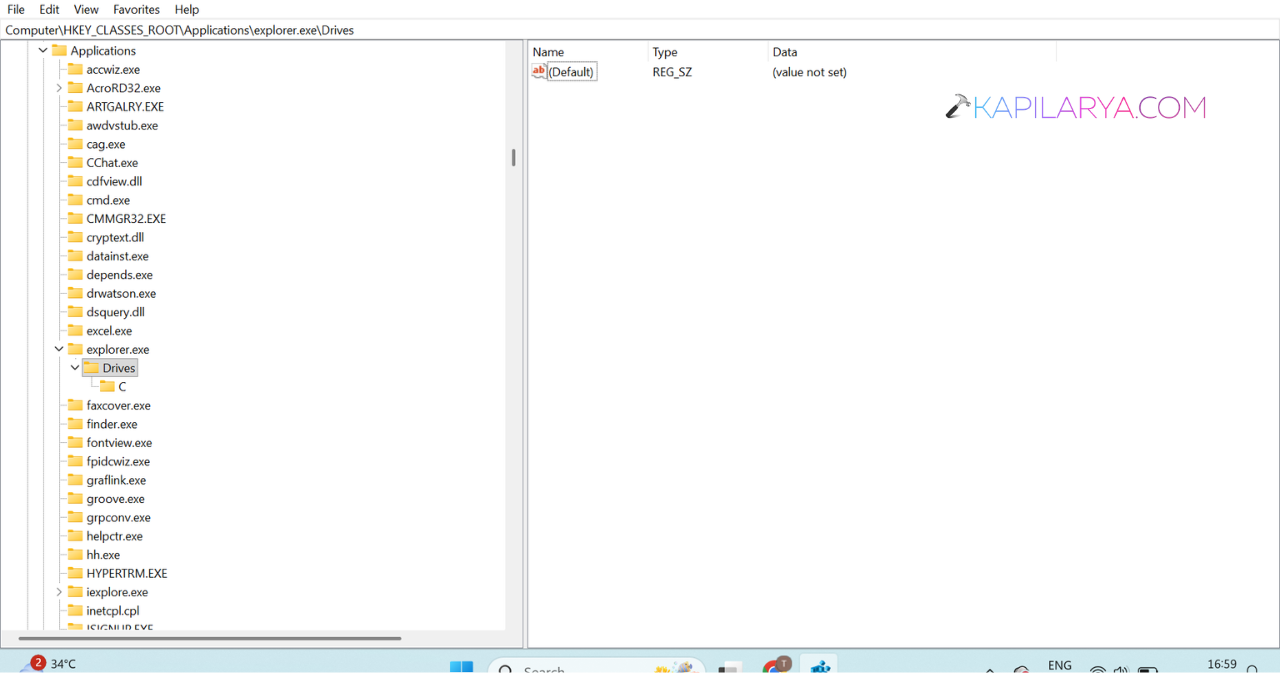
3. If Drives doesn’t exist, create it.
4. Create a new key using the drive letter.
5. Inside it, create a DefaultIcon key.
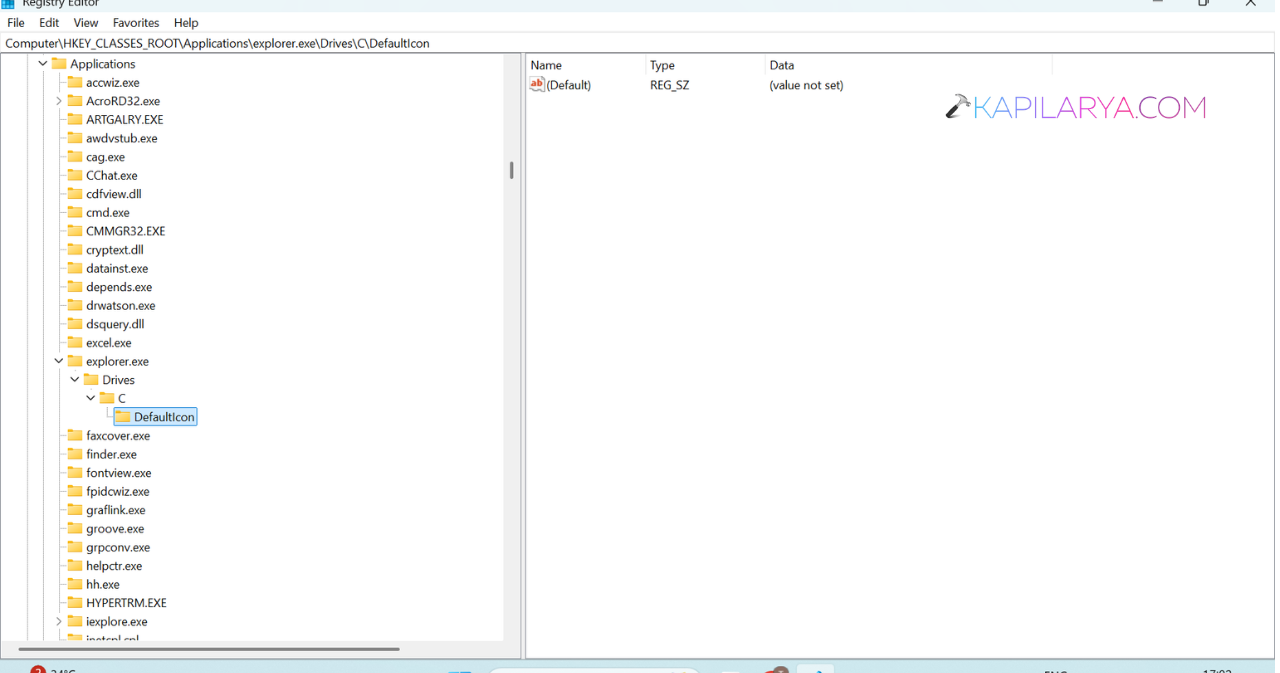
6. Open (Default) and enter the full path to your .ico file, example: C:\Icons\Drive.ico
7. Restart File Explorer to apply the change.
Method 3: Change The Default Icon For All Drives
1. Use regedit command to open Registry Editor. Go to:
HKEY_LOCAL_MACHINE\SOFTWARE\Microsoft\Windows\CurrentVersion\Explorer\Shell Icons
2. Create the Shell Icons key if it’s missing.
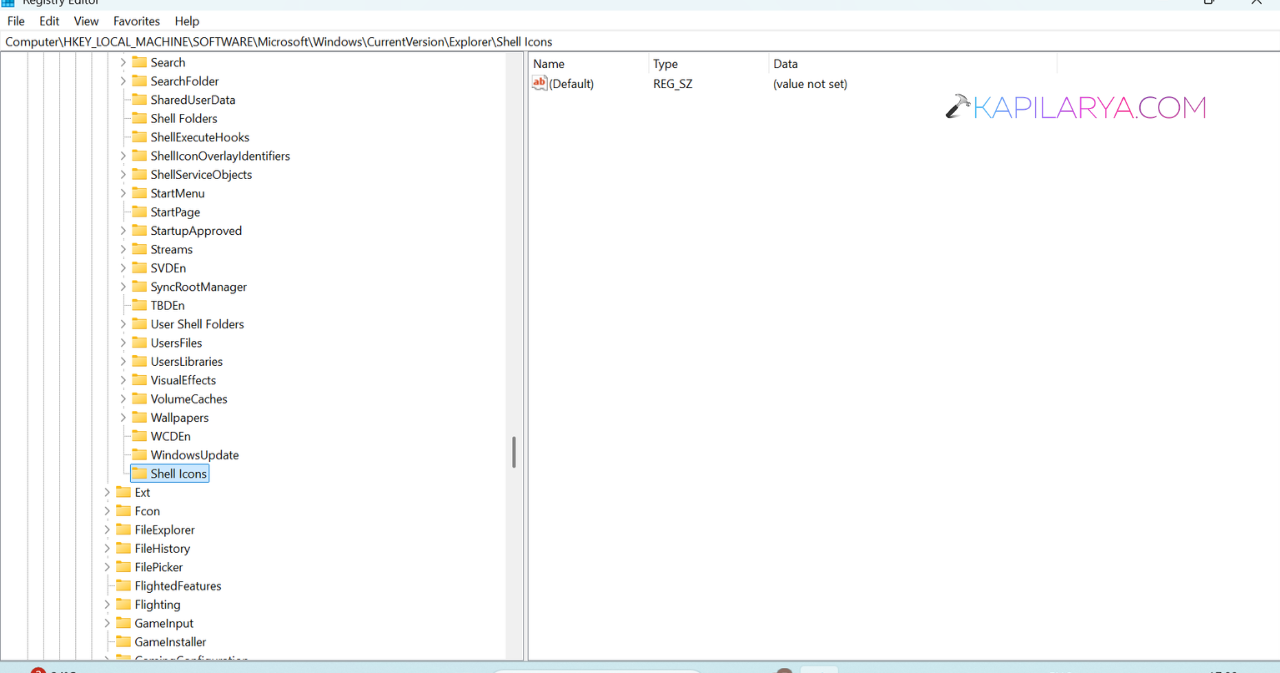
3. In the right pane, create an Expandable String Value named 8.
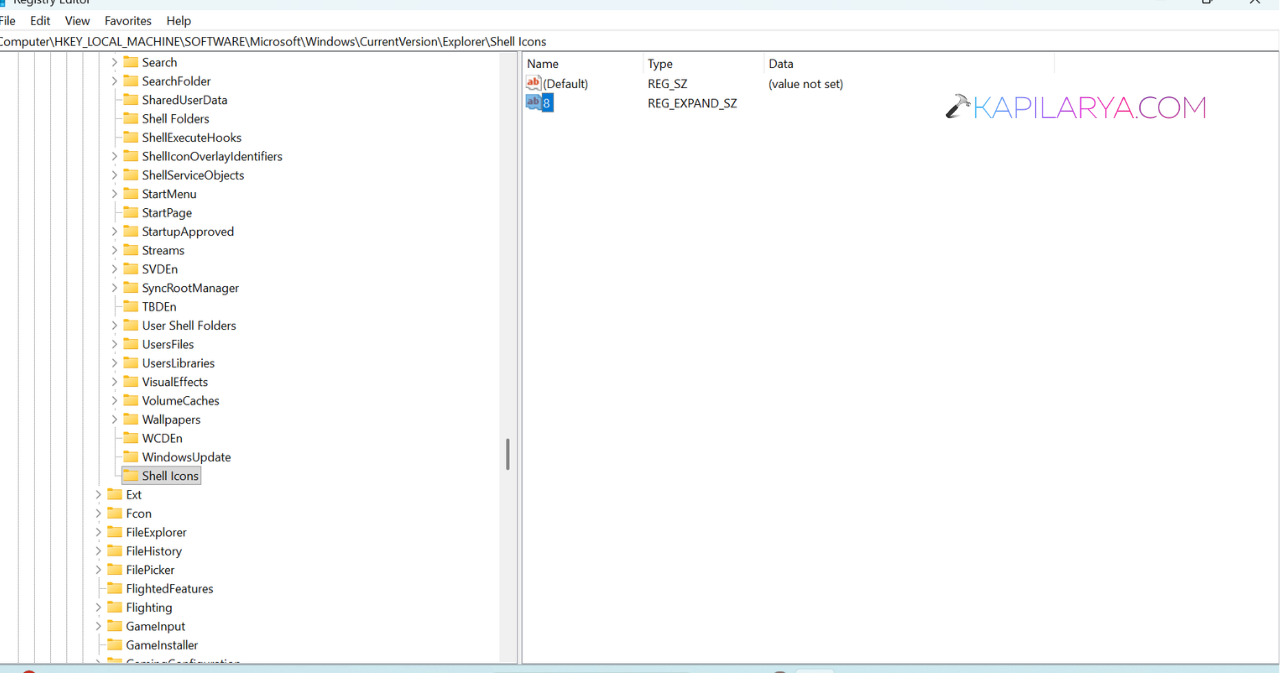
4. Set its value to the full path of your .ico file, example: C:\Icons\Drive.ico
5. Sign out of Windows and sign back in.
Method 4: Change The Icon Of A USB Drive
1. Copy a .ico file to the root of the USB drive.
2. Create an autorun.inf file containing:
[Autorun]
Icon=Drive.ico
Label=My USB Drive
3. Save the file in the root of the USB drive.
4. Safely remove and reconnect the USB drive to see the new icon.
![Add the Recovery Partition in Windows 11 [2026 Guide]](https://www.kapilarya.com/assets/Disk-768x494.jpg)