

Mozilla Firefox is no doubt my favorite browser and I have used it since I’m using web. Being a customization lover, I always looks for the tweaks to make things more easy.
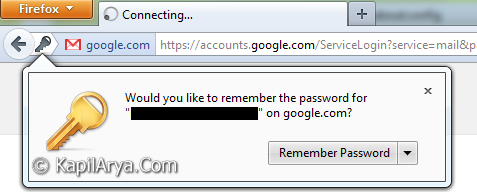
I pointed out that Firefox always asks us to remember password for the login/registration form we fill on a particular webpage. If you are that kind of user who is using a multiple user PC, and doesn’t want that Firefox asks you to remember password every time, then here is a trick to disable such a pointless prompt.
So without wasting anymore time, lets share this cool trick…
How To : Disable “Remember Password” Prompt In Mozilla Firefox
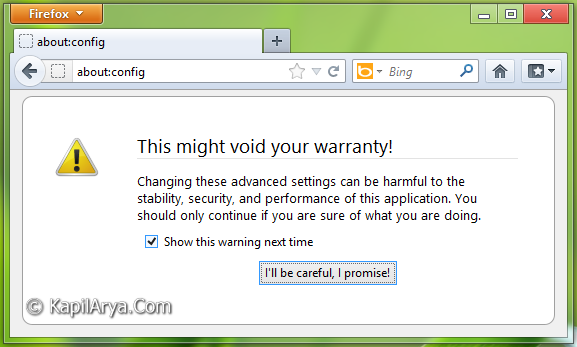
1. Type about:config in Firefox‘s address bar followed by Enter. You’ll be taken to following prompt. Click on I’ll be careful, I promise!.
2. Next, in the Search box, type pass. A bunch of results will be displayed. Find out preference name, privacy.cpd.passwords, it must have value false by default.
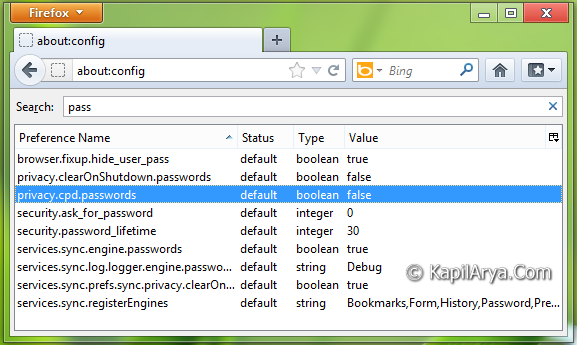
Double click on this value to set it to true.
3. Next, look out for preference name, security.ask_for_password, it must have value 0 by default. Double click on this preference.
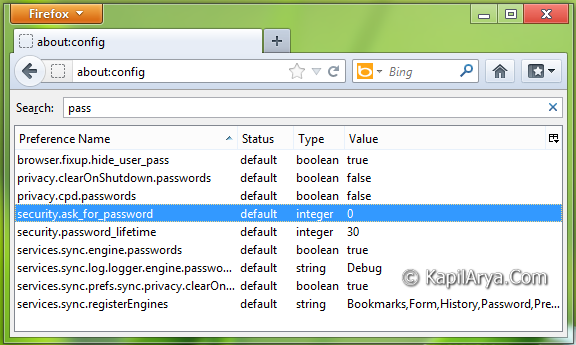
4. After double click, you’ll got the window shown below, where you have to input 1 replacing 0.
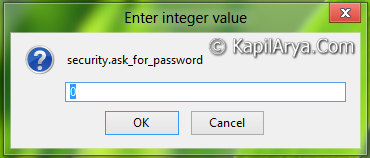
That’s it. You have successfully disabled the remember password prompt for future reference. Restart Firefox to get results.
If you want to enable it again, set the false value for privacy.cpd.passwords (step 2) and put 0 for security.ask_for_password (step 4) .
That’s it!



WORKS IN FIREFOX 14???
Awesome TIP, Thanks Kapil ;)
Great post. I was checking constantly this blog and I am impressed! Very useful information specifically the last part :) I care for such info much. I was looking for this certain info for a very long time. Thank you and good luck.
still doesn’t work
In order that-all-above to work, You need to disable, in the privacy options, the “always anonymous navigation” checkbox