

We here at Kapil Sparks™, posted many articles based on Registry Editor in past. They mainly involve to modify the predefined values and simple creation of keys, DWORDs etc. However sometimes you need to take the ownership of a registry key.
You can easily take the ownership of a registry key using manual method of following article:
However even after taking the ownership, you might experience the error to create a new value for the registry key whose ownership you’ve just taken.
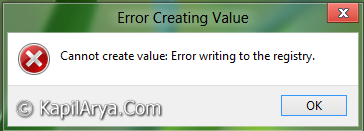
In this article, I’m going to tell you the way to overcome this error so that you can create new values on your owned registries. So here we go…
FIX : Unable To Modify Values In Registry Editor
1. Press  + R and put regedit in Run dialog box to open Registry Editor (if you’re not familiar with Registry Editor, then click here). Click OK.
2. Navigate to the registry location where you’re experiencing the error. For example, let us take following registry location in Windows 8:
HKEY_CLASSES_ROOT\CLSID\{20D04FE0-3AEA-1069-A2D8-08002B30309D}\ShellFolder

3. Here we’re experiencing the error to create a new 32-bit value in the right pane for the key ShellFolder. So to fix the issue, right click on the ShellFolder key. Select Permissions. You’ll got this:

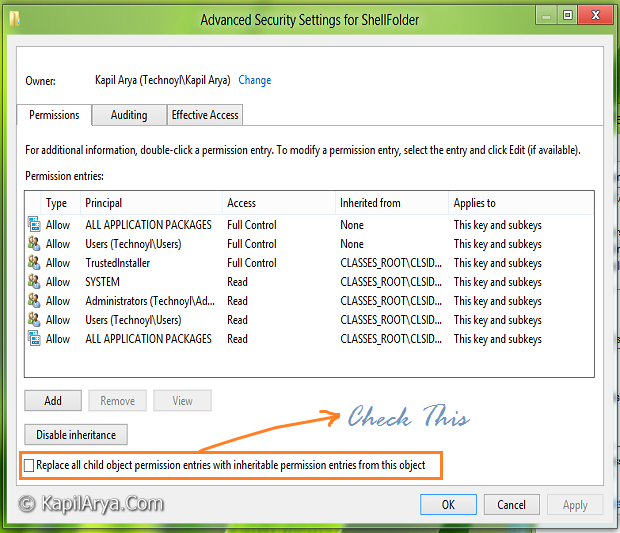
4. Click on Advanced, you’ll be taken to below shown window. Since we’ve already taken ownership, so the owner is user. Check the option Replace all child object permission entries… (see below image) . Click Apply followed by OK.
5. After this, again make a right click on ShellFolder key, select Permissions and check mark the Allow for Full Control. Click Apply then OK.

6. That’s it. We’re done now, so go to the registry location where you’re facing the issue and create a new value, it should work fine.
Hope this helps!


THanks Bro… It worked like charm :)
+1 for this article!!!!!!
Good tip, nice article as usual….
Hello there, does we need to follow this method for files and folders?
^^ Nope :)
When I try to open the run and type regedit it says access denied because it couldn’t be accessed in a timely manner. it is not letting me make changes thru the update & security. it is preventing me to make changes.
^^ Let me know the exact error message appear when you try to open Registry Editor, so that I can help you.
I can’t make any changes in safe mode or normal just says that this version of windows 10 will not allow. I’m stuck in an endless cycle of defultuser01 :( please help! I recently reset my computer and haven’t been able to use it for 3 days!