We all know that the Control Panel is the heart of Windows. Using Control Panel we can made the computer working according to our preferences. Consider the scenario, when you woke up and start your computer; and suddenly you need to change a setting via Control Panel. So you opened it, and what you see is nothing there to configure! Well, this could be the issue with your system that you can find the Control Panel blank like this:
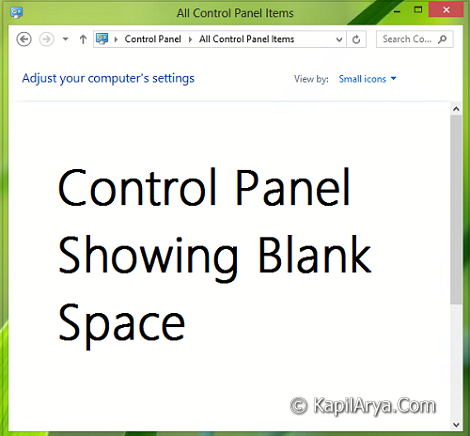
At first sight you’ll call this that your Windows has got corrupted; but is it actually? Well, most probably the answer to your query is no. Actually some sort of settings have pulled your system into this trouble. Applying the fix mentioned below could help to restore your Control Panel in normal working condition as it should be, here is how:
FIX : Empty Or Blank Control Panel/Control Panel Icons Missing In Windows 10/8/7
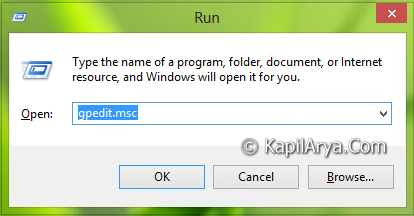
1. Press  + R and put gpedit.msc in Run dialog box to open Local Group Policy Editor. Click OK.
2. Navigate here:
User Configuration -> Administrative Templates -> Control Panel
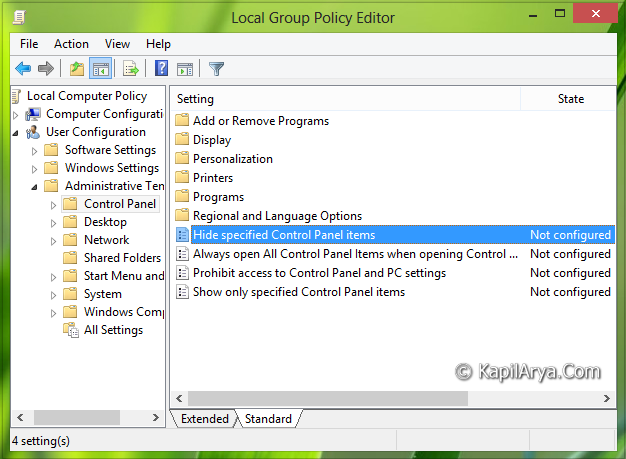
3. In the right pane of this location, look for the setting named Hide specified Control Panel items and double click over it to modify it:
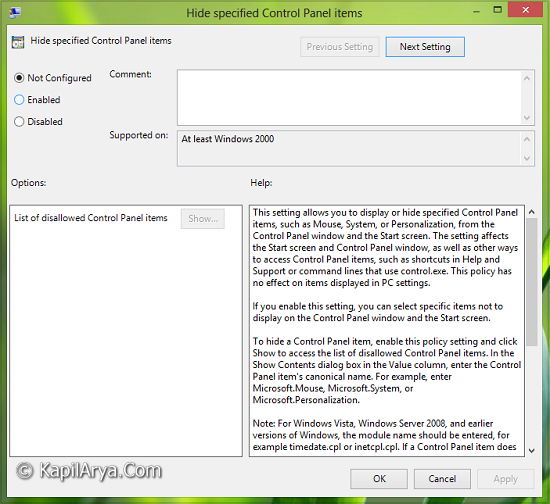
4. In the above window, select Disabled and click Apply followed by OK. Now in the location of second step, look for the setting named Show only specified Control Panel applets:
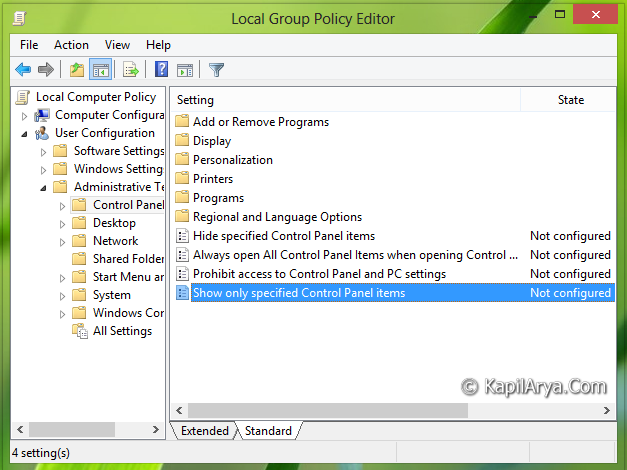
5. Double click on the same setting and you’ll got this:
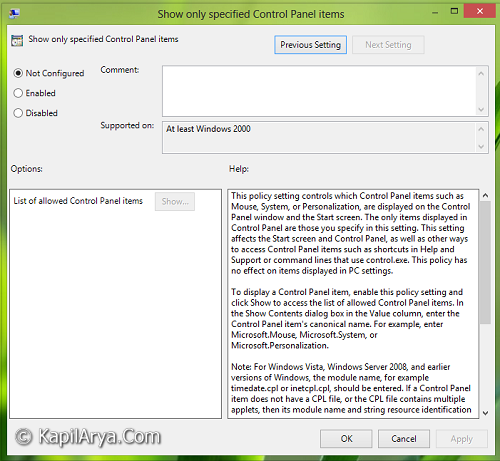
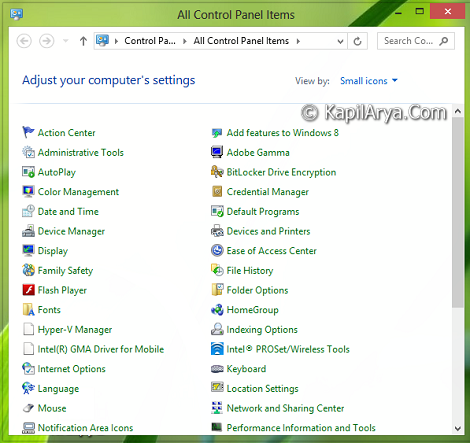
6. In the above window, select Disabled and click Apply then OK. That’s it. Close the Local Group Policy Editor and reboot. Finally the Control Panel icons will appear:
Hope you find the fix useful!