When you start your Windows 11 and log in to the your account, after that you just land to Desktop. This is the place where you can start working for a new session. I am sure most of you have a lot of Desktop icons at first place. Although, you can pin apps to Start Menu, taskbar, however placing app icons typically shortcuts on Desktop could be a first choice for most of the users. So its quite obvious that if Desktop icons missing in Windows 11/10, this makes a big problem for some users. In this article, you’ll read how to get rid of this annoying problem.
Here’s the screenshot of Desktop with icons missing. You can clearly see that even the Recycle Bin icon is not showing in this Desktop. However, the Desktop background is still visible.
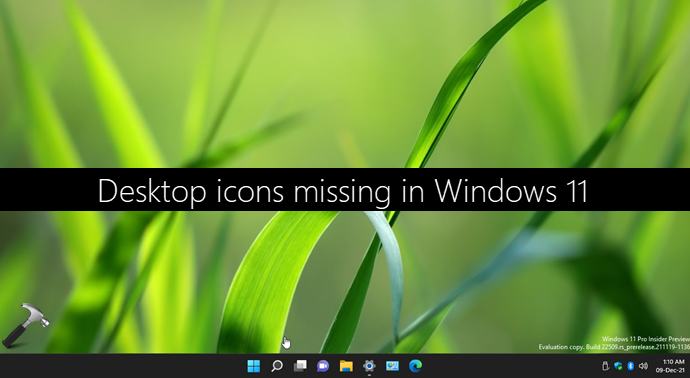
So if you’re also missing your Desktop icons, you can restore them with below suggestions.
Fix: Desktop icons missing in Windows 11/10
As soon as you observe this issue, first thing to do is to right click on the empty space on your Desktop and select View > Show desktop icons. This should restore your missing Desktop icons immediately.

If the problem continues even after above mentioned suggestion, continue troubleshooting with these steps:
1. Restart your system multiple times.
2. If you’re using OneDrive for cloud backup, check if you’ve not uploaded the entire Desktop folder to cloud. If that happened accidentally, you can restore your Desktop folder OneDrive and this would fix the issue.
3. Check if you’ve been logged to temporary profile. If that’s true, you might have received You’ve been signed in with a temporary profile notification or We can’t sign into your account message. You can refer this fix to get rid of temporary profile issue and login back to your normal account/profile.
4. If you’re on Windows 10, you need check if the Tablet mode is enabled. Go to Settings app > System > Tablet mode > Change additional tablet settings. Turning Off the Tablet mode may help you restore missing Desktop, if it was the root cause. If your Windows 10 stuck in tablet mode, check this fix instead.

Hope something helps!
Related fix: Recycle Bin Icon Missing From Windows 10 Desktop.